外掛標籤
開發者團隊
② 後台搜尋「Nanflows Popup – Popup Builder, Email Opt-in & Cookie Consent」→ 直接安裝(推薦)
原文外掛簡介
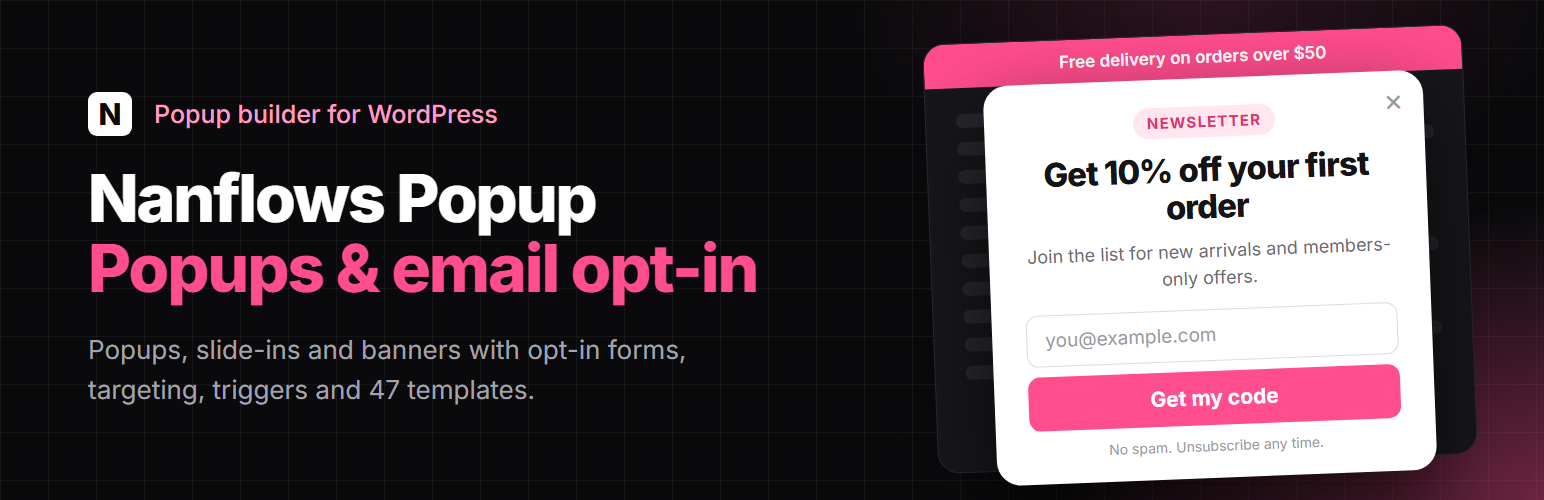
Nanflows Popup is a free popup builder for WordPress. Make a popup, a slide-in, a top banner, a bottom bar or an inline box, put an email opt-in form in it, and choose who sees it, on which pages and when.
Start from one of 47 ready-made templates or from a blank canvas. Design it in the Nanflows editor, in the block editor (Gutenberg) or in Elementor. Leads are saved in your own database and can be sent on to Mailchimp, Brevo, MailPoet, FluentCRM or the Newsletter plugin.
Free, with no limit on the number of popups, views or leads.
Popups, slide-ins, banners and bars
Modal popup in the middle of the page, with an overlay.
Slide-in from a corner.
Top banner and bottom bar, for announcements, sales and free delivery offers.
Inline box inside your content: before or after the post, at WooCommerce spots on the product, cart and checkout pages, or anywhere with the [nanflows_popup] shortcode.
Fade, slide and zoom animations.
Triggers: when the popup opens
After a time delay.
After the visitor scrolls part of the page.
On click of any button, link or element.
On page reload, or from a link to the page (a #hash).
After a form on the page is sent.
Targeting: where the popup shows
The entire site, the homepage or the blog page.
All posts, pages or products, or only the ones you pick.
Archives, search results and the 404 page.
Logged-in or logged-out visitors.
WooCommerce shop, product, cart and checkout pages.
Frequency: how often
Every page view, once per session, once every X days or X times per day.
Stay hidden for a number of days after the visitor closes it.
Stop showing to visitors who already signed up.
Email opt-in forms and leads
Opt-in form with email, name, phone, short text, hidden fields (UTM, page, cookie) and a consent checkbox.
Every lead is saved in your own WordPress database, under Popups > Leads.
Send leads to Mailchimp, Brevo, MailPoet, FluentCRM or the Newsletter plugin, or to your own webhook (Zapier, Make, n8n…).
Spam protection: a honeypot and rate limiting by default, plus Cloudflare Turnstile, hCaptcha or reCAPTCHA v3 if you want them.
Use the form plugin you already have
Put a form from Contact Form 7, WPForms, Gravity Forms, Fluent Forms, Ninja Forms, Formidable Forms, Forminator, Elementor Pro Forms, WS Form, MC4WP: Mailchimp for WordPress or Jetpack Forms in a popup. Sent forms count as conversions, and can be saved under Leads too.
Design your popup
Drag-and-drop editor with columns, heading, text, image, button, opt-in form, countdown, divider, spacer, social links and close link.
Or build the popup in the block editor or in Elementor.
47 templates: newsletter signup, discount, announcement, countdown sale, cookie notice, contact and WooCommerce free delivery.
Countdown timer to a fixed date, which stays correct behind page caches.
Google Fonts, hosted on your own site if you like.
Works with right-to-left languages.
Cookie consent banner
A cookie banner with Accept all, Reject all and Customize buttons, that holds back tracking scripts until the visitor agrees, and supports Google Consent Mode v2. It can also load Google Analytics 4, Google Tag Manager, Meta Pixel or Microsoft Clarity for you from just their ID, once the visitor accepts. Set it up under Popups > Cookie consent.
Manage and measure
Overview with views, conversions and conversion rate for each popup.
Duplicate, pause, bulk actions, “save as my template”, undo and redo, autosave and revisions.
Import and export popups between sites.
Translate popups with WPML or Polylang.
WP-CLI commands for popups, leads, stats and the cache.
Works with page caching: frequency and countdowns are handled in the visitor’s browser, and “Clear cache” also clears supported page caches (LiteSpeed, WP Rocket, W3 Total Cache and others).
Nanflows Popup Pro
Everything above is free and works fully without Pro. Nanflows Popup Pro, a separate plugin, adds exit intent and many more triggers, more popup types (fullscreen, spin to win, countdown, content locker, yes/no, surveys and quizzes…), advanced targeting, A/B testing, unique WooCommerce coupons, revenue tracking and more integrations.
The template gallery and the editor list the Pro options as optional upgrades.
External services
Nanflows Popup works on its own and sends nothing anywhere by default. Each service below is contacted only after a site admin turns it on and enters their own account details for it.
Spam protection (optional)
When a CAPTCHA provider is chosen under Popups > Settings, the provider’s script is loaded on pages that show a popup form, and when a visitor sends the form, the token the script created and the visitor’s IP address are sent to the provider to check that the visitor is human.
Cloudflare Turnstile: script from challenges.cloudflare.com, checked at challenges.cloudflare.com. Terms, Privacy policy
hCaptcha: script from js.hcaptcha.com, checked at api.hcaptcha.com. Terms, Privacy policy
Google reCAPTCHA v3: script from www.google.com, checked at www.google.com. Terms, Privacy policy
Email marketing (optional)
When a popup’s form is connected to one of these services, the lead’s email address, and the name and other fields the visitor filled in, are sent to that service when the form is sent. Saving the connection also asks the service for your lists, using the API key you entered.
Mailchimp (api.mailchimp.com): Terms, Privacy policy
Brevo (api.brevo.com): Terms, Privacy policy
MailPoet, FluentCRM and the Newsletter plugin run on your own site, so nothing leaves it.
Webhook (optional)
When you paste a webhook address under Popups > Integrations, every new lead (email, name, consent, popup, page and date) is sent as JSON to that address. Where it goes is up to you; nothing is sent until you add one.
Tracking tags in the cookie banner (optional)
When you enter a tag’s ID under Popups > Cookie consent, the banner loads that tag’s script, only for visitors who accept its category (Analytics or Marketing). The tag then sends the pages they visit, their IP address and browser details to its vendor, under your own account with that vendor. Nothing is loaded while the ID field is empty.
Google Analytics 4 and Google Tag Manager: script from www.googletagmanager.com. Terms, Privacy policy
Microsoft Clarity: script from www.clarity.ms. Terms, Privacy policy
Meta Pixel: script from connect.facebook.net. Terms, Privacy policy
Google Fonts (optional)
When a popup uses a Google font, the font’s stylesheet comes from fonts.googleapis.com and the font files from fonts.gstatic.com, which receive the visitor’s IP address. Turn on “Host Google Fonts on this site” in Popups > Settings and the fonts are downloaded once, by your server, and served from your own site instead. Terms, Privacy policy
Source code
The editor and block scripts in build/ are compiled from the readable source in src/ with @wordpress/scripts. The .min.js and .min.css files in assets/ sit next to their readable versions.