內容簡介
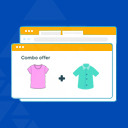
Nanflows Product Bundles 外掛讓您能夠在 WooCommerce 中將產品打包銷售,提供組合優惠、禮品套裝及常被一起購買的選項,簡化購物流程並提升銷售機會。
【主要功能】
• 固定組合:客戶可一次購買多件產品,享有優惠價格
• 常被一起購買:主產品加最多四個附加產品,一鍵加入購物車
• 庫存管理:確保不會超賣,庫存隨內部產品變動
• 支付選項:可選擇預付或貨到付款,根據組合設定
• 自訂顯示:選擇產品頁面或類別展示組合產品
• 簡易設定:引導式設置,快速創建產品組合
外掛標籤
開發者團隊
② 後台搜尋「Nanflows Product Bundles for WooCommerce – Frequently Bought Together & Combo Offers」→ 直接安裝(推薦)
原文外掛簡介
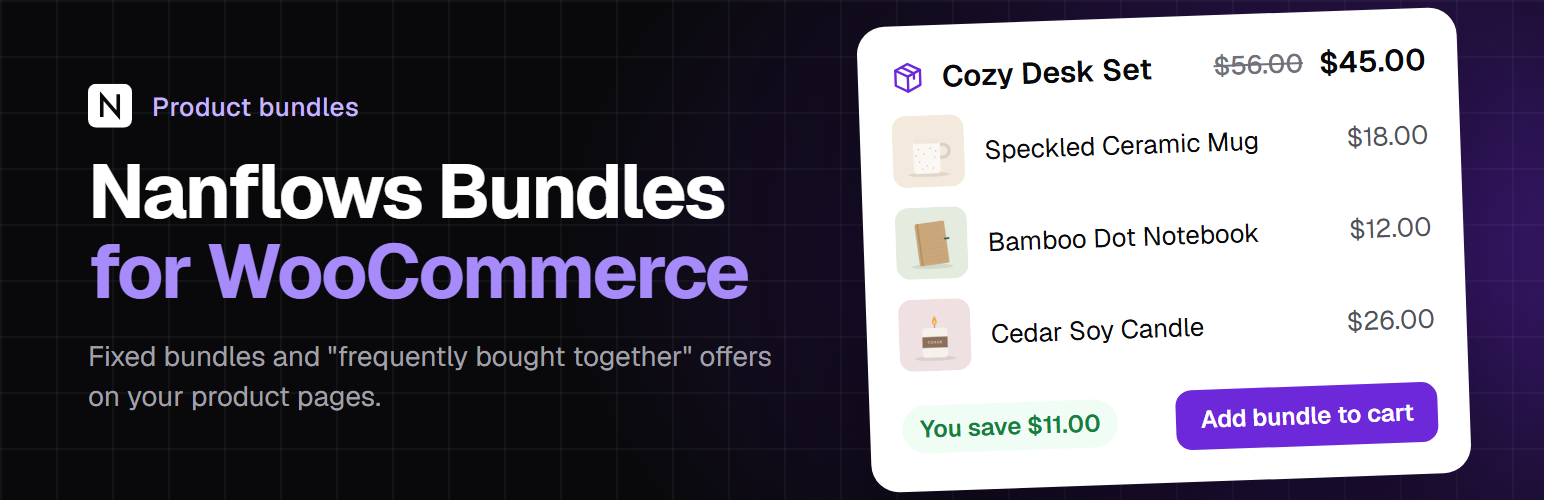
Nanflows Product Bundles lets you sell WooCommerce products together: a starter kit, a gift set, a combo offer at one bundle price, or a “frequently bought together” box under a product. Stock comes off the real products inside, and checkout stays the normal WooCommerce checkout.
Free, with no limit on how many bundles you make.
WooCommerce product bundles and combo offers
Fixed bundles: you choose the products and quantities, and customers buy them together at one price. Set your own bundle price, lower than buying the products one by one.
The saving is shown: the regular price and what the customer saves are worked out for you and shown on the product page.
Customer chooses the option: put a variable product in a bundle and let the customer pick the size or colour, or fix the variation yourself.
Combo offers, kits and gift sets: “Shampoo + Conditioner combo”, “Starter kit”, “The full routine”. One product in the cart, one click to buy.
Frequently bought together for WooCommerce
A main product plus up to 4 extras, already ticked, that the customer can untick before adding the lot to the cart in one click.
Shown on the main product’s page, where the decision is made. WooCommerce’s own cross-sells only appear in the cart.
With every extra unticked, the main product goes to the cart on its own.
Stock that never oversells
No separate bundle stock: a bundle is available while every product inside is in stock, and each sale takes stock from them.
Overselling is stopped at add to cart, in the cart and at checkout.
Stock goes back on cancellation or a restocking refund, by WooCommerce itself.
Cash on delivery or prepaid, per bundle
Accept both, prepaid only, or COD only for each bundle. Make big or expensive combos prepaid only, and keep COD for the small ones.
The plugin checks that the payment method is really switched on in WooCommerce before a bundle goes live.
If a cart holds bundles with different rules, only the methods all of them allow are offered.
Show bundles where they sell
Pick product pages, or whole product categories: every product in them, and products added later.
One button, the customer’s choice: shoppers pick “Just this product” or a bundle with a radio button, and one Add to cart button adds what they chose. Separate bundle cards are available in the settings instead.
Only on those pages, or also as its own product: by default a bundle is not listed in the shop, categories or search, and its own page link takes shoppers to the product page that offers it. Or list each bundle as a product of its own (Settings > General).
Block and shortcode: show a bundle anywhere else with the Bundle block or [nanflows_bundle id="123"].
Several bundles on one product: one by default, up to three if you change it in Settings.
A page of its own: switch it on for any bundle and it gets a page with only that bundle, in your theme’s design, to share in ads, WhatsApp, emails or your menu. Put a heading or a banner at the top (with a second banner for phones if you like).
Easy to set up
Guided set-up: “Create Bundle” asks for a name, a type and its products, then takes you through the bundle’s products and pages, offer, details and payment, with a live preview of the card shoppers will see.
Drafts: half-finished bundles can be saved and finished later. Drafts are never shown to shoppers.
Bundle picture: made automatically from the product pictures (updated when they change), or choose your own from the Media Library. Shown in the cart, orders and emails.
Bundles list: search, filter by type or status, change several bundles at once, and drag bundles or the products inside them to set the order.
Setup wizard and icon styles: a short first-run wizard, and a choice of line, solid or WordPress Dashicons icons.
Clear cart: the bundle and its products are shown together; products inside cannot be removed on their own.
Bundle analytics
Bundle orders, revenue, units, average bundle value and prepaid vs COD orders, by day, with date filters. Stored in your own database only.
Works with
Simple products, physical or virtual and downloadable (customers get their downloads as usual).
Variable products: a set variation, or the customer chooses.
Your payment gateways, taxes, shipping and coupons.
The classic cart and checkout, the Cart and Checkout blocks, and checkouts built on WooCommerce’s checkout or Store API.
HPOS (high-performance order storage).
Subscription products (WooCommerce Subscriptions) cannot be put in a bundle yet: their renewals would not be billed correctly, so they are refused with a clear message.
Nanflows Bundles Pro
Everything above is free, has no limits, and works fully without Pro. Nanflows Bundles Pro, a separate plugin, adds:
Eight more bundle types: Quantity Break (buy 3, save 10%; buy 7, save 20%), Volume discounts, Mix & Match, Build Your Own, Buy X Get Y and BOGO, fixed bundles with add-ons, gift boxes with gift wrap and a message, and variety packs.
Bundle discounts as a percentage or an amount off, and a percentage off “frequently bought together” offers, with up to 10 extras.
Sales rules: sell from and until a date, and a minimum and maximum number of bundles per order.
Badge and urgency: a “Best value”, “Most popular”, “Limited offer” or your own badge, a countdown to the offer’s last day, and free shipping with the bundle.
Suggestions from your orders: products your customers often buy together, made into a “frequently bought together” offer in one click.
Reports: a views-to-purchase funnel for each bundle, the most bundled products, customers, COD vs prepaid failure rates, placements, CSV exports and an email report.
The editor lists the Pro types as optional upgrades.
Privacy
The plugin sends nothing outside your site. Analytics are stored in your own database, without personal data: visitors are counted with a salted hash that cannot be turned back into a person or an IP address.