內容簡介
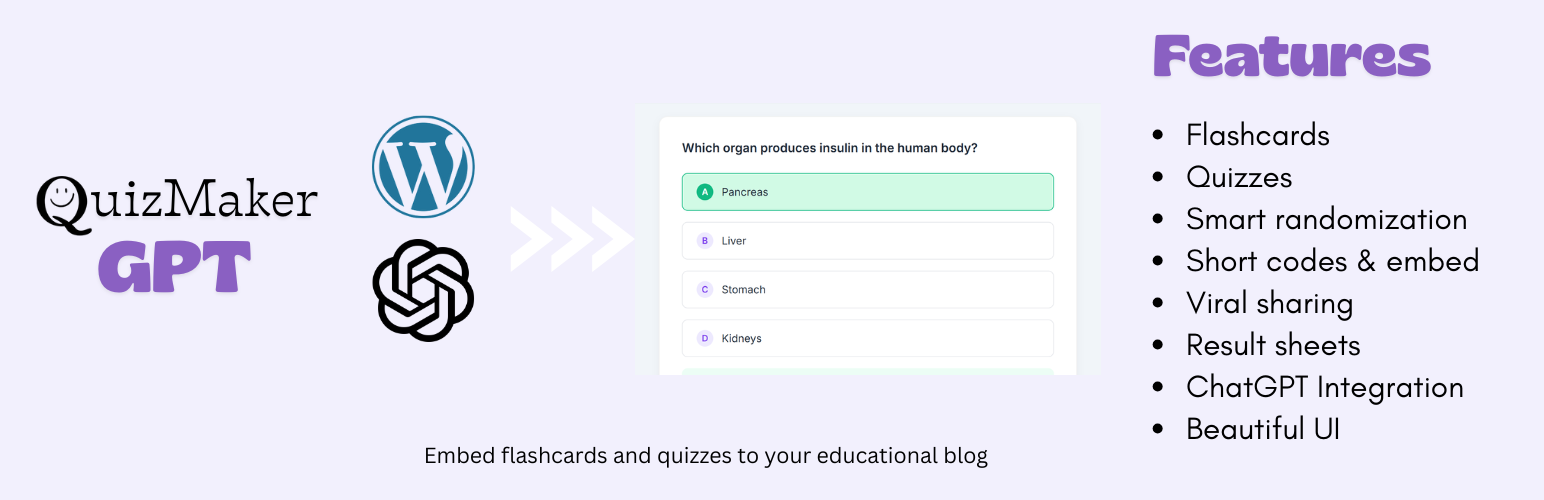
總結:MyQuizGPT WordPress Quiz Maker是專為教師、教育工作者、學校、培訓機構和教育內容創作者設計的終極WordPress測驗外掛程式,可將測驗和單字卡內嵌到其WordPress部落格和網站中。這款外掛程式易於使用,由AI(ChatGPT)驅動,可將普通內容轉換為引人入勝的學習工具,非常適合教育部落格、線上課程、知識評估和考試測驗。
問題與答案:
1. 為什麼教育工作者和部落客會選擇MyQuizGPT WordPress Quiz Maker?
- 因為這款外掛程式特別為教育和學習而設計,並針對使用ChatGPT創建高質量測驗和單字卡的流程進行了最佳化,而無需開發人員或複雜的設置。
2. MyQuizGPT Quiz Maker主要提供教育工作者以下核心功能:
- 使用ChatGPT的AI技術,在幾秒鐘內生成結構化的測驗和單字卡內容。
- 與WordPress相容,透過短代碼和獨立測驗頁面,可在文章、頁面和自定義版面配置使用。
- 內建邏輯可計算分數並在測驗完成後立即顯示結果。
- 測驗自適應所有裝置,無需額外的行動裝置外掛程式。
- 自動重新排列問題和答案,以防止記憶並確保公平評估。
- 使用者可以在深暗和明亮主題之間切換,喜好將自動保存。
外掛標籤
開發者團隊
原文外掛簡介
MyQuizGPT WordPress Quiz Maker is the ultimate WordPress quiz plugin designed specifically for teachers, educators, schools, training organizations, and educational content creators who want to embed quizzes and flashcards to their WordPress blogs and websites. Built for ease of use and powered by AI (ChatGPT), this plugin turns ordinary content into engaging study tools — perfect for educational blogs, online courses, knowledge assessments, and exam quizzes.
Whether you’re building quizzes with automatic results, embedding study materials, or creating exam-style tests, MyQuizGPT Quiz Maker gives you the complete toolkit you need — with clean design, responsive displays, and seamless WordPress integration.
Why Educators & Bloggers Choose MyQuizGPT WordPress Quiz Maker
WordPress quiz plugins come in many shapes and sizes. Some focus on marketing or lead generation, others on personality quizzes or simple trivia. What sets MyQuizGPT WordPress Quiz Maker apart is that it’s specifically tailored for education and learning, with a workflow optimized for high-quality quizzes and flashcards created using ChatGPT — without requiring developers or complex setups.
Below are the core reasons educators love this plugin:
✔ AI-Driven Quiz & Flashcard Creation — Use ChatGPT’s power to generate structured quiz and flashcard content in seconds.
✔ Designed for WordPress — Works with posts, pages, and custom layouts via shortcodes and standalone quiz pages.
✔ Automatic Results & Scoring Logic — Built-in logic to calculate scores and show results immediately after quiz completion.
✔ Responsive & Mobile-Friendly — Quizzes adapt to all devices automatically — no extra mobile plugin needed.
✔ Smart Randomization — Automatically shuffles questions and answers for each quiz attempt, preventing memorization and ensuring fair assessments.
✔ Dark & Bright Theme Customization — Users can switch between light and dark themes, with preferences saved automatically for a personalized viewing experience.
✔ Educational Focus — Created for teachers, schools, trainers, and educators rather than general marketing or personality quizzes.
How MyQuizGPT WordPress Quiz Maker Works – Simplified in 3 Steps
Unlike other plugins where you manually build a quiz question-by-question, MyQuizGPT Quiz Maker combines structured quiz data with a smart WordPress viewer.
Generate With ChatGPT: Use the built-in “Open ChatGPT Instructions” button to send a prompt that creates a JSON quiz or flashcard set in ChatGPT.
Paste Into the Plugin Dashboard: Copy the JSON response and paste it directly into the MyQuizGPT Quiz Maker admin panel.
Publish Anywhere: Embed the quiz with a simple shortcode: [myquizgpt id="123"] or use a standalone “App-style” URL (e.g., /q/quiz/123) to share or link to the quiz.
This workflow empowers educators to focus on content — not plugin mechanics.
Comprehensive Features
AI-Powered Quiz & Flashcard Creation
Automatically structure quiz/flashcard content using ChatGPT. Supports multiple-choice, true/false, open-ended, and exam-style content. Eliminates manual question entry.
Quiz Results with Instant Scoring
Automatically calculates and displays results when the quiz is completed. Shows correct/incorrect answers and performance summaries.
Multiple Embed Options
Shortcodes — Place quizzes anywhere in posts, pages, or widgets. Standalone URLs — Create dedicated quiz pages that feel like mini-apps (/q/quiz/).
Responsive & Modern UI with Theme Customization
Clean, readable interface with full responsiveness. Users can customize their viewing experience by switching between bright (light) and dark themes. Theme preferences are automatically saved and remembered for future visits, ensuring a personalized and comfortable learning environment.
Flashcards Support
Create interactive flashcards with 3D flip animations. Ideal for vocabulary and concept checks.
Built-In Educational Logic with Smart Randomization
Auto-Advance moves to the next question automatically. Smart Randomization shuffles both questions and answer options for each quiz attempt, ensuring that students can’t memorize answer positions and creating a fair, varied assessment experience every time.
Viral Sharing Tools
Integrated social sharing buttons (Facebook, Twitter, Copy Link). Drives traffic back to your WordPress site.
Optional Branding Display
Control whether to show the “Powered by MyQuizGPT” link. The branding is optional and defaults to hidden, allowing you to help readers discover the tool if you choose.
Fast & Optimized
Asset versioning and built-in cache purging ensures quizzes load quickly.
Who Should Use MyQuizGPT WordPress Quiz Maker?
Teachers & Professors — Embed tests, assessments, and review quizzes on school websites.
Educational Bloggers — Add engaging interactive content that boosts time on page.
Training & Workshop Leaders — Embed knowledge checks after lessons.
Online Course Creators — Add graded quizzes to course modules.
Tutors & Coaches — Deliver personalized learning experiences right on WordPress.
How to Create a Quiz in WordPress Without a Plugin (ChatGPT Method)
Even if someone wants to know how to create a quiz in WordPress without a plugin, MyQuizGPT WordPress Quiz Maker has you covered — because it uses ChatGPT to generate structured quiz content that you can paste directly into WordPress — eliminating the need for manual question entry. Here’s how:
1. Open the “ChatGPT Instructions” inside the plugin.
2. Let ChatGPT output a properly structured JSON quiz or flashcard set.
3. Paste the JSON into the MyQuizGPT WordPress Quiz Maker dashboard.
4. Embed the resulting quiz using a shortcode or standalone URL.
Privacy
Data Collection and Storage:
This plugin stores the following data locally in your WordPress database:
Quiz Content: Quiz titles, questions, answers, and flashcard content are stored in a custom database table (wp_myquizgpt_quizzes).
Creator Information: The WordPress user ID of the person who created each quiz is stored for administrative purposes.
Plugin Settings: Your branding display preference is stored as a WordPress option.
What Data is NOT Collected:
The plugin does NOT collect any personal information from quiz takers or visitors.
The plugin does NOT track quiz completion, scores, or user interactions.
The plugin does NOT send any data to external servers (except for optional promotional links to MyQuizGPT.com Classroom Plan).
The plugin does NOT use cookies or tracking scripts.
Local Storage:
The plugin uses browser localStorage (client-side only) to remember user theme preferences (light/dark mode) for quiz viewers. This data is stored locally in the user’s browser and is never transmitted to any server.
Data Retention:
Quiz data is stored in your WordPress database until you manually delete it through the plugin’s admin interface. You have full control over all stored data.
Your Responsibility:
As the site administrator, you are responsible for:
* Complying with applicable privacy laws (GDPR, CCPA, etc.) regarding quiz content and any personal data you may collect separately.
* Informing users if your quizzes collect any additional data through other means.
* Managing and securing your WordPress database where quiz data is stored.
External Services
This plugin does not require any external services to function. All features work locally on your WordPress installation.
Optional External Service: MyQuizGPT.com Classroom Plan
The plugin includes an optional promotional section that mentions the MyQuizGPT Classroom Plan, which is a separate service hosted on MyQuizGPT.com. This service provides additional features like classroom management, student progress tracking, and lesson creation. The Classroom Plan is completely optional and not required for the plugin to function.
Service Information:
* View Pricing Plans
* Terms of Service
* Privacy Policy
Note: The plugin is fully functional without any external services. All quiz creation, storage, and display features work entirely within your WordPress installation.