外掛標籤
開發者團隊
② 後台搜尋「Mxwlsoft Editor Post Navigator」→ 直接安裝(推薦)
原文外掛簡介
Stop losing your editing flow.
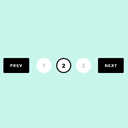
Mxwlsoft Editor Post Navigator puts previous and next post navigation buttons right inside your Gutenberg editor toolbar—so you can switch between posts without ever going back to the post list.
What you can do with it:
Jump directly from one post to the next (or previous) while editing.
Save time by eliminating the need to constantly return to the admin list screen.
Stay focused on your content, with navigation that feels like a natural part of the editor.
Works with all standard post statuses published, draft, pending, etc.
Why you’ll love it:
Zero clutter – buttons appear only when editing an existing post, and they blend perfectly with the toolbar.
Mobile-friendly – on smaller screens, the button text disappears to save space, leaving just the arrow icons.
Quick to use – just click to go to the previous or next post, and keep writing.
Whether you’re working on a series of articles, reviewing drafts, or just moving through your content, this plugin makes post navigation effortless.
More Information
For more details and an extended view of the plugin, visit the official Mxwlsoft Editor Post Navigator Product Page.