
內容簡介
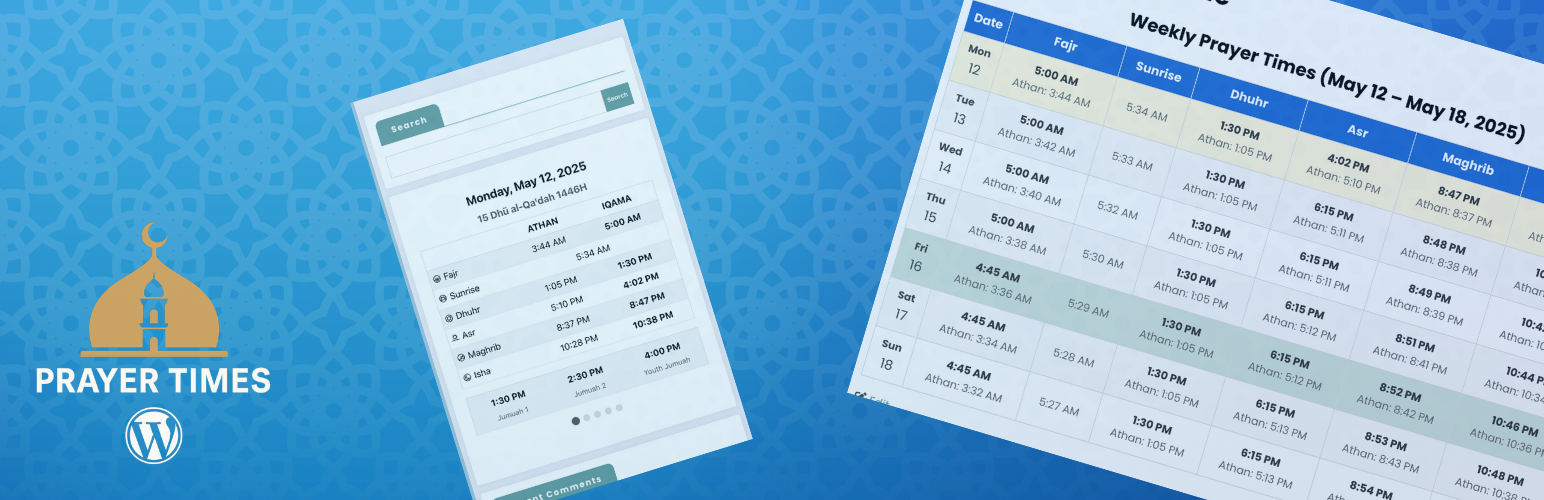
總結:Muslim Prayer Times 是一個功能強大的外掛,可讓您在 WordPress 網站上顯示每日和每月的祈禱時間。非常適合清真寺、伊斯蘭中心或任何穆斯林網站使用。
問題與答案:
1. Muslim Prayer Times 是一個用於什麼目的的 WordPress 外掛?
- 回答:Muslim Prayer Times 是一個外掛,可以在 WordPress 網站上顯示每日和每月的祈禱時間,適合清真寺、伊斯蘭中心或任何穆斯林網站使用。
2. 這個外掛提供了哪些特點?
- 回答:外掛特點包括每日祈禱時間的顯示帶有 Athan 和 Iqama 時間、月度祈禱時間日曆、自動更新的實時祈禱時間顯示、可自定義的計算方法、易於集成的區塊和快捷碼、管理 Iqama 時間的管理界面、自動基於位置的祈禱時間、多種風格的可自定義顯示選項、希吉曆日期轉換和調整選項、週五(星期五)祈禱時間管理以及所有設備的響應式設計。
3. 在設置祈禱時間時,應該如何進行基本設置?
- 回答:進入 WordPress 控制台的「設置 > Muslim Prayer Times」,輸入位置的坐標或使用查找地址坐標功能,選擇時區和祈禱計算方法,設置希吉曆日期調整,如果適用,配置週五(星期五)祈禱時間。
4. 這個外掛包括哪些區塊,用於哪些場景?
- 回答:外掛包括每日祈禱時間區塊、月度祈禱時間區塊和實時祈禱時間區塊,可用於首頁顯示、清真寺信息頁面或數位顯示屏。
5. 開發人員如何擴展這個外掛的功能?
- 回答:開發人員可以通過添加自定義樣式、創建新區塊或快捷碼、與其他清真寺管理外掛集成,進一步定製和擴展這個外掛的功能。
外掛標籤
開發者團隊
原文外掛簡介
Muslim Prayer Times is a powerful plugin that allows you to display daily and monthly prayer times on your WordPress website. Perfect for mosques, Islamic centers, or any Muslim website.
Features
Daily prayer times display with both Athan and Iqama times
Monthly prayer times calendar
Live prayer times display that updates automatically
SalahAPI 1.0 support for standardized prayer times data exchange
REST API endpoints for integration with other systems
Customizable calculation methods (MWL, ISNA, Egypt, etc.)
Blocks and shortcodes for easy integration
Admin interface to manage Iqama times
Automatic location-based prayer times
Customizable display options with multiple styles
Hijri date conversion with adjustment options
Jumuah (Friday) prayer time management
Responsive design for all devices
How to Use
Setting Up Prayer Times
Configure Basic Settings:
Go to Settings > Muslim Prayer Times in your WordPress dashboard
Enter your location’s coordinates (latitude and longitude) or use the “Find Coordinates by Address” feature
Select your timezone and prayer calculation method
Set Hijri date adjustment if needed
Configure Jumuah (Friday) prayer times if applicable
Configure Iqama Rules:
In the Iqama Rules tab, set rules for calculating Iqama times based on Athan times
You can choose different rules for each prayer (Fajr, Dhuhr, Asr, Maghrib, Isha)
Options include minutes after Athan, fixed times, or specific rules like “minutes before sunrise” for Fajr
Generate and Import Prayer Times:
Use the Export/Import section to generate prayer times based on your settings
Review and adjust the generated CSV file if needed
Import the CSV back into the plugin to set up your prayer schedule
Using the Blocks
The plugin includes three blocks that can be added to any post or page:
Daily Prayer Times Block:
Shows the current day’s prayer schedule with navigation for upcoming days
Ideal for homepage display or mosque information pages
Customizable colors, fonts, and display options
Monthly Prayer Times Block:
Displays a complete monthly calendar of prayer times
Perfect for providing visitors with a comprehensive prayer schedule
Options to show/hide various elements like sunrise times
Live Prayer Times Block:
Shows real-time prayer schedule with a live clock
Automatically highlights the next upcoming prayer
Ideal for digital displays in mosques when used with the Digital Signage plugin
To add a block:
1. Edit any post or page
2. Click the “+” button to add a block
3. Search for “Prayer Times” or look in the “Muslim Prayer Times” category
4. Select the block you want to add
5. Customize the block settings in the sidebar
Customization Options
Each block comes with extensive customization options:
Change colors for text, backgrounds, and headers
Adjust font sizes
Show or hide elements (date, Hijri date, sunrise times, etc.)
Choose from different table styles
Set text alignment
Customize the display of upcoming prayer time changes
For Developers
This plugin is open-source and available on GitHub: https://github.com/stankovski/wp-prayer-times
Developers can extend the plugin’s functionality or customize it further by:
* Adding custom styling with CSS
* Creating new blocks or shortcodes
* Integrating with other mosque management plugins