內容簡介
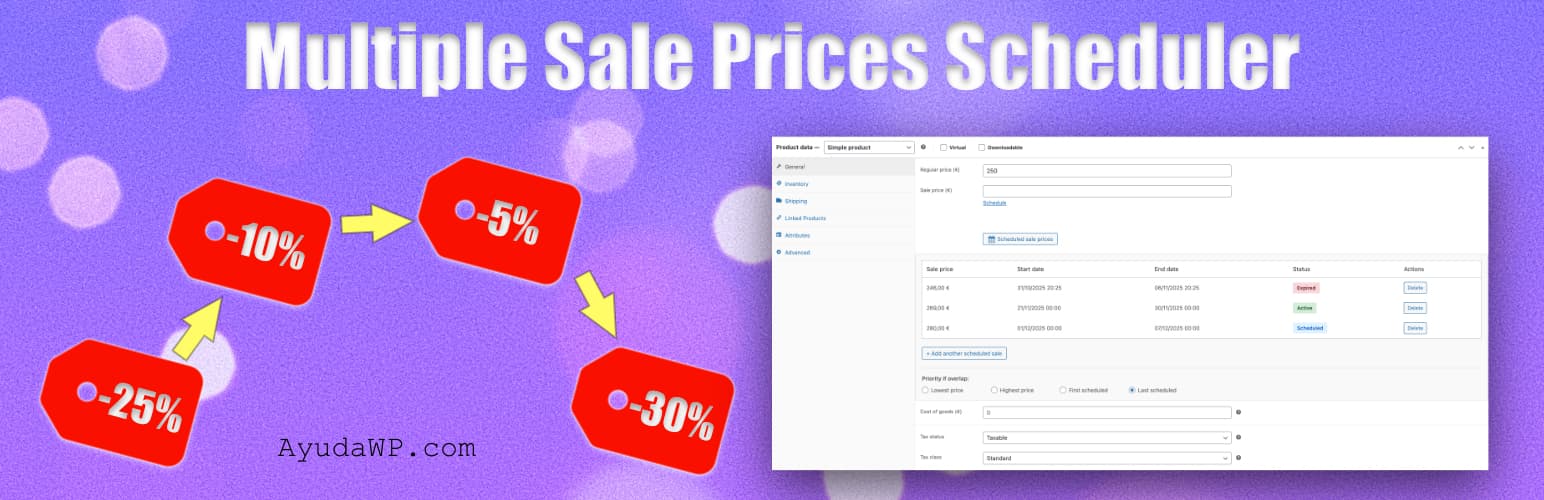
總結:Multiple Sale Prices Scheduler 外掛擴充了 WooCommerce 原生的銷售排程功能,讓你能夠為每個產品安排多個銷售價格,並設定各自的開始和結束日期。這對於預先計劃季節性促銷、快閃促銷、促銷活動和動態價格策略非常完美。
問題與答案:
1. 這個外掛的主要功能有哪些?
- 為每個產品安排多個銷售價格
- 動態定價:安排折扣和價格增加
- 每個銷售活動都有自己的開始和結束日期
- 適用於簡單和變數產品
- 安排銷售活動重疊時的可配置優先順序
- 通過 CSV 文件導入和導出已安排的銷售活動
- 帶有可配置保留期的活動記錄
- 過期銷售活動的自動刪除
- 銷售活動啟動或結束時的管理員通知
- 銷售活動即將結束前的警告通知
- 具有銷售概覽的儀表板小工具
- 與 HPOS (High-Performance Order Storage) 兼容
- 通過 cron 自動啟用和停用銷售活動
- 導入現有的 WooCommerce 銷售活動
- 從已刪除的產品中清除被孤立的已排定銷售活動
2. 這個外掛的使用場景有哪些?
- 預先計劃多個季節性促銷活動
- 為不同的促銷時期設定不同的價格
- 在高需求時期(如酒店、活動、門票)實施動態價格
- 季節性價格調整(旺季與淡季)
- 管理快閃促銷和特別優惠
- 在多個產品之間協調價格
- 通過活動記錄追踪價格歷史
- 在銷售即將結束時接收警報
- 自動清除過期銷售活動
3. 如何使用這個外掛?
- 編輯 WooCommerce 中的任何產品
- 找到“已安排的銷售價格”部分
- 添加具有開始和結束日期的多個銷售價格
- 設定任何你想要的價格 - 折扣價格更低,需求高峰價格更高
- 如有需要,配置重疊優先順序
- 保存產品
4. 這個外掛如何運作?
- 使用 WordPress cron 每小時自動啟用和停用銷售活動,基於預定日期。
- 註:與 WooCommerce 原生的銷售排程器不同,此外掛允許您設定高於常規價格的價格,從而為季節性需求、特殊活動或高峰時期實現動態價格策略。
5. 這個外掛的設置選項有哪些?
- 默認重疊優先順序(最低、最高、第一、最後)
- 啟用/停用活動記錄
- 活動記錄保留期(30-365 天)
- 過期銷售活動的自動刪除(從不、30-365 天)
- 銷售活動啟用通知
- 銷售活動即將結束時的通知(1-30 天)
- 創建排程時的重疊警告
6. 使用此外掛的要求是什麼?
- WordPress 5.8 或更高版本
- WooCommerce 6.0 或更高版本(測試至 10.3 版)
- PHP 7.4 或更高版本
外掛標籤
開發者團隊
② 後台搜尋「Multiple Sale Prices Scheduler」→ 直接安裝(推薦)
原文外掛簡介
Multiple Sale Prices Scheduler extends WooCommerce’s native sale scheduling functionality by allowing you to schedule multiple sale prices for each product, each with its own start and end dates.
Perfect for planning seasonal sales, flash sales, promotional campaigns, and dynamic pricing strategies in advance.
Key Features
Schedule multiple sale prices per product
Dynamic pricing: Schedule both discounts and price increases
Each sale has its own start and end date
Works with simple and variable products
Configurable priority when sales overlap
Import and export scheduled sales via CSV
Activity log with configurable retention period
Automatic deletion of expired sales
Admin notifications when sales activate or end
Alert notifications before sales expire
Dashboard widget with sales overview
Compatible with HPOS (High-Performance Order Storage)
Automatic sale activation and deactivation via cron
Import existing WooCommerce sales
Clean orphaned scheduled sales from deleted products
Use Cases
Plan multiple seasonal sales in advance
Schedule different prices for different promotional periods
Implement dynamic pricing for high-demand periods (hotels, events, tickets)
Seasonal price adjustments (peak season vs. off-season)
Manage flash sales and special offers
Coordinate pricing across multiple products
Track pricing history with activity log
Receive alerts when sales are about to end
Automatically clean expired sales
How It Works
Edit any product in WooCommerce
Find the “Scheduled sale prices” section
Add multiple sale prices with start and end dates
Set any price you want – lower for discounts, higher for peak demand pricing
Configure overlap priority if needed
Save the product
The plugin automatically activates and deactivates sales based on the scheduled dates using WordPress cron every hour.
Note: Unlike WooCommerce’s native sale scheduler, this plugin allows you to set prices higher than the regular price, enabling dynamic pricing strategies for seasonal demand, special events, or peak periods.
Settings Options
Default overlap priority (lowest, highest, first, last)
Enable/disable activity log
Log retention period (30-365 days)
Automatic deletion of expired sales (never, 30-365 days)
Sale activation notifications
Notifications before sale ends (1-30 days)
Overlap warnings when creating schedules
Requirements
WordPress 5.8 or higher
WooCommerce 6.0 or higher (tested up to 10.3)
PHP 7.4 or higher