內容簡介
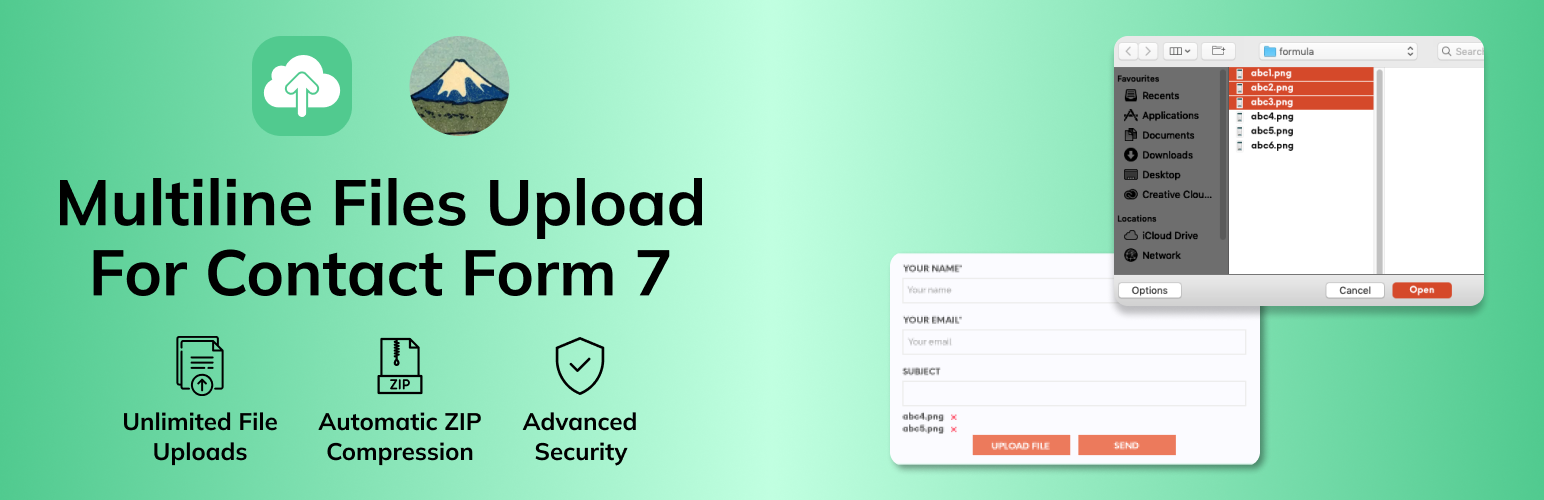
MultiLine Files for Contact Form 7 是一款為 Contact Form 7 表單添加多檔案上傳功能的外掛,無論是收集文件、圖片、影片或其他檔案類型,都能提供流暢且友好的使用體驗,增強表單的功能性。
【主要功能】
• 無限制檔案上傳
• 直觀的使用者介面
• 智能檔案管理
• 自動 ZIP 壓縮
• 進階安全性
• 簡易整合
外掛標籤
開發者團隊
② 後台搜尋「MultiLine Files for Contact Form 7」→ 直接安裝(推薦)
原文外掛簡介
MultiLine Files for Contact Form 7 is the ultimate solution for adding multiple file upload functionality to your Contact Form 7 forms. Whether you’re collecting documents, images, videos, or any other file types, this plugin provides a seamless, user-friendly experience that enhances your forms’ capabilities.
Why Choose MultiLine Files for Contact Form 7?
✅ Unlimited File Uploads – No restrictions on the number of files users can upload
✅ Intuitive User Interface – Clean, responsive design that works on all devices
✅ Smart File Management – Users can preview, remove, and manage files before submission
✅ Automatic ZIP Compression – All files are automatically compressed into a single ZIP file for easy email delivery
✅ Advanced Security – Built-in file type validation, size limits, and security measures
✅ Easy Integration – Works seamlessly with Contact Form 7 without complex setup
✅ Fully Responsive – Perfect experience on desktop, tablet, and mobile devices
Perfect For:
Document submission forms
Portfolio uploads
Job application forms
Support ticket systems
Content submission platforms
Any form requiring multiple file attachments
How to change style?
If you want to change our plugin button or others file listing style and apply your custom style please add your custom css in your theme’s css file. Adding style in child theme is recommended. Here I have shown style guide for button and listing. so, you can easily update style of the elements.
Buttton style: #mfcf7_zl_add_file { background-color: #004834; }
‘X’ icon style: .mfcf7_zl_multifilecontainer p .mfcf7_zl_delete_file i { color: azure; }
Selected file name style: .mfcf7-zl-multifile-name { color: black; }
Premium Features
Upgrade to Pro for Advanced Features:
🎯 Multiple Upload Buttons – Add multiple file upload fields in the same form
📊 File Limits – Set minimum and maximum file count limits
🎨 Custom Positioning – Change the location of the file list display
🗑️ Individual File Removal – Remove files one by one even when selected together
🚀 Priority Support – Get faster response times and dedicated support
🔧 Advanced Customization – More styling and configuration options
Get Pro Version Now
Need Help?
📧 Email Support: Contact us through the WordPress.org support forums
🐛 Bug Reports: Report issues on our GitHub repository
💡 Feature Requests: Suggest new features via our support channels
Privacy Policy
Uploaded files: All file uploads are handled on your own server and are never sent to us or to any third-party service. Files are stored temporarily during form submission and are cleaned up automatically after processing.
Deactivation feedback: When an administrator deactivates the plugin, a pop-up asks (optionally) why. Data leaves your site only if the administrator clicks “Submit & Deactivate”:
The reason they chose (or typed under “Other”) is sent to a Google Form owned by Zluck Solutions, to help us improve the plugin.
The administrator’s email address and your website address are sent only if they tick the “You can contact me by email” box, which is unticked by default. They are used only to reply about that feedback.
Nothing is sent if they click “Cancel & Deactivate” or close the pop-up.
Google processes this data under the Google Privacy Policy. To have your feedback data removed, please contact Zluck Solutions.
Credits
Developed by Zluck Solutions with ❤️ for the WordPress community.
Donate
If you find this plugin helpful, please consider buying us a coffee to support continued development and maintenance.