
內容簡介
le and Event Schedule 的繁體中文描述:
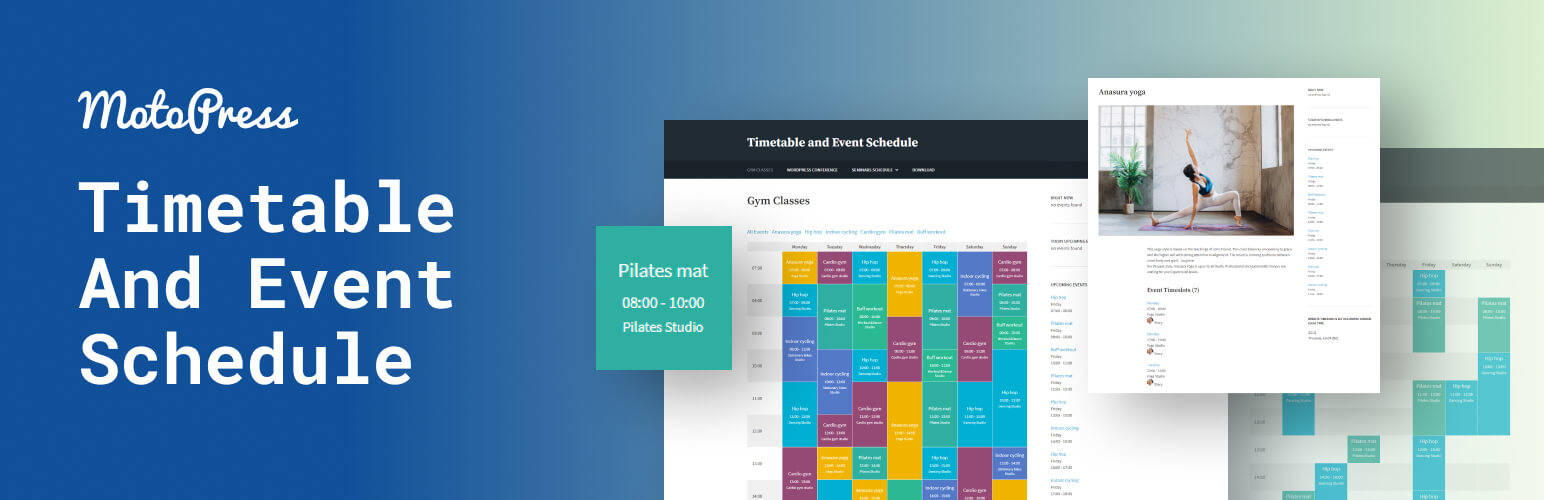
MotoPress Timetable and Event Schedule 是一個全方位的組織者外掛程式,旨在協助您建立和管理單個或多個事件的線上時間表,自定義每個事件的外觀,並添加日期、時間、說明,以及在精心設計的時間表中顯示所有需要的項目。此外,它還附帶「即將來臨的活動小工具」。
外掛程式展示
文件
免費主題 (Free Theme)
主要功能
多個欄位類型
能夠選擇要在時間表中顯示的欄位和事件
能夠添加事件標籤和類別
能夠按適當類別顯示事件
在左側的時間表欄中顯示時間,以顯示每個活動(事件)更精確的持續時間
篩選樣式:下拉清單和標籤
選擇顯示/隱藏「所有事件」檢視模式,時間欄和空行的選項
自定義事件參數(標題、時間、副標題等),能夠僅在時間表中顯示所需的項目
行事曆中單個事件的特色圖片
設定事件 URL 以將其鏈接到任何外部網站的機會
事件塊的文本對齊選項
單頁多個時間表的獨特 ID
背景、背景懸停、文本和文本懸停的顏色設置
允許導出和導入您的數據
RTL 預備
此事件行事曆外掛程式可用於排定不同類型的事件,例如各種課程、健身課程、節慶、會議、儀式、案例研究、正式派對、音樂會等等。在後台事件排程管理方面非常方便,對於您的觀眾使用起來也很簡單。
主要優勢
響應式設計
此事件行事曆優化為在不同設備上完美呈現。您可以手動調整在移動設備和桌面上顯示您的時間表的方式。
事件篩選
訪客可以篩選時間表以僅顯示他們感興趣的事件。
色彩控制
通過在不同顏色中呈現重要活動來突出它們。各種顏色標記可以在使事件行事曆更豐富多彩或根據您的網站色彩方案進行自定義方面提供幫助。
視覺時間框架
通常,每小時的時間框架足以顯示事件,但您仍然可以通過設置時間表顯示左側「時間」欄中多達15分鐘準確的時間來增加它們。
Gutenberg 時間表區塊
行事曆事件外掛程式提供 Timetable 區塊,供 Gutenberg 使用。時間表可以通過短代碼添加到任何其他構建工具中。
Elementor 時間表小工具
此外掛程式提供 Timetable 小工具,供 Elementor 使用。選擇活動的佈局和樣式,顯示或隱藏事件描述,自定義表格外觀,選擇移動行為等等。
預約預定
想要通過您的網站進行活動、課程和任何其他類型的服務的自動線上預約嗎?
Hourly Appointment Booking 是我們為簡單預約安排和快速線上預訂進行了優化的自定義外掛程式。
我們驕傲地開發了 Timetable 外掛程式。
外掛標籤
開發者團隊
② 後台搜尋「Timetable and Event Schedule by MotoPress」→ 直接安裝(推薦)
原文外掛簡介
MotoPress Timetable and Event Schedule is an all-around organizer plugin developed to help you create and manage online schedules for a single or multiple events, customize the appearance of each event, add date, time, description and display all the needed items in a carefully-crafted timetable. It also comes with Upcoming events widget.
Plugin Demo
Documentation
Free Theme
Events Calendar – an extended version of the Timetable plugin: a detailed comparison.
Main features
Several column types.
Ability to choose columns and events to be displayed in the schedule.
Ability to add event tags and categories.
Ability to display the events by the appropriate categories.
Hour measure to be displayed in the left timetable column to show more accurate duration of each activity (event).
Filter styles: drop-down list and tabs.
Option to display/hide ‘All Events’ view mode, hours column and empty rows.
Customizable event parameters (title, time, subtitle, etc.) and the ability to display only preferable ones in the timetable.
Featured images for individual events in the calendar.
Opportunity to set event URL to link it any external website.
Text align options for event blocks.
Unique IDs for multiple timetables on a single page.
Color settings for background, background hover, text, and text hover.
Export and import of your data.
RTL ready.
The event calendar plugin can be used for timetabling different types of events like various lessons, gym classes, festivals, conferences, ceremonies, case-studies, formal parties, concerts, and much more. It’s handy in terms of backend event schedule management and maximum easy for your audience to use.
Key advantages
Responsive design
The event calender is optimized to be viewed perfectly on different devices. Manually adjust the way to show your timetable on mobile devices and desktops.
Event filtering
The visitors can filter the timetable to display the only events they are interested in.
Color controls
Highlight important activities by presenting them in different colors. Various color markers can become helpful in making the event calendar more colorful or in customizing it to fit your website color scheme.
Visual time frames
Hourly time frames are generally large enough for showing the events, but you still can increase them by setting the timetable to show up to 15 minutes accurate time in the left ‘time’ column.
Timetable Gutenberg block
The calendar events plugin provides Timetable block for Gutenberg. Timetable can be added to any other builder via shortcode.
Timetable Elementor widget
Plugin provides Timetable widget for Elementor. Choose the layout and style for your events, show or hide the event description, customize the table look, choose the mobile behavior and more.
Events Calendar
To address some of the limitations of the MotoPress Timetable plugin and simplify the event management process even further, we developed an absolutely fresh product, the next-gen WordPress events calendar plugin. While sharing some features and goals with the free Timetable plugin, the Events Calendar is designed for easier event creation in visual mode, with many more features:
Add and display recurring events easily.
Create hourly, multi-day, and all-day events.
Create multiple calendars.
Use month, week, day, and list views for events.
Create an event that starts on one day and ends on another.
Add multiple events to the same time slot.
Dedicated WordPress block to edit the look of your calendar.
Shortcode settings.
Compare Timetable vs Events Calendar
Appointment Booking
Want to take automatic online appointment reservations through your website for events, classes, and any other type of services? Hourly Appointment Booking is our custom-crafted plugin optimized for easy appointment scheduling and quick online reservations.
Developed by MotoPress – a trusted WordPress company with over a decade of expertise in crafting booking solutions, including our renowned WordPress Booking Plugins and the extensive Gutenberg block collection – Getwid WordPress Blocks.
Copyright
Timetable and Event Schedule plugin, Copyright (C) 2016, MotoPress https://motopress.com/
Timetable and Event Schedule plugin is distributed under the terms of the GNU GPL.
Credits
Plugin bundles the following third-party resources:
GUMP, Copyright (c) 2015 wixelhq.com, MIT License
jQuery UI, Copyright (c) 2013 jQuery Foundation and other contributors Licensed MIT
Spectrum Colorpicker, by Brian Grinstead, MIT License
jBox, by Stephan Wagner, MIT License
jQuery UI Timepicker, Copyright 2010-2013, Francois Gelinas, Dual licensed under the MIT or GPL Version 2 licenses.














