內容簡介
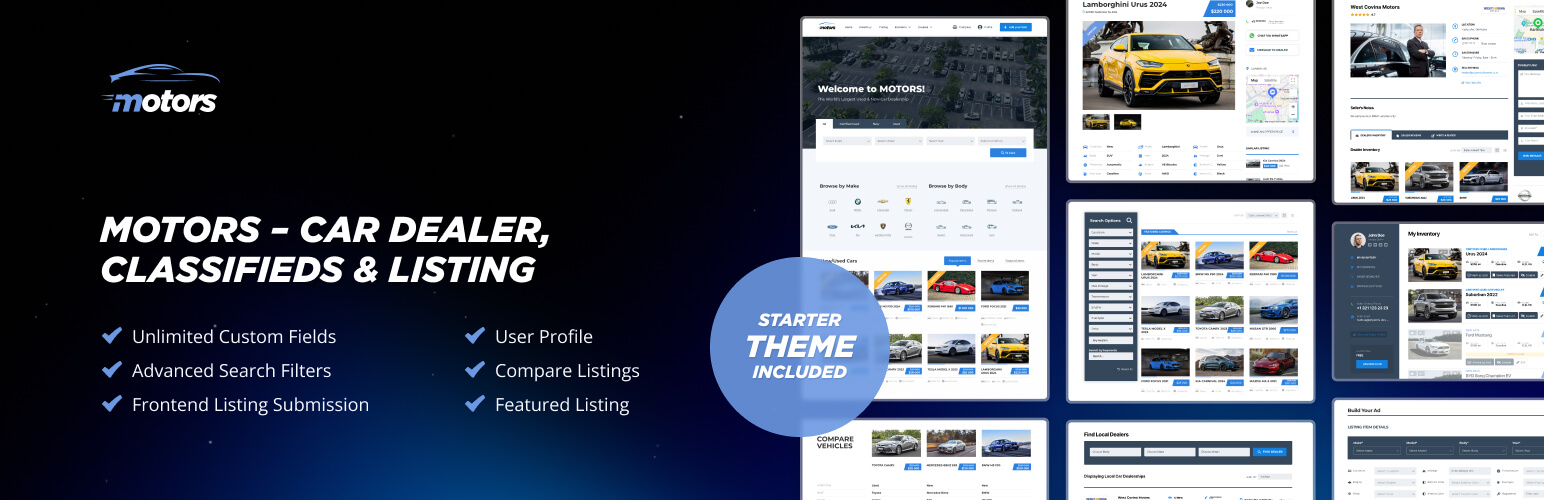
Motors 外掛可協助用戶快速建立功能完善的汽車經銷網站,管理車輛庫存,展示詳細列表,並提供進階搜尋過濾器,適合小型及中型經銷商或汽車分類廣告網站。
【主要功能】
• 管理無限車輛列表
• 提供詳細的車輛資訊展示
• 支援客戶直接請求試駕
• 自訂列表頁面佈局
• 上傳照片與影片展示車輛
• 設定不同車輛類別
外掛標籤
開發者團隊
② 後台搜尋「Motors – Car Dealership & Classified Listings Plugin」→ 直接安裝(推薦)
📦 歷史版本下載
原文外掛簡介
Create a fully functional car dealership website in minutes. Manage your vehicle inventory, showcase detailed listings, and offer advanced search filters to your visitors. Perfect for small/medium dealerships, auto classifieds, or agencies building sites for their clients.
⭐ Motors Pro Plugin
⭐ Motors Live Demo
⭐ Documentation
⭐ Join Facebook Community
Who Is This Plugin For?
Car Dealers
Car dealers can use the Motors plugin to showcase their inventory online. By creating detailed listings with photos, videos, and descriptions, dealers can attract more buyers. For example, a car dealer can use the plugin to allow customers to request test drives directly from the listing page and many more. The plugin has features to post an unlimited number of car listings.
Dealerships
Dealerships can benefit from the Motors by managing multiple types of vehicles in one place. It makes selling items for vehicle dealers simple and fast. Whether they sell cars, motorcycles, boats, or trucks, Motors gives an opportunity to dealers to keep their listings effectively on WordPress sites. A dealership can set up categories for different vehicle types to help customers find what they’re looking for.
Create a Listing with Ease
With the plugin, car dealers can add all the important details about the vehicle, like its make, model, year, and mileage. Plus, you can upload photos and videos to give buyers a good look at the vehicle from every angle.
You have the option to let the plugin come up with a title for you based on the vehicle’s details, or you can create your own to highlight its best features. The Motors plugin helps you fill in important info to your car listings on the WordPress site like the Vehicle Identification Number (VIN), production date, and any history or maintenance records.
You can take it further by using premium pre-built page templates for each listing or creating your own custom layout using premium elements.
Customize Listing Pages
The plugin allows you to choose how you want your car listings to appear, whether it’s in a grid or list format, to make it easier for buyers to browse through your WordPress site. You can also add buttons for test drives, loan calculators, and certification logos to help buyers make decisions faster.
The plugin lets you set options like registering users as vehicle dealers on your WordPress site. You can customize your site with the advanced features listed below:
– Search listings by location using Google Maps integration.
– Sort listings by custom fields—perfect for businesses that want to offer custom sorting options.
– Register users as Dealers or Dealerships, allowing multiple sellers to manage their own listings.
– Mark listings as Sold and display these listings with a “Sold” label, so customers can see the sold cars.
– Customize your URL structure for SEO-friendly listings for better search engine visibility.
– Display images with an image sliding gallery directly on the listing cards, offering a mini-preview for buyers.
– Use the built-in Loan Calculator to help buyers estimate financing directly from the listing page.
Listing Management
The Motors plugin offers a wide range of management features:
– User Management – From user registration to profile management, the plugin gives access to both buyers and car dealers to an intuitive system of your WordPress site.
– Listings Management – Plugin lets you add, edit, and delete listings posted by vehicle dealers easily via the frontend submission form.
– Comparing Listings – Users can compare multiple vehicles side-by-side to help make informed decisions.
– Category Management – Create unlimited custom categories with parent-child dependencies, icons, and filters to ensure easy browsing.
– Shortcodes – Use shortcodes to integrate listing features into any page.
The Motors plugin also has an Email Template Manager (Pro) that lets you fully customize the emails sent out to maintain consistent messaging for customers and dealers on your WordPress site.
The Car Dealer WordPress Plugin Features
User Management
User Registration
User Profile to Manage Listings
Public Profile of Authors with Their Overview
Listings Management
Frontend Listing Submission Form
Listings Management (Add, Edit, Delete)
Comparing Listings
Category Management
Unlimited Custom Categories
Category Filters
Parent-Child Category Dependency
Category Icons and Images
Listing Details Page
Shortcodes
Test Drive Form
Share Listings on Social Networks
Motors Premium Features
Social login – Users can log in to your site using their Google or Facebook accounts. This allows for quick access without the need to remember a password.
Saved Searches – Allow visitors to save their searches and receive email alerts when new listings match their criteria. You can choose how often these alerts are sent and ensure they never miss relevant listings.
VIN Decoder – Get essential vehicle information by entering the VIN (Vehicle Identification Number). You can connect up to five VIN services to gather accurate details like make, model, and more, so users quickly understand key aspects of a vehicle they’re interested in.
Pre-built page templates for listings – Choose from a selection of ready-made templates to display your vehicle listings. Save time by using these pre-designed layouts instead of building one from scratch.
Ability to create custom listing templates with premium elements – Create custom vehicle listing templates freely in Elementor. Use extra premium elements to tailor them to your needs.
Search listings by location – Allow your users to quickly find listings based on location, making it simple to discover relevant vehicles nearby or in a specific area.
Google Maps integration – The plugin seamlessly integrates with Google Maps to let your visitors view locations and listings on an interactive map for better search and navigation.
Sorting listings by custom fields – This feature helps users filter listings based on custom fields so it’s easier for them to find exactly what they’re looking for. Enable filters for different attributes to narrow down their search results.
Dealer/dealership registration – Allow dealers and dealerships to register on your site for a fee. After registration, they can post their cars and listings for sale.
Mark listings as sold – Mark your items as sold to keep your inventory up-to-date and show visitors which items are still available.
SEO-friendly URLs customizable with custom field names – Create clean, SEO-optimized URLs by customizing them with your own field names to improve search engine visibility.
Image sliding gallery on listing cards – Add an image gallery with sliding functionality to your listing cards, allowing users to easily view multiple images of the item.
Loan Calculator on listing pages – Enable a loan calculator on listing pages to help users estimate monthly payments based on the vehicle price, interest rate, loan term, and down payment. Easily customize the default settings.
Email template manager – Customize and control the automated emails sent to users and admins. Tailor the templates to reflect your tone and ensure they align with your automotive site’s specific needs.