內容簡介
輕鬆顯示文章和頁面的行動裝置特色圖片!
如今,高達70%的網站流量來自行動裝置。有時WordPress並未完全按最佳方式調整特色圖片大小。使用此外掛,避免此問題並可完全掌控任何裝置上的特色圖片。
要添加行動裝置特色圖片,只需在WordPress特色圖片下方的元框中上傳新圖像,稱為Mobile Featured Image。新圖像可以是特別調整大小的特色圖片版本,也可以是針對行動裝置觀眾特別定制的全新圖像。
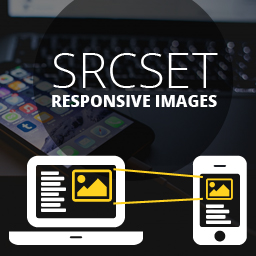
您可以添加行動裝置特色圖片,而不必擔心網站速度變慢。行動圖像將添加到特色圖片的 srcset 屬性中。訪客的瀏覽器將自動下載適合其屏幕大小的最佳圖像。
此外掛的運作方式是通過過濾 wp_calculate_image_srcset 函數並將所有980w以下屏幕的URL更改為行動裝置特色圖片。 980w是iPhone 6+和iPad之間常見的兩個屏幕尺寸,是可靠的斷點之一,當需要行動圖像時。
外掛標籤
開發者團隊
原文外掛簡介
Easily display a mobile featured image on your posts and page!
Up to 70% of website traffic today is on mobile devices. Sometimes WordPress does not quite resize the featured image in the best way. Avoid this and have full control over your featured images on any device with this plugin.
To add a mobile featured image, simply upload a new image in the meta box right below the WordPress Featured Image called Mobile Featured Image. The new image can be a specifically resized version of your featured image or an entirely new image targeted especially for mobile viewers.
You can add your mobile featured image without worrying about slowing down your site. The mobile image is added to the srcset attribute of your featured image. Vistors’ browsers will automatically download the best image for the size of their screen.
This plugin works by filtering the wp_calculate_image_srcset function and changing the url for all screens under 980w to the mobile featured image. 980w is a reliable breakpoint between the iPhone 6+ and the iPad, two common measures for when a mobile image would be needed.