內容簡介
MkWebTech CTA Studio 是一款專為 WordPress 設計的行動呼籲外掛,讓使用者能夠輕鬆創建內嵌行動呼籲、彈出視窗、黏性公告條、浮動按鈕及倒數計時器,無需撰寫程式碼。此外掛旨在提升轉換率,適合各類型網站使用。
【主要功能】
• 內嵌行動呼籲區塊、黏性條、彈出視窗及浮動按鈕
• 現代化視覺編輯器,提供即時預覽
• 內建印象、點擊及轉換率追蹤
• 正常及永續倒數計時器
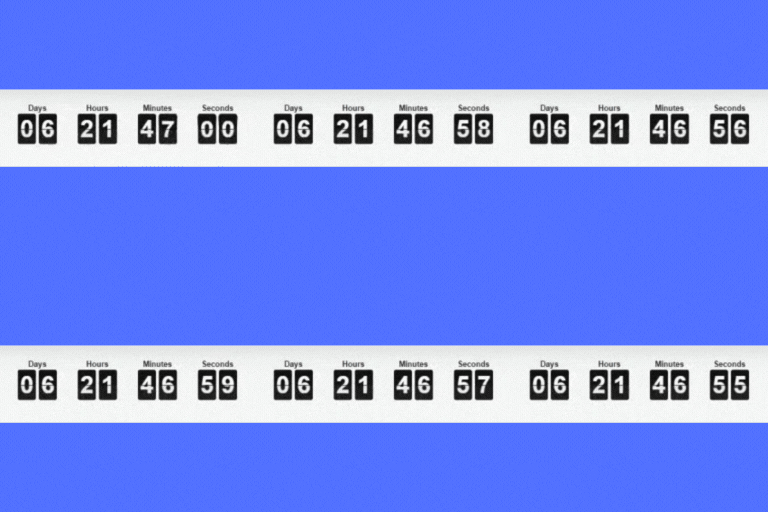
• 平滑的前端計時器引擎,減少跳秒現象
• 按鈕自訂選項,包括圖示及漸層
外掛標籤
開發者團隊
原文外掛簡介
Build conversion-focused CTAs, popups, sticky bars, floating buttons, and countdown timers in WordPress
MkWebTech CTA Studio is a WordPress call-to-action builder for creating inline CTAs, popup CTAs, sticky announcement bars, floating action buttons, countdown timer offers, and conversion-focused buttons without writing code.
Use it to promote limited-time offers, collect more clicks, highlight lead magnets, drive visitors to sales pages, announce discounts, or add urgency with normal and evergreen countdown timers.
Unlike simple button plugins, MkWebTech CTA Studio includes a visual builder, live preview, device visibility controls, animation options, and built-in analytics for impressions, clicks, and conversion rate.
Perfect for bloggers, marketers, agencies, WooCommerce store owners, course creators, SaaS sites, and small businesses that need lightweight CTA blocks, promotional popups, floating quick-action buttons, and sticky bars that look polished and load from your own site.
Create CTAs That Match Your Campaign
Choose from four practical CTA display types:
Inline – Embed CTAs directly inside posts and pages
Sticky Bar – Show a top or bottom announcement bar across your site
Popup – Display timed popup CTAs with overlay and close controls
Floating Buttons – Add icon-focused floating action buttons for phone, WhatsApp, social links, and quick actions
Countdown Timer and Evergreen Urgency
Create urgency for launches, sales, webinars, coupons, product drops, booking deadlines, and seasonal campaigns.
Timer options include:
Normal countdown timers with a fixed end date and time
Evergreen countdown timers for visitor-specific campaigns
Cookie, browser storage, and session-based evergreen detection
Restart options for evergreen campaigns
Timer expiry actions including hide, message, and redirect
Smooth timestamp-based frontend timer rendering to reduce skipped seconds and visual jumps
Built for Conversion Tracking
MkWebTech CTA Studio helps you see how your CTAs perform. Built-in analytics track:
Impressions
Button clicks
Conversion rate
Stats are stored in your WordPress database, so you can understand CTA performance without adding an external analytics script just for simple CTA tracking.
Key Features
Inline CTA blocks, sticky bars, popup CTAs, and floating action buttons
Modern visual builder with live preview
Built-in impression, click, and conversion rate tracking
Normal and evergreen countdown timers
Drift-free frontend timer engine with smooth digit rendering
Repeatable Floating Buttons with global and per-button styling controls
Advanced design controls for backgrounds, typography, spacing, shadows, and radius
Button customization with icons and gradients
Background options: solid color, gradient, image, or transparent
GSAP-powered entrance animations including fade, slide, zoom, and bounce
Display delay and animation duration controls
Device visibility (desktop, tablet, mobile)
Popup overlay click, ESC close, and scroll lock
Close button controls for sticky bars and popups
Shortcode support for manual CTA placement
Lightweight, self-hosted assets (no third-party requests)
Translation-ready and WordPress-friendly code structure
Common Use Cases
Add a call-to-action box inside blog posts
Show a sticky sale announcement bar
Create a popup for a limited-time offer
Add floating phone, WhatsApp, YouTube, Facebook, or custom action buttons
Add an evergreen countdown timer to a campaign
Promote coupons, webinars, lead magnets, consultations, or product launches
Track which CTA gets the most clicks
Usage
Go to CTAs -> Add New.
Choose Inline, Sticky Bar, Popup, or Floating Buttons.
Add your heading, button text, button URL, and optional countdown timer. For Floating Buttons, add one or more icon buttons with URLs and optional hover text.
Customize colors, typography, spacing, background, animation, and close controls.
Publish and either:
Enable auto display for Sticky Bar, Popup, or Floating Buttons CTAs, or
Use the shortcode for inline/manual placement:
[mkwebtech_cta id=”123″]