內容簡介
mk4web Notifier for WooCommerce 外掛可讓您的 WordPress 商店直接發送 WhatsApp 訊息,無需 Meta API、無每則訊息費用,並且設置簡單。透過掃描 QR 碼即可自動發送訂單通知,提升顧客體驗。
【主要功能】
• 自動發送 WooCommerce 訂單通知
• WhatsApp OTP 驗證取代 SMS
• 自動恢復放棄購物車
• 缺貨通知訂閱功能
• 評價請求自動化
• WhatsApp 聊天小工具
外掛標籤
開發者團隊
原文外掛簡介
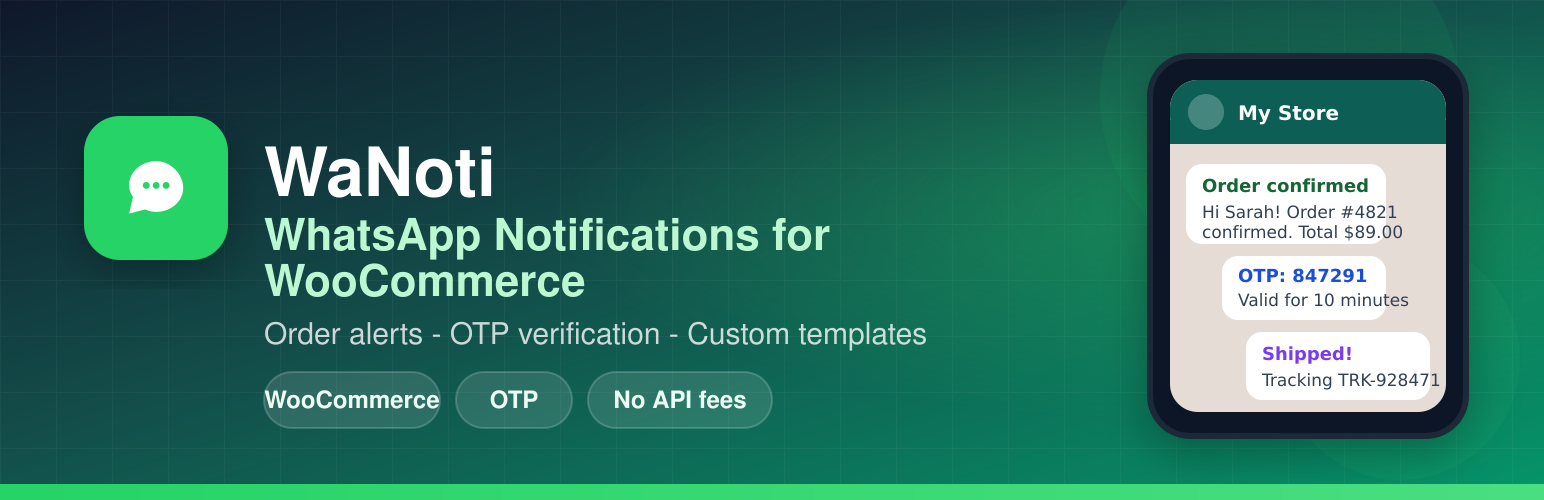
Send WhatsApp messages directly from your WordPress store — no Meta API, no per-message fees, no complicated setup.
WaNoti connects your WordPress site to WhatsApp using your own number. Scan a QR code once, and your store sends messages automatically.
Why merchants love it
✅ No Meta/WhatsApp Business API required — connect any regular WhatsApp number
✅ No per-message fees — flat monthly plan, send unlimited messages
✅ Arabic & English — full RTL support and bilingual message templates
✅ WooCommerce + any site — order alerts work with WooCommerce; OTP and chat widget work everywhere
What it does
WooCommerce Order Notifications
Automatically send WhatsApp messages to customers when their order is placed, confirmed, shipped, delivered, cancelled, or refunded. Fully customizable message templates with order details, items, totals, and tracking numbers.
WhatsApp OTP Verification
Replace SMS verification with instant WhatsApp OTP codes at checkout and login. Reduce fraud and improve conversion — customers already have WhatsApp open.
Abandoned Cart Recovery
Automatically message customers who added products to their cart but didn’t complete the purchase. Send a reminder after 1 hour and another after 24 hours with a direct cart recovery link.
Back in Stock Alerts
Let customers subscribe via WhatsApp when a product is out of stock. Automatically notify them the moment it’s available again — no email needed.
Review Request Automation
Two days after an order is marked delivered, send a WhatsApp message asking for a review. Include a direct link to your Google, Facebook, or WooCommerce reviews page.
WhatsApp Chat Widget
Add a floating WhatsApp button to your store so customers can message you in one tap. Works on all pages, customizable position, message, and greeting.
Contact Form Alerts
Get an instant WhatsApp notification on your phone when a customer submits a Contact Form 7 or WPForms form — never miss a lead.
Store Owner Admin Alerts
Receive WhatsApp alerts on new orders, payments, and form submissions directly on your phone. No need to refresh your inbox.
How it works
Create a free account at wanoti.net
Connect your WhatsApp number by scanning a QR code (one minute)
Enter your API key in WaNoti → Settings
Enable the notifications you want — done
No Meta developer account. No WhatsApp Business API approval. No technical setup.
External service required
This plugin sends messages via the WaNoti messaging service. You must:
Create a free account at wanoti.net
Connect your WhatsApp number in the WaNoti dashboard (QR scan)
Copy your API key into WaNoti → Settings in WordPress
Without an API key the plugin only shows setup screens and does not transmit any data.
What data is sent to WaNoti
When configured, the plugin may send the following to wanoti.net servers:
Your site URL, WordPress version, and plugin version (hourly heartbeat)
API key (stored in your database, sent as X-Api-Key header)
Order notifications: order ID, status, customer name, phone, email, totals, and line items
Admin alert phone numbers and message content from your templates
OTP verification phone numbers when checkout/login OTP is enabled
Contact form fields (name, phone, email, message) when admin contact notifications are enabled
Abandoned cart: customer name and phone when a cart is flagged for recovery
See WaNoti Privacy Policy and Terms of Service. The plugin adds suggested privacy policy text under Settings → Privacy.
WhatsApp trademark
WhatsApp is a trademark of WhatsApp LLC. This plugin is not affiliated with or endorsed by WhatsApp or Meta Platforms.