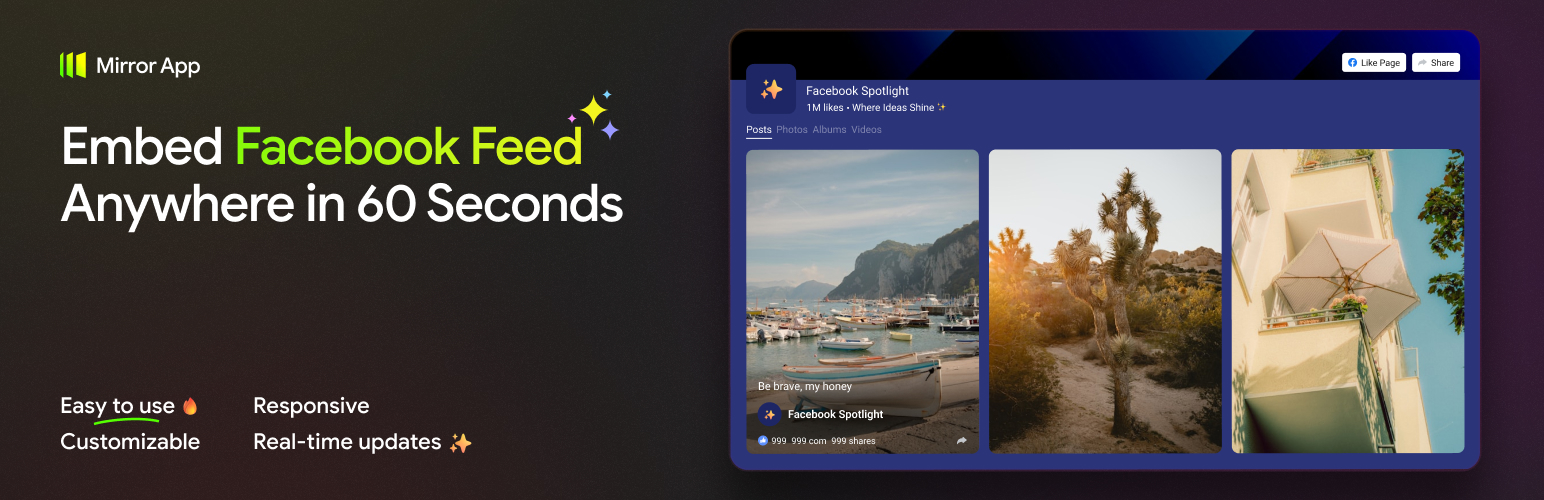
內容簡介
**總結:** Mirror App Facebook Feed 外掛讓您可以無縫地在 WordPress 網站上展示您的 Facebook 專頁帖子、照片和影片,使用乾淨且可自訂的動態頁面。透過在 Mirror App 內控制設計、版面和內容,然後將短代碼簡單地嵌入到任何頁面、帖子或小工具區域。這款外掛不需要在 WordPress 內進行複雜的設置或授權,所有處理均安全地在 Mirror App 內進行,提供輕量級的嵌入層,展示已經準備好的 Facebook 動態頁面部件。
**問題與答案:**
1. 如何使用 Mirror App Facebook Feed 外掛在 WordPress 網站上展示 Facebook 專頁的帖子、照片和影片?
- 答案:您可以在 Mirror App 內控制設計、版面和內容,然後將生成的短代碼簡單地粘貼到任何頁面、帖子或小工具區域,即可在您的網站上立即顯示 Facebook 動態更新。
2. 這個外掛相對於傳統的 Facebook 動態外掛有什麼優勢?
- 答案:Mirror App Facebook Feed 外掛無需 API 金鑰、令牌或複雜的設置,所有處理均在 Mirror App 內部安全進行,確保輕量、安全、簡易的頁面嵌入。
3. 使用這個外掛是否需要在 WordPress 內進行資料處理或授權?
- 答案:不需要,這個外掛僅將在 Mirror App 內製作好的部件嵌入到您的網站上,所有動態更新、帳戶連接和創建均在 Mirror App 內處理。
4. 有關 GDPR(歐盟一般資料保護規則)合規性方面有什麼特點?
- 答案:Mirror App Facebook Feed 外掛符合 GDPR 規定,不在 WordPress 內存儲任何個人資料,確保數據處理的合法性和隱私保護。
5. 如何找到關於服務的更多信息或支援?
- 答案:您可以訪問 Mirror App 的 Help Center、WordPress Support Forum 或通過電子郵件 [email protected] 尋求協助。
外掛標籤
開發者團隊
原文外掛簡介
The Mirror App Facebook Feed plugin allows you to seamlessly display Your Facebook Page posts, photos, and videos directly on your WordPress website using a clean and customizable feed.
You control the design, layout, and content inside Mirror App — then simply paste the shortcode into any page, post, or widget area.
All you need is a shortcode generated in your Mirror App dashboard.
Paste it anywhere, and your Facebook Feed instantly appears on your site.
Unlike traditional Facebook feed plugins that require API keys, tokens, or complex setup inside WordPress,
this plugin does not process data or perform authentication locally.
Everything — from account connection to feed design — is handled securely in Mirror App.
The plugin itself is a lightweight embed layer for displaying your ready-made Facebook Feed widget.
Why Mirror App Facebook Feed?
Simple setup – Configure everything inside Mirror App. No API keys, tokens, or coding.
Auto-refresh – Your feed updates automatically without manual actions.
Lightweight – The plugin only embeds the widget. No heavy scripts or data sync.
Secure – All data processing occurs in Mirror App, not your site.
GDPR-friendly – No personal data stored in WordPress.
Free plan available – Premium features unlock analytics, custom layouts, and more.
Visual customization – Adjust layout, colors, typography, and spacing.
Fast performance – The script loads once per page, even with multiple feeds.
Features
Shortcode: [mirror-app-social-page uuid]
Responsive iframe that fits any layout
Optimized script (loads once per page)
Compatible with Gutenberg, Elementor, Divi, and Classic Editor
Supports multiple feeds on one or several pages
Service description
The plugin does not process data or handle authentication inside WordPress.
It only embeds the ready-made widget created in Mirror App.
All feed creation, account connection, and updates occur in Mirror App.
The WordPress plugin serves as a simple, secure embedding layer.
Service Links
Mirror App Facebook Feed
Terms of Service
Privacy Policy
Legal Note
The plugin requires an active Mirror App account to create and manage widgets.
This plugin is not affiliated with or endorsed by Meta Platforms, Inc.
Facebook™ is a trademark of its respective owner.
Support
Need help?
– Help Center
– WordPress Support Forum
– [email protected]
Development
For developers: integration with vendor/iframe-bridge
The plugin uses the @mirrorapp/iframe-bridge library to manage iframe resizing and secure message communication between WordPress and the embedded feed.
Key features:
– Auto iframe resizing
– Viewport sync between parent and child frames
– Lightweight client-side library (ESM/CJS/UMD supported)
– TypeScript support
Documentation:
vendor/iframe-bridge/README.md