內容簡介
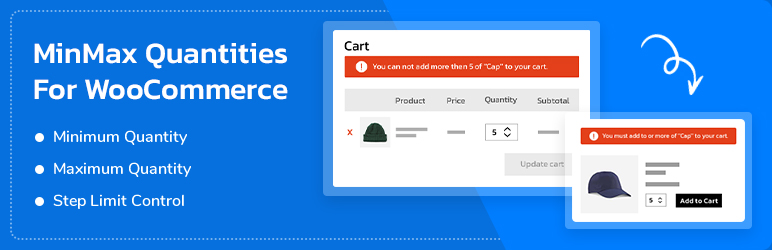
這個 WordPress 外掛 "MinMax Quantities for WooCommerce" 可以幫助你限制產品的最低和最高數量。你可以在全域範圍設定這些限制,也可以針對個別的產品和變異進行設定。此外,你還可以設定購物車和訂單的金額和數量限制。
主要功能:
- 最低和最高數量的控制。
- 數量的步進控制 (以 X 的倍數)。
- 個別產品的數量控制。
- 產品變異的數量控制。
- 個別產品和產品變異的步進控制。
- 設定購物車的最低和最高數量。
- 設定訂單的最低和最高數量。
進階功能:
- 設定分類的最低和最高數量。
- 設定標籤的最低和最高數量。
- 自訂警示/錯誤訊息以限制數量。
外掛標籤
開發者團隊
② 後台搜尋「Min Max Quantity – Minimum/Maximum Quantity, Step Control & Price Limit for WooCommerce」→ 直接安裝(推薦)
原文外掛簡介
Min Max Quantity for WooCommerce gives you full control over how products are purchased in your store. You can define minimum and maximum quantity rules, enforce step quantities (multiples of X), and even set cart and order-level restrictions.
Whether you want to restrict sales on specific products, categories, or the entire store, this plugin ensures customers order within your desired rules—improving inventory management and preventing order issues.
✨ Quick links:
👉 Features & Details
👉 Support
👉 Upgrade to Pro
Key Features
Our free version comes packed with all the essential tools you need to control product purchase rules in your WooCommerce store.
Minimum & Maximum Quantity Control
Define the minimum and maximum number of units a customer can purchase for any product. Prevent customers from ordering too few or too many items, helping you balance sales and inventory.
Step Quantity (Buy in Multiples of X)
Allow customers to buy products only in specific multiples. For example, customers can order in 2s, 5s, 10s, etc. This is perfect for wholesale stores, bulk orders, or products sold in fixed packs.
Per Product Rules
Apply quantity rules to individual products. Want one product to have a minimum order of 5 and another with a maximum of 2? You can set rules on a product-by-product basis.
Global Store-Wide Rules
Set default min/max and step rules that apply across your entire store. Save time by applying consistent restrictions without editing each product manually.
Cart-Level Restrictions
Control the total number of items customers can add to their cart. For example, you can require a cart to contain at least 3 items or limit it to a maximum of 50 items.
Order-Level Restrictions
Set limits based on the total order. For instance, require a minimum of $50 before checkout or restrict the maximum order quantity. This ensures your orders remain profitable and manageable.
Premium Features
Upgrade to Pro for advanced quantity management features that give you even more flexibility.
Variation-Level Rules
Apply min/max and step rules to individual product variations. Ideal for stores selling products with size, color, or style variations where each variation has unique order requirements.
Category-Level Rules
Set quantity restrictions for entire product categories. For example, you can limit “Wholesale” products to a minimum of 10 units per item while leaving other categories unrestricted.
Tag-Based Rules
Apply restrictions using product tags. Great for grouping specific products (e.g., “Sale” items or “Limited Edition”) and controlling their purchase quantities without affecting other products.
Customizable Error & Alert Messages
Show clear and friendly messages when customers try to break your rules. You can fully customize the wording to match your store’s tone and guide buyers toward the correct purchase.
Advanced Rule Combinations
Mix and match product-level, variation-level, category-level, and tag-based restrictions for highly tailored order control. Perfect for stores with complex product requirements.
👉 Get MinMax Quantities Pro
Enhance your store with our other plugins
Variations as Single Product for WooCommerce – Show variations as single product on shop, product category and search result page.
Advanced Custom Order Status for WooCommerce – Create, edit, delete or add new custom order statuses and trigger the custom emails when order status changes
Product Search for WooCommerce – Search products by SKU, title, category, attributes, tags, and custom taxonomies.
WooCommerce Product Table Builder – Create product table with Drag-and-Drop Table Builder, filter, sorting, pagination and more.