內容簡介
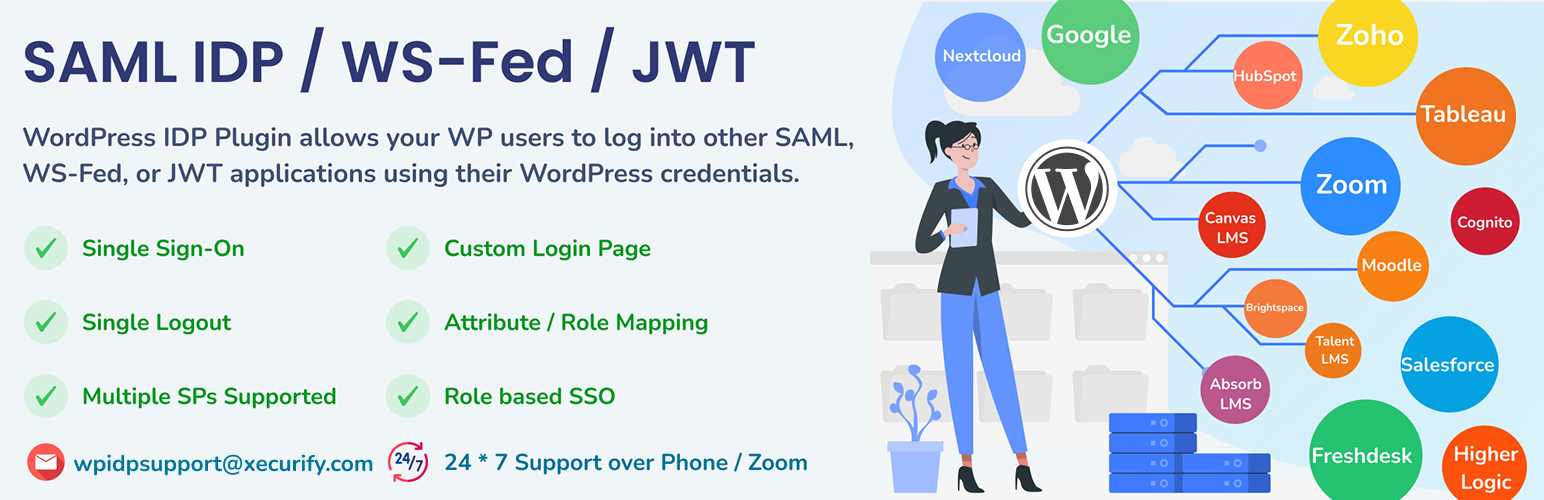
SAML IDP 外掛讓 WordPress 成為身份提供者,使用者可透過 WordPress 帳號安全登入其他 SAML、WS-FED 或 JWT 應用程式,提升安全性並簡化登入流程。
【主要功能】
• 支援 SAML、WS-FED 和 JWT 認證
• 將 WordPress 轉換為 SAML 身份提供者
• 兼容多種服務提供者,如 Salesforce 和 Zoom
• 提供安全的單一登入 (SSO) 解決方案
• 簡化使用者登入流程
外掛標籤
開發者團隊
② 後台搜尋「SAML IDP (Identity Provider) – Login with Website Users」→ 直接安裝(推薦)
📦 歷史版本下載
原文外掛簡介
Login using WordPress Users ( WP as SAML IDP SSO ) provides SAML functionality for WordPress SSO Login with WordPress Users into a SAML / WS-FED / JWT compliant Service Provider.
WordPress SAML Single Sign-On (SSO) IDP Plugin allows your WordPress users to log into other SAML, WS-Fed, or JWT applications using their WordPress credentials. The plugin makes your WordPress site act as the Identity Provider and allows your users to log in with WordPress credentials, making it more secure by establishing trust with other Service Providers (SP). applications.
This WordPress SAML IDP SSO solution provides SAML SSO capability to your WordPress site, converting it to a SAML-compliant Identity Provider that can be configured with any SAML-compliant Service Provider.
Login With WordPress allows users residing in your WordPress site to login to your SAML 2.0 or WS-FED compliant Service Provider. We support Login with WordPress Users into all known Service Providers that support SAML IDP SSO Authentication, WSFED authentication, and JWT authentication (Premium feature). Login with WordPress provides compatibility with various Service Providers, allowing Login with WordPress into any SAML-compliant Service Provider.
Login using WordPress Users ( WP as SAML IDP ) allows SSO login into Tableau, Zoho CRM, Panopto, Salesforce, Rocketchat, Freshdesk, Moodle LMS integrations, miniOrange, Thinkific, Canvas LMS SSO, Absorb LMS, TalentLMS, iPipeline, Mendix, NextCloud Login, Zendesk, LinkedIn Learning, Tiled, Higher Logic, BlueJeans, Hubspot, SAP Litmos, LifeRay, MindGarden, Tableau Cloud, Panopto, Zoom, AWS SSO Cognito, WordPress, Documoto, and all SAML 2.0 capable Service Providers.
WordPress as IDP SAML / WS-FED / JWT SSO Plugin acts as a SAML 2.0 or WS-FED or JWT Identity Provider, which can be configured to establish the trust between the plugin and various SAML 2.0 or WS-FED or JWT supported Service Providers to securely authenticate the user using the WordPress site credentials.
Quick Links: 🌐Official Website | 🛠️Setup Guide | 🎁Free Full-Feature Trial | 💎Pricing Plans | 🤝Support
List of Supported Service Providers
Tableau (Login to Tableau) – Supports Tableau Online and Tableau Server
Tableau Embed (Embed Tableau Visualizations into WordPress Site)
Tableau Cloud (Login to Tableau Cloud)
Zoho CRM (Login to Zoho)
Freshdesk Agents SSO (Login to Freshdesk as Agents)
Freshdesk Contacts SSO (Login to Freshdesk as Contacts)
Freshdesk Login ( Login to Freshdesk)
Freshworks (Login to Freshworks)
Moodle LMS Login (Moodle LMS Login Integration)
NextCloud (Login to NextCloud) – Requires Premium version
Zoom (Login to Zoom)
Hubspot SSO Login (Login to Hubspot)
ServiceNow (Login to ServiceNow)
BoardEffect (Login to BoardEffect)
AWS Cognito (Login to AWS SSO Cognito) – Requires Premium version
WordPress (Login to WordPress)
Salesforce (Login to Salesforce)
miniOrange (Login to miniOrange)
Moodle LMS integration ( Moodle LMS Login)
Panopto (Login to Panopto)
Canvas LMS (Login to Canvas)
Absorb LMS (Login to Absorb) – Requires Premium version
TalentLMS (Login to TalentLMS) – Requires Premium version
RocketChat (Login to RocketChat)
LearnUpon (Login to LearnUpon)
iSpring LMS (Login to iSpring LMS)
Frontline Education (Login to Frontline Education)
360Learning (Login to 360Learning)
Lessonly (Login to Lessonly)
Tovuti LMS (Login to Tovuti LMS)
Klipfolio (Login to Klipfolio)
Thinkific (Login to Thinkific)
iPipeline (Login to iPipeline)
Higher Logic (Login to HigherLogic)
Mendix (Login to Mendix)
Zendesk (Login to Zendesk)
LinkedIn Learning (Login to LinkedIn Learning)
Tiled (Login to Tiled)
BlueJeans (Login to BlueJeans)
LifeRay (Login to LifeRay)
SAP Litmos (Login to SAP Litmos)
MindGarden (Login to MindGarden)
Learnworlds (Login to Learnworlds)
Documoto (Login to Documoto) – Requires Premium version
and practically any SAML compliant Service Provider.
Note : Some Service Providers require additional attributes to configure SSO. This is a Premium feature. Feel free to ask us for a trial version of the Premium plugin to test the SSO. Reach out to us using the Support form in the plugin or simply send us a mail at [email protected].
To know more about the plugin and how to Login with WordPress, please visit this page.
If you are looking to SSO into your WordPress site with any SAML compliant Identity Provider then we have a separate plugin for that. Click Here to learn more.
If you require any Single Sign On application or need any help with installing this plugin, please feel free to email us at [email protected]. You can also submit your query from plugin’s configuration page.
Special Use-Cases :
Tableau views inside your WordPress site – Now your users can see Tableau views inside your WordPress site without the user ever leaving your site! miniOrange WordPress SAML IDP plugin can make that happen and make it look seamless! Login with WordPress User into Tableau.
Zoom SSO – Allow / Restrict access to your Zoom meetings and webinars. Only allow your WordPress users to join Zoom meetings and webinars. Login with WordPress User into Zoom.
Freshdesk SSO for Agents and Contacts – Your customers can now SSO from your WordPress site into Freshdesk without entering the credentials again! Login with WordPress User into Freshdesk.
Login with WordPress users into Cognito – You can add WordPress as an external SAML Identity Provider in AWS Cognito. This will allow your WordPress users to login to Cognito using their WordPress credentials! Login with WordPress User into AWS SSO Cognito.
WordPress & LMS SSO – Most of the LMS out there (Moodle LMS integration, Absorb LMS, Canvas LMS SSO, TalentLMS, Flagship LMS, etc) support SAML Single Sign-On. Now, you can advertise your courses on your WordPress site, and log the user in into your LMS automatically without having to enter the credentials again. Login with WordPress User into Moodle LMS integration / Absorb LMS / Canvas LMS / TalentLMS / Flagship LMS.
WordPress Salesforce Object Sync – Sync WordPress data with Salesforce data using Object Data Sync for Salesforce plugin. Our WordPress Salesforce data sync plugin works in tandem with the WordPress SAML IDP plugin to facilitate seamless WP Salesforce login, and also syncs all WordPress object data with Salesforce object data in Salesforce using Apex triggers on the Salesforce side. Login with WordPress User into Salesforce. Know more about our WordPress Salesforce Object Sync plugin by reaching out to us at [email protected].
These are some of the most requested use-cases out of hundreds of use-cases that are supported by our plugin!
Key Features :-
Login with WordPress to any SAML 2.0 or WS-FED or JWT compliant Service Provider like Tableau Online, Tableau Server, Tableau Cloud, Panopto, Zoho SAML SSO/Zoho CRM/Zoho One, Freshdesk, Moodle LMS integration, miniOrange, Thinkific, Canvas LMS, Absorb LMS, TalentLMS, iPipeline, Mendix, NextCloud, Hubspot, HigherLogic, Zendesk, LinkedIn Learning, Tiled, BlueJeans, SAP Litmos, LifeRay, MindGarden, Zoom, AWS SSO Cognito, WordPress, Documoto, etc. using your WordPress site credentials.
Single Sign-On (SSO)
Easy, secure, and seamless access to any SAML 2.0, WS-FED, or JWT applications with a single login i.e. Login with wordpress users / authenticate users into applications using WordPress credentials.
Single Logout
Terminate user’s Single Sign-On session on WordPress as well as on Service Provider applications, when the user logs out of your WP site or any configured Service Provider application. (Premium Feature)
Widget/Shortcode to add SP Login
Add a link or button anywhere on your WordPress site, acting as an Identity Provider, to allow IDP initiated SSO into your single or multiple applications.
Easily configure the Identity Provider by providing just the Issuer, ACS URL and NameID format.
Multisite Support
Supports configuring WordPress Multisite Network installation as an Identity Provider, allowing users to SSO login into Service Provider applications using WordPress Multisite credentials. (Premium Feature)
Use the IDP Metadata XML file / URL to instantly configure your Service Provider.
We regularly update the X.509 certificate so that you have the most secure WordPress SSO login experience.
Multiple SPs Supported
Allow users to Single Sign-On into multiple applications at once by configuring multiple Service Providers (SP) with WordPress as the Identity Provider (IDP). (Premium Feature)
Make user login more secure by signing and encrypting responses to Service Provider (Premium feature).
Use the Attribute & Role Mapping feature to map WordPress user profile attributes to your SP attributes, and send roles assigned to users from your WordPress site to your Service Provider (Premium feature).
Custom Login Page
Supports custom login page and custom registration page along with the default WordPress login page to allow users to sign up themselves in WordPress (Premium feature).
SAML Request Verification & Response Encryption
Secures transactions of user profile information from WordPress to Service Providers using signature verification and assertion encryption in SAML Response.
Embed Panopto
Embedding Panopto video content into your WordPress Site.
Tableau Embed
Tableua Embed effortlessly embeds interactive Tableau visualizations and graphs directly into your WordPress pages and posts.
Need OAuth or OIDC Instead of SAML? :
If your integration requirements are based on the OAuth/OIDC protocols, you can explore our WordPress OAuth Server plugin. It allows WordPress to act as an authorization server and supports Single Sign On for applications that use OAuth 2.0, which is particularly well-suited for mobile, API-driven, and modern cloud environments where lightweight token-based authentication is preferred.
Website –
Check out our website for other plugins https://plugins.miniorange.com or click here to see all our listed WordPress plugins.
For more support or info email us at [email protected]. You can also submit your query from the plugin’s configuration page.