內容簡介
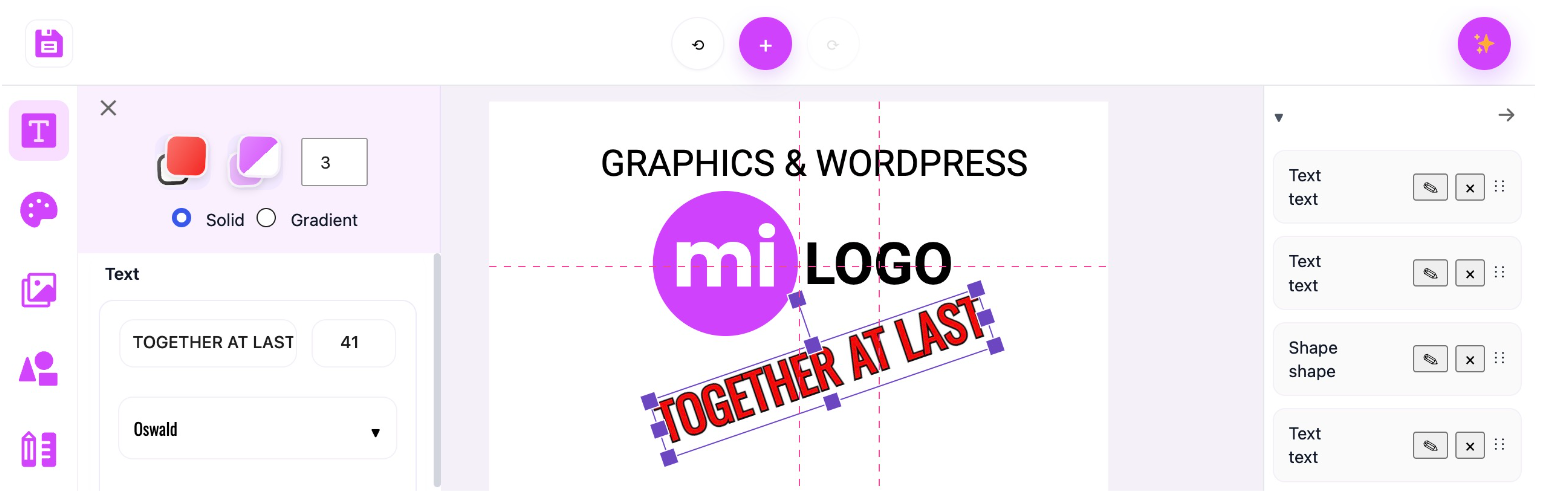
miLOGO 是一款在 WordPress 控制台中運行的視覺標誌與圖形編輯器,使用者可以從範本開始設計或從頭創建,支援文字、圖標、形狀及繪圖工具,並可將設計匯出為 PNG 或 JSON 格式。
【主要功能】
• 視覺化畫布標誌編輯器
• 支援 Google Fonts 的文字
• 標誌範本與圖形元素
• 形狀與繪圖工具
• 層級排序、重新命名與刪除
• PNG 與 JSON 匯出功能
外掛標籤
開發者團隊
原文外掛簡介
miLOGO is a visual logo and graphics editor that runs inside the WordPress admin area.
Build a design from a starter or create one from scratch using text, icons, shapes, drawing tools, colors, gradients, and layer controls. Designs can be exported as PNG or JSON, and PNG exports can be added to the WordPress Media Library.
This is an initial beta release. Please keep backups of important design JSON while the editor continues to mature.
Features
Visual canvas-based logo editor
Text with Google Fonts
Logo Starters
Icons and graphic elements
Shapes and drawing tools
Layer ordering, renaming, and deletion
Undo and redo
Canvas size controls
PNG export
JSON design export/import
Save PNG output to the WordPress Media Library
miLOGO Free is fully usable on its own. An optional miLOGO Pro add-on, distributed separately, can provide additional design content and options. Upgrade prompts may be shown contextually inside the miLOGO editor.
External Services
miLOGO uses Google Fonts in the WordPress admin editor.
When the font catalog is requested, the site server requests Google Fonts metadata from fonts.google.com. When a Google Font is previewed or used in a design, the administrator’s browser requests the corresponding stylesheet and font files from fonts.googleapis.com and fonts.gstatic.com. These requests are necessary to list, preview, and render Google Fonts. miLOGO does not send the contents of your logo design to Google as part of these font requests.
Google Fonts: https://developers.google.com/fonts
Google Fonts API Terms of Service: https://developers.google.com/fonts/terms
Google Privacy Policy: https://policies.google.com/privacy
Known Issues
Icon transformations can sometimes create extra Undo/Redo history entries, so more than one Undo click may be needed to revert a single icon movement. No data loss or editor failure has been observed from this issue.
Third Party Resources
miLOGO includes and uses the following third-party resources:
Phosphor Icons
Source: https://phosphoricons.com/
License: MIT
License information: https://github.com/phosphor-icons/phosphor-icons/blob/master/LICENSE
Fabric.js
Source: https://fabricjs.com/
License: MIT
License information: https://github.com/fabricjs/fabric.js/blob/master/LICENSE
Google Fonts are loaded from Google’s font service rather than bundled with the plugin. Individual Google Font families are provided under their respective open-source licenses.
Development / Build Source
The human-readable React/TypeScript source is included under admin/src/src/.
The production assets used by WordPress are in admin/build/. To rebuild them, use the npm project in admin/src/ and run npm install followed by npm run build.