
內容簡介
這個外掛可以顯示網站上的文章資訊(meta)和使用者資訊(meta)。自定義文章類型的文章資訊(meta)也可以查看。只有管理員可以查看這些資訊。
文章資訊(meta)
使用這個外掛(Metabase)可以查看所有使用者資訊(meta)和自定義文章類型的文章資訊(meta)。公開和私有(meta key)的資訊(meta)都可以查看。私有(meta key)的資訊(meta)以底線為前綴,不適合在管理員版面中顯示。
簡言之,可以用get_post_meta()查看的所有資料都可以透過這個外掛來查看。
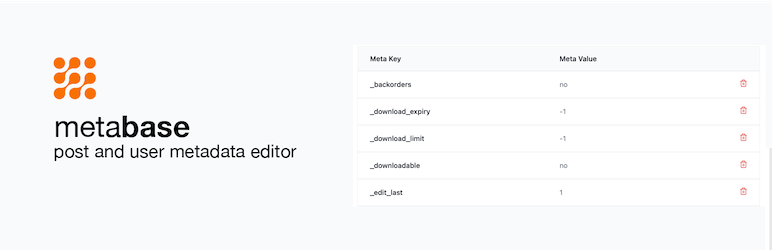
要檢視文章資訊(meta),請到後台的文章,並往下捲動到頁面底部,您會看到一個名為"Meta"的表格。
使用者資訊(meta)
使用這個外掛(Metabase)可以查看/管理所有使用者的(meta)資料,包括公開和私有(meta key)的資訊(meta)。任何使用get_user_meta()可以查看的資料都可以使用這個外掛來查看。
要檢視外掛,請到"使用者"頁面並點擊檢視使用者。往下捲動即可看到:
功能
免費
獨立運作,不需要安裝其他外掛即可使用
刪除資訊(meta data)
查看私有資訊(meta data)
即將推出
編輯和更改資訊(meta data)的值
開始使用
安裝完畢後,會在文章和使用者上加入一個meta box。
您可以篩選想要在哪些文章類型中看到meta box。
外掛標籤
開發者團隊
② 後台搜尋「Metabase – Post & User Meta Editor」→ 直接安裝(推薦)
📦 歷史版本下載
原文外掛簡介
This plugin shows the post meta and user meta of your website. Post meta of custom post types can also be viewed. Only admins can view this meta data.
Post Meta
All user meta data can be viewed with this plugin (Metabase) – including custom post types. Both public and private meta keys can be viewed. Private meta keys start with the underscore prefix and are not meant to be seen in the admin.
In short, any data that can be viewed with get_post_meta() can be viewed with this plugin.
To view your post meta, please go to the open the post in the WP Admin and scroll down to end of the page, you will see a table titled “Meta”.
User Meta
All user meta data can be viewed/managed with this plugin (Metabase). Also, private and public meta keys can be viewed. Any data that can be viewed with get_user_meta() can be viewed with this plugin.
To view your plugin, please got to the Users page and click to view a user. Scroll down and you will see the
Features
Free
Stand-alone, no need to install any other plugin for this to work
Delete meta data
View private meta data
Edit and change the values of your meta data
Getting Started
After installing this plugin, a metabox will be added to your posts and users.
You can filter the post types you want the metabox to appear in.