內容簡介
MeetingHub 是一款強大的 WordPress 外掛,專為整合 Zoom、Google Meet、Jitsi Meet、Webex 和 Microsoft Teams 等平台而設計,讓使用者能輕鬆舉辦虛擬會議、網路研討會和線上課程,提升線上會議體驗。
【主要功能】
• 一體化視訊會議
• WooCommerce 整合
• 自動會議生成
• 可自訂產品選項
• 使用者通知功能
• 多供應商支援
外掛標籤
開發者團隊
② 後台搜尋「MeetingHub – Appointment Booking & Meeting Scheduling for Zoom, Google Meet, Microsoft Teams, Webex, Jitsi」→ 直接安裝(推薦)
📦 歷史版本下載
原文外掛簡介
MeetingHub is a free appointment booking and scheduling plugin for WordPress. Share a booking page, let clients pick a time from your real availability, and every appointment is confirmed, added to both calendars, and given a working video link automatically.
Most booking plugins charge extra for video conferencing. MeetingHub does not. Five platforms are in the free version: Zoom, Google Meet, Microsoft Teams, Webex and Jitsi Meet. Your first booking can produce a working meeting link before you connect a single account.
Unlimited booking pages, unlimited appointments, unlimited meetings. No per-seat subscription, no commission, and every client record stays in your own WordPress database.
Get MeetingHub Pro | Join the community | Watch on YouTube
🏆 Key Features at a Glance:
✅ Appointment Booking & Online Scheduling
Set your working hours once, share a link, and people pick a time from what you actually have free. No account to connect and nothing to configure first.
Your own booking page
Every booking page has its own address, /booking/your-link/: a month, the times free on the day somebody picks, and three fields.
Put the booking form anywhere
Paste [meetinghub_booking link="your-link"] into any page or post to place the same appointment form inside your own layout.
Weekly availability, buffers, notice and slot spacing
Working hours per day, days off, gaps around each appointment, how far ahead and how late people may book, and how often start times are offered.
Confirmed the moment they book
Every booking is confirmed at once and lands in both calendars. Holding each request until you approve it is in Pro.
Time zones handled
Visitors see every appointment time on their own clock and can change it. What you set stays on yours.
Reschedule and cancel without emailing you
Every confirmation carries a private link the customer uses to move or cancel their own appointment. You are told either way.
Ask what the appointment is about
Every booking form carries a notes field. The answer reaches your inbox and sits on the booking.
Charge for an appointment (Pro)
Put a price on a booking page, in any of 34 currencies, and choose how clients pay: by card through Stripe when they book, or at the appointment. A card booking is confirmed only once the payment arrives, refunds take one click, Stripe promotion codes work at checkout, and the Payments tab shows what came in and what is owed back.
Your appointment history is yours
Download every booking as a spreadsheet, answers included, with no limit or fee.
The last 30 days, above the list (Pro)
How many appointments you took, how often people failed to turn up, what is still unpaid, and which booking page is doing the work.
See whether your emails arrived
The Emails tab lists every confirmation and reminder, whether it was delivered, and a button to send it again.
Appointment reminder emails
One email before the appointment, at a lead time you choose, from one hour to one week.
No double bookings
The slot is claimed in the database, so two people clicking the same time cannot both get it.
Group sessions and classes (Pro)
Set how many people can claim the same slot for a class, a workshop or an office hour.
Phone, in person or video
An appointment can be a call, an address, a link of your own, or a meeting created for you on any of the five platforms. Letting each client choose between several on one page is in Pro.
Works with the booking plugins you already run (Pro)
A confirmed booking in WooCommerce Bookings can still create a meeting automatically.
Never booked over your Google Calendar (Pro)
Times you are busy in Google Calendar stop being offered, using the Google account you already connected for Google Meet. Events marked as free and ones you declined are ignored.
Pro also adds your own booking questions, a page to send clients to after they book, and a cutoff on how late they may cancel or move. More than one host, multiple reminders and SMS are coming to Pro.
✅ Dashboard: Your Bookings and Meetings at a Glance
MeetingHub → Dashboard puts the whole period on one screen: what happened, what is next, and what needs you.
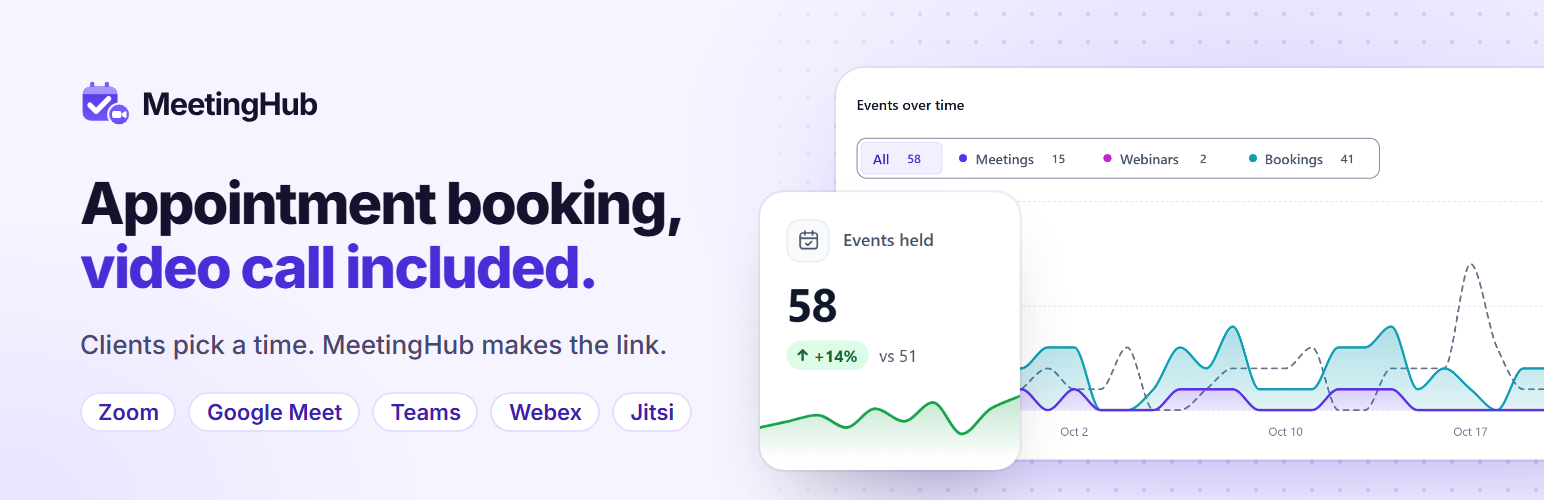
Headline numbers: events held, bookings and cancellation rate for any date range, each against the period before, with a trend line. Green is better, amber is worse. Revenue is in Pro.
Events over time: meetings, webinars and appointments stacked in one chart, with the previous period behind it.
Live and up next: a Join button for whatever is live or starts within 15 minutes, then the next events and their platform.
To do: emails that did not send, bookings without a meeting link, platforms to reconnect, overlaps and booking pages nobody can book, worst first, each a click from its fix.
Busiest day, platform health and your booking link, ready to share. Top booking pages are in Pro.
✅ Booking Calendar & Calendar Sync
Your appointments in your own calendar (Pro)
Subscribe to a private .ics feed in Google Calendar, Outlook or Apple Calendar. Cancellations drop off it, and the address can be rotated.
Calendar files on every confirmation
Confirmation and reschedule emails carry an .ics attachment.
Add to Calendar button (Pro)
A one-click Add to Google Calendar button on every meeting page.
All Events in one list
Meetings, webinars and booked appointments together, with search, a platform filter, bulk actions, and overlapping meetings flagged before your attendees find them. A month and week calendar view is in Pro.
✅ Built for Appointments That Happen Over Video
Works with Zoom, Google Meet, Jitsi Meet, Webex and Microsoft Teams, all in the free plugin. Each meeting picks its own platform, so one site can run all five.
Telehealth and virtual health – patients book a consultation and join from the confirmation email.
Consultants, coaches and therapists – sell your time, then meet the client without a second tool.
Tutors and course creators – office hours and live classes, attached to the lesson.
Legal and financial advisers – remote consultations, client records on your own server.
Agencies and freelancers – a discovery call link for a proposal or an email signature.
Marketplace vendors – each vendor runs their own meetings in Pro, and their own booking pages are coming.
✅ WooCommerce Integration
Sell consultations, classes and webinars, and let the meeting create itself once the order is paid. WooCommerce features are Pro.
Sell meetings and appointments as WooCommerce products, using any gateway you already accept.
Automatic meeting creation and attendee notifications once a purchase is confirmed.
WooCommerce Bookings appointments create a meeting link automatically.
✅ LMS Integration
Run a virtual classroom, a live lesson or an educational webinar from inside your LMS. LMS features are Pro.
Compatible platforms: Tutor LMS, LearnPress, LifterLMS and Academy LMS.
Virtual classrooms attached to a course or lesson, open only to its enrolled students.
Shortcodes and an editor button for any lesson page, including LearnDash.
✅ Multi-Vendor Support
Vendors create and manage their own bookings, meetings and webinars without going through you. Multi-vendor features are Pro.
Compatible plugins: Dokan, WCFM Marketplace and MultivendorX.
Vendor dashboards for creating and managing their own sessions.
Meetings linked to vendor products, with branding of their own.
✅ Multi-Language Support
Translate the plugin into your preferred language with built-in support for internationalization.
✅ Customizable & User-Friendly
Easy setup and management for instant meetings.
Connect each video platform from a step-by-step setup panel on MeetingHub → Integrations, and install supported plugins such as WooCommerce or an LMS without leaving the page.
Settings keep unsaved changes as you move between tabs, save with Ctrl+S or Cmd+S, and ask before you leave with changes unsaved.
Fully customizable shortcodes for embedding meetings and booking forms.
Compatible with Elementor and Gutenberg.
✅ Built for Developers
Fully customizable source code for advanced developers.
Gutenberg blocks, Elementor widgets and filters such as mhub_user_can_access_meeting to decide who sees a meeting.
✅ 🔥 More Additional Features
Meeting categories: group sessions by course, client or department and list only those with [mhub-zoom-meeting-list category="coaching-101"].
My Meetings: [mhub-my-meetings] shows a signed-in member their upcoming sessions and their own bookings, with a join button on each. Use include="sessions" or include="bookings" to show one kind.
Members only: limit an event to customers who bought a WooCommerce product, right from the event form.
Shortcodes and blocks for Gutenberg and Elementor: one meeting, a full list, or one platform.
Private meetings: password protection, plus limits by role, by user or by WooCommerce product purchased.
Privacy tools: appointment data is included in WordPress personal data export and erasure requests.
Custom thumbnails, banners, countdown timers and embed sizing. Recurring meetings and priority support are Pro.
Integrations:
🔥 Zoom Meeting
Create Zoom meetings and webinars from WordPress, attach them to a booking page, and show them on any page, with countdown timers and front-end registrant lists. Zoom users, reports and recordings come into WordPress with Pro.
🔥 Google Meet
Google Meet sessions are created as real Google Calendar events, with their attendees, reminders and time zone, so an appointment lands in a calendar rather than an inbox.
🔥 Jitsi Meet
Jitsi Meet is open source and needs no account, which is what lets a first booking work with nothing connected. Unlimited duration, branded rooms, and your own domain or 8×8 JaaS when you want them.
🔥 Webex
Schedule, manage and show Webex meetings and webinars, with attendee registration, breakout sessions, meeting lock and livestreaming.
🔥 Microsoft Teams
Schedule and manage Teams meetings from WordPress over a secure Microsoft Graph connection, with recurring meetings, lobby and recording controls. View Setup Guide
📢 Hear From Our Users
⭐⭐⭐⭐⭐
Great Plugin!
Functional and complete plugin, it allows you to integrate all the main video conferencing platforms. Technical assistance is available and responsive to any user problems, solving them very quickly. The Pugin is constantly updated to develop improvements and add new features, listening to the needs of users! Highly recommended.
– by @giomax86
🔥 Get MeetingHub PRO | 🤝 Join Community | 🕹️ YouTube
External services
MeetingHub talks to the services below only after you connect one, create a meeting on it, or a visitor joins or books one. Freemius is used for opt-in licensing.
Bookings: a booking on a page set to Zoom, Google Meet, Microsoft Teams or Webex sends that service the start time, length, time zone and a meeting title (with the client’s name for one-to-one appointments), and later changes or cancellation. Client email, phone, notes and answers stay in your database.
Zoom (Zoom Video Communications, Inc.) creates, updates and deletes meetings and webinars and reads users and reports once you connect Zoom. It receives your Server-to-Server credentials, meeting details (title, agenda, time, time zone, password, duration, options) and, with webinar registration, registrant name and email. “Join in Browser” loads the Zoom Meeting SDK and its React, Redux and lodash builds from source.zoom.us and sends Zoom the name and email the attendee enters. Terms, Privacy.
Google Meet / Google Calendar (Google LLC) creates and updates Meet events once you upload Google credentials. It receives the credentials, and the title, description, times, time zone, attendee emails and reminder and visibility settings of each event. “Add to Google Calendar” opens google.com with the title, time and link only when a visitor clicks it. Terms, Privacy.
Webex (Cisco Systems, Inc.) creates, updates and deletes meetings once you connect Webex. It receives your OAuth credentials, meeting details (title, agenda, password, times, time zone, options) and, with registration, registrant name and email. Terms, Privacy.
Microsoft Teams / Microsoft Graph (Microsoft Corporation) creates and updates Teams meetings once you connect Microsoft. It receives your app credentials (client ID, secret, tenant ID) and each meeting’s subject, times and length. Terms, Privacy.
Jitsi Meet hosts calls on the server you choose in MeetingHub → Integrations. The room name and the joining person’s display name go to that server.
Public server (default): one of these community servers, not run by us, each under its operator’s own terms. Set your own domain or JaaS to avoid them.
jitsi.member.fsf.org, Free Software Foundation: Privacy.
meet.evolix.org, Evolix: Terms and data protection, Legal notice and privacy.
video.devloprog.org, Devloprog: Terms of use.
webconf.viviers-fibre.net, Association Viviers Fibre (website): publishes no separate terms or privacy policy.
JaaS on 8x8.vc (8×8, Inc.): a moderator who can edit posts joins with a signed token holding their WordPress user ID, name, email and avatar URL. Terms, Privacy. The avatar comes from Gravatar (Automattic Inc.): Terms, Privacy.
Self-hosted: your own server, under its own terms.
Freemius (Freemius, Inc.) handles licensing. Nothing is sent unless an administrator opts in after activation; “Skip” sends nothing. Opting in sends your name, email, site URL, WordPress, PHP and plugin versions and active plugins and themes. Deactivation feedback is sent only if you submit it. The Contact Us page loads a form from wp.freemius.com; upgrading opens checkout.freemius.com. Terms, Privacy.
Source Code
Compiled files in assets/dist/ are built from assets/src/ (JavaScript and SCSS) with the configs in the plugin root (package.json, webpack*.js, tailwind*.js, postcss.config.js). Build: npm install, npm run build, npm run build:getstarted; PHP libraries: composer install --no-dev.
Bundled open-source libraries, all GPL-compatible: Jitsi Meet External API (Apache-2.0); Google API Client, Google Auth, Guzzle, Monolog, firebase/php-jwt and their dependencies in vendor/ (Apache-2.0, MIT, BSD-3-Clause); Freemius SDK (GPL-3.0); React, React Router, moment-timezone, axios, crypto-js, react-select, react-datepicker, react-datetime, react-time-picker, react-toastify, react-tooltip, react-simple-wysiwyg and @wordpress packages compiled into assets/dist/ (MIT, GPL-2.0+). The Zoom Meeting SDK is not bundled; Zoom serves it on browser join.