內容簡介
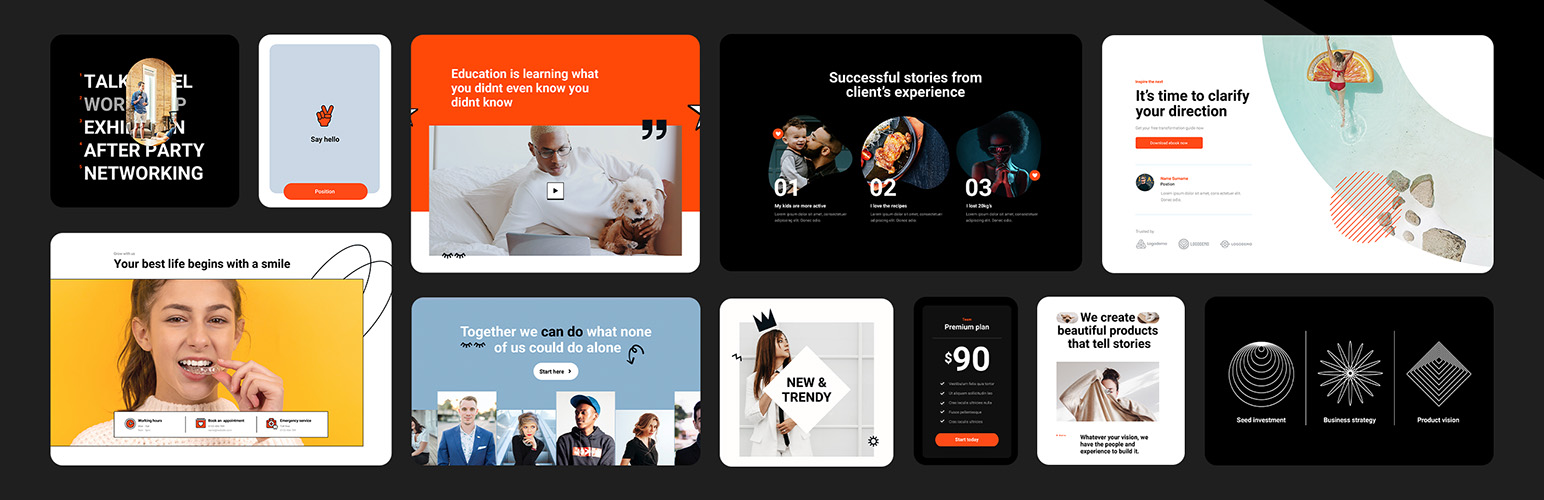
MaxiBlocks Builder 是一款專為 WordPress 設計的外掛,提供超過 17,000 種設計資源、樣式和圖示,幫助使用者快速建立專業網站。所有功能免費且無鎖定區塊,並提供可選的雲端資源庫以提升工作效率。
【主要功能】
• 19 種強大的基礎區塊
• 完整網站編輯功能
• 超過 17,000 種設計資源
• 動態內容與動畫效果
• 自訂 CSS 支援
• 11 個即用型網站範本
外掛標籤
開發者團隊
② 後台搜尋「MaxiBlocks Builder | 17,000+ Design Assets, Patterns, Icons & Starter Sites」→ 直接安裝(推薦)
📦 歷史版本下載
原文外掛簡介
Build professional WordPress sites faster with MaxiBlocks.
All features free forever. No locked blocks. Optional Cloud Library saves you time.
The Challenge
As a WordPress creator, you might be facing:
Frustration with complex, time-consuming design tools
Page builders that lock essential features behind paywalls
Difficulty finding and customising suitable templates
Pressure to create unique, professional-looking websites efficiently
No one wants to produce generic-looking websites or pay monthly fees just to access basic functionality.
The Complete MaxiBlocks Ecosystem 🎈
MaxiBlocks is a complete website building solution with three components that work together:
MaxiBlocks Builder (Free)
The core plugin with everything unlocked from day one.
19 powerful foundation blocks
Visual style controls
Advanced design tools
Dynamic content
Animations and scroll effects
Custom CSS
No feature restrictions
MaxiBlocks Go Theme (Free)
Our Full Site Editing theme, available on WordPress.org.
Complete site editing
Responsive templates
Performance optimised
Works with any starter site
MaxiBlocks Cloud Library (Free + Paid)
A design library to speed up your workflow.
2,180+ block patterns
231 page templates
379 theme templates
14,417 SVG icons and shapes
100 style cards
11 starter sites
17,342 total assets
The Builder and Go Theme are free and open source forever. The Cloud Library offers both free and premium designs to save you time.
11 Starter Sites — Live in Minutes
Complete websites ready to install with one click:
Interior Design
Acupuncture
Coffee Shop
Cafe
Business
SaaS
Invest
Conference
Architecture
Co-working
Hair Dresser
Each starter site includes homepage, about, services, contact, blog templates, archive pages, search results, and 404 pages. Install one and start customising immediately.
Browse starter sites
Get Started in Three Steps
Install the MaxiBlocks Builder plugin and Go Theme
Choose a starter site or browse patterns from the Cloud Library
Customise with style cards and launch your site
Design websites that stand out. Save time doing it.
Key Features
Powerful Blocks
Build anything with 19 flexible, customisable foundation blocks. No complexity, no limits.
Instant Designs
Choose from 2,180+ patterns to create pages in seconds. Drag, drop and personalise.
Massive Icon Library
Enhance your design with 14,417 built-in SVG icons and shapes. No extra plugins needed.
No-Code Editing
See changes instantly with a visual editor. Experiment freely, never touch code.
One-Click Styles
Transform your entire site with style cards. Instantly swap between 100 professional designs.
Design Tools
Use background layers, image masks and scroll effects. Achieve bold visuals without extra software.
Dynamic Content
Display custom fields and real-time updates. Create dynamic, interactive pages.
Full Site Editing
Go beyond pages with the MaxiBlocks Go Theme. Edit headers, footers and templates visually.
Lightning Fast
Clean, optimised code. No domain limits. Zero hidden fees. Freedom on every site.
Who It’s For
MaxiBlocks works for:
WordPress developers seeking efficient design tools
Designers transitioning from other page builders
Beginners looking to create professional sites without coding
Agencies and freelancers delivering client projects
Anyone moving from Elementor, Divi or other builders to Gutenberg
What’s Free vs What Requires a Cloud Account
Always Free (Open Source):
MaxiBlocks Builder plugin (19 foundation blocks)
MaxiBlocks Go Theme (Full Site Editing)
542 free patterns and 17 pages
Free starter sites
14,417 icons and shapes
100 style cards
All features unlocked (animations, dynamic content, custom CSS)
Unlimited websites
No restrictions
Optional Cloud Library:
2,180+ patterns
231 complete pages
Premium starter sites
Regular new designs
Priority support
The Cloud Library saves you 10+ hours per project. You can build the same sites with free tools. Cloud just makes it faster.
Success Stories
Here’s what creators are saying:
“MaxiBlocks is one of the best WordPress plugins I’ve found, and I’m in love with this tool.” – Muhammad Ali Iqbal
“I know this category of plugins very well — I have probably tested all Gutenberg add-ons available on the market and I must admit that MaxiBlocks is really top shelf and top league!” – Peter
“It’s great to see that a lot of the new designs come from special requests from MaxiBlocks users and the developers listen to their user base!” – MeditatingSurgeon
“Easy, clean, and responsive designs with great support. They’re always adding new designs on top of what they already offer.” – Verdant
“After some more time poking around I see a lot of potential in your product. It has the ability to be the Elementor in Gutenberg field.” – Kazi Mahbub
Read more stories
Ready to build?
Install MaxiBlocks for free and start creating today.
Not sure yet? Explore the demo library to see MaxiBlocks in action, or browse starter sites for complete website examples.
Resources & Support
Learn and master MaxiBlocks:
Documentation – Step-by-step guides and troubleshooting
Video Tutorials – From basics to advanced techniques
Support Forum – Get help from our team
Changelog – Latest improvements
Join Our Community
MaxiBlocks is more than a plugin—it’s a growing community of creators:
Twitter – Follow for updates and tips
Discord – Connect with other users
GitHub – Contribute to our open-source project
Share your creations with #maxiblocks or #madewithmaxi
“We’re on a mission to make website creation faster, easier, and more enjoyable. Can’t wait to see what you’ll create!”
– Kyra, Design Lead & Co-founder