內容簡介
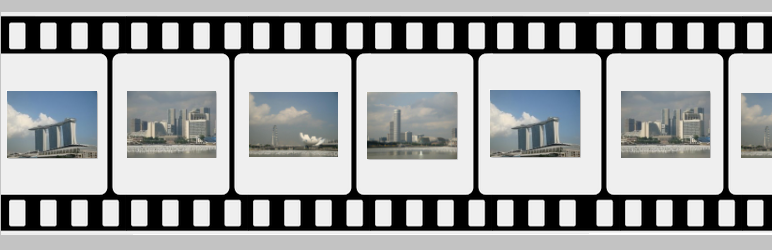
Marquee image crawler 是一個連續滾動圖片外掛。這個外掛可以向左或向右爬行圖片。圖片不一定要自動滾動,也可以選擇由滑鼠控制,滑鼠游標的位置可決定圖片爬行的方向和速度。 在外掛管理頁面中,我們可以選擇添加並上傳圖片。在短代碼中,我們可以配置爬行速度和圖片爬行相冊尺寸。
查看官方網站以獲取實時演示http://www.gopiplus.com/work/2020/12/18/marquee-image-crawler-wordpress-plugin/
實時演示:實時演示
更多信息:更多信息
外掛:外掛URI
外掛特色
安裝簡單易用。
JavaScript輕量級。
向左或向右爬行圖片。
滑鼠移動時控制滾動方向和速度。
如何配置
安裝並啟用Marquee image crawler 外掛。
在啟用時,它會在外掛管理中創建4個默認記錄。
在你的 WordPress 管理中,進入「設置」>> 「Marquee image」>> 「新增」來添加和更新詳細信息。
要在頁面或文章中添加Marquee image crawler 外掛,複製下面提供的外掛短碼,並在文章中使用。
如果你想在小工具中添加,可以將Marquee image widget拖放到你的側邊欄中。
外掛標籤
開發者團隊
原文外掛簡介
Marquee image crawler is a continuous scrolling image plugin. This plugin crawls the images left or right. Instead of automatic scrolling, image can optionally be mouse driven, so the location of the mouse cursor dictates which direction for the image crawl to go and at what speed of the crawl. In the plugin admin, we have the option to add and upload the images. In the short code we have the option to configure the crawler speed and image crawler gallery size.
Check official website for live demo http://www.gopiplus.com/work/2020/12/18/marquee-image-crawler-wordpress-plugin/
Live Demo : Live Demo
More Information : More Information
Plugin : Plugin URI
Plugin features
Simple and easy installation.
Light weight JavaScript
Crawls the images left or right
Control scrolling direction and speed on mouse over
How to configure
Install and activate the Marquee image crawler plugin.
During activation it create 4 default records in the plugin admin.
Go to Settings >> Marquee image >> Add New in your WordPress admin to add and update the details.
To add the Marquee image crawler plugin in the page or post, copy the below given plugin short and use it in your post.
If you want to add in the widget, you can drag and drop the Marquee image widget in to your sidebar.