內容簡介
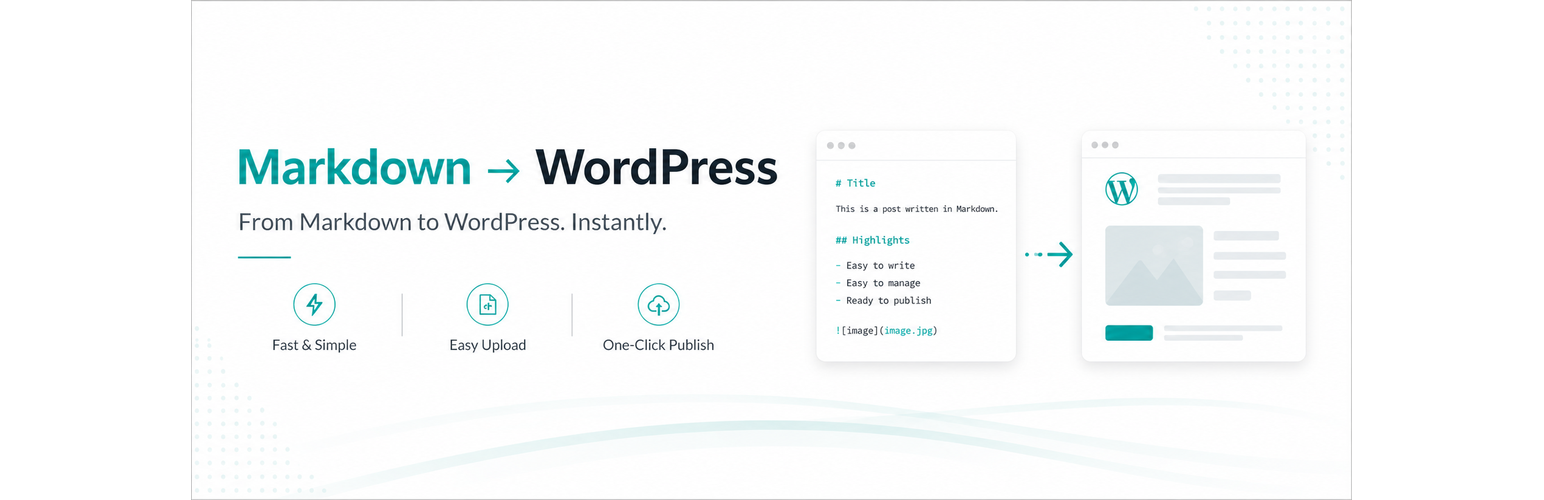
Marklane 是一款讓使用者能夠將 Markdown 草稿轉換為可發佈的 WordPress 文章的外掛,無需打開文章編輯器。它簡化了發佈流程,並支援 YAML frontmatter 以便於管理文章屬性。
【主要功能】
• 一步驟文章設定:從 Markdown frontmatter 設定標題、狀態等
• Dry Run 預覽:在儲存前檢查變更計畫
• 無需編輯器發佈:可直接創建或更新文章
• 媒體庫影像解析:解決相對 Markdown 圖片路徑
• Polylang 支援:連結翻譯文章
外掛標籤
開發者團隊
② 後台搜尋「Marklane – Publish Markdown without the post editor.」→ 直接安裝(推薦)
原文外掛簡介
Turn a Markdown draft into a ready-to-publish WordPress post without opening the post editor.
Select a Markdown file and set the title, categories, tags, publish status, date, and featured image in one workflow. Then publish or update the post without opening the WordPress post editor. Marklane keeps your writing in Markdown and handles the WordPress publishing details for you.
Use Dry Run to check the planned changes before saving. Re-import the same source to update an existing post by slug instead of creating a duplicate.
Use YAML frontmatter when you want control over the post. Marklane can apply the title, slug, post type, status, date, categories, tags, featured image, and Polylang language links in one import. When frontmatter is omitted, it derives the title from the first H1 or filename and the slug from the filename.
Re-import the same Markdown source as your draft evolves. Marklane matches an existing post by slug instead of creating duplicates, so your local writing workflow and your WordPress publishing workflow can work together.
For the complete workflow and examples, see the Marklane guide.
Publish faster:
One-workflow post setup: set the title, slug, status, date, categories, tags, featured image, and language links from Markdown frontmatter
Dry Run preview: review the planned create/update action, taxonomy assignment, image resolution, warnings, and errors before saving
Publish or update without the post editor: create a new post or update an existing post by slug
Media Library image resolution: resolve relative Markdown image paths and featuredImage against existing attachments
Polylang support: connect translated posts from lang and translations frontmatter
Markdown-first publishing: import prepared Markdown files from the WordPress admin
Optional enhancements:
Mermaid rendering: turn ```mermaid code blocks into front-end diagrams when enabled
Extended Markdown: render common callout syntax such as GitHub alerts and Zenn messages when enabled
Math rendering: render $$...$$ display formulas when enabled
Light front-end loading: Mermaid and math assets load only on pages that contain matching content
CommonMark + GFM conversion: parse Markdown with league/commonmark
Marklane is a good fit when:
articles are written locally in Markdown
WordPress is used as the publishing destination
editors want to keep the source file manageable inside WordPress
repeated imports and post updates are part of the workflow
Frontmatter quick reference:
Marklane reads YAML frontmatter at the top of the Markdown file. Common keys include:
title
slug
postType
excerpt
status
date
category
tags
featuredImage
lang
translations
title falls back to the first H1 and then the filename. slug falls back to the filename. postType defaults to post, and status defaults to draft.
For more frontmatter keys and examples, see the frontmatter guide.
Known limitations:
Does not create custom post types or taxonomy definitions
Does not import ZIP archives
Does not import through REST API or WP-CLI
Does not download external image URLs automatically