外掛標籤
開發者團隊
原文外掛簡介
MarcoPlot Booking Venue is for businesses that rent out a space by the hour: tennis, pickleball and padel courts, golf simulators, bowling lanes, escape rooms, karaoke and party rooms, meeting rooms, music and photo studios.
Requires MySQL 5.7 or MariaDB 10.3 or newer.
Customers select a party size, a date, a duration, a start time and the space they want, then pay with Stripe or PayPal. You see every booking on one schedule, take bookings by staff, and refund to the card or PayPal account from the booking.
For customers
One booking page: party size, date, duration, time, space, details, payment. Add it with a block or the [mpvenue_booking] shortcode.
Only times that really fit are shown: business hours, closed dates, buffer time between bookings, notice needed and how far ahead customers can book.
Each customer gets a page for their booking: see it, add it to their calendar, or cancel it within your rules.
A country-code picker for the phone number, and an email check that catches domains that can’t receive mail and suggests fixes for common typos. A one-time code to the customer’s email before they can submit is optional, off by default.
Your own questions on the booking form: short or long answers, a choice from a list, a checkbox or a number, required or not. They show as Additional details on the booking, in your notification and in the customer’s confirmation.
Confirmation, reminder, change, cancellation and refund emails.
For you
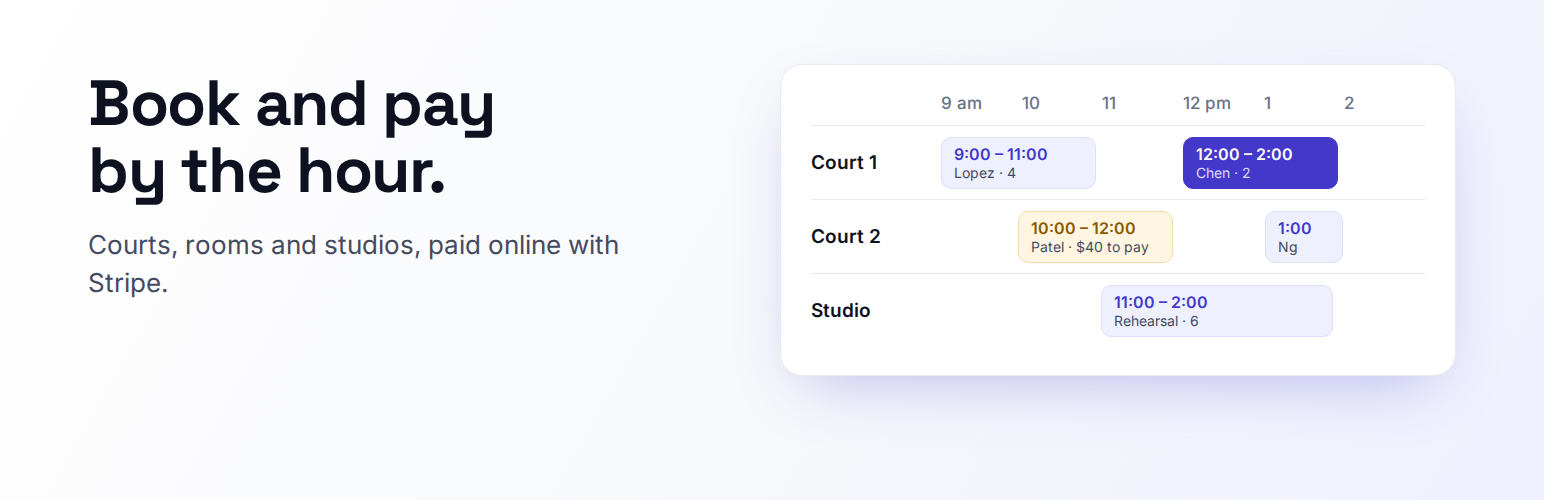
Schedule by day (one lane per space), week and month; a searchable list of bookings. Drag a booking to a new time or space on the day schedule; it snaps to the nearest valid start time.
Close a space for some dates.
Book for customers as staff, change or cancel bookings, and mark no-shows.
Payments by Stripe or PayPal: full payment, a deposit, or pay at the venue. Refunds to the card or PayPal account from the booking. Refunds due appear at the top of the Bookings page, where you refund or decline them.
Currency and sales tax: pick from 20 currencies, including ones with no decimal places like the Japanese yen. Add one sales tax rate and name; it shows separately on Stripe receipts and in the PayPal order.
Analytics for sales, tax, bookings, guests, cancellations, no-shows and sales per person, by day, week, month or any dates, all counted up to now and split by space, with CSV export of the figures.
A private calendar link for your bookings, to subscribe to in Google Calendar, Apple Calendar or Outlook on your phone.
Customers with total spent, tags and no-shows, and their booking history; email a customer straight from their page. Personal data export and erasure through the WordPress tools.
Customer tags: Regular after 5 completed bookings across your MarcoPlot plugins, VIP by hand, and Flagged automatically at a second no-show or by hand. The Flagged tag never holds a booking for approval or declines it; where you take payments online, a flagged customer pays in full whatever your deposit setting.
Several notification addresses for new bookings and cancellations, your own sender address, and resending a customer’s upcoming confirmations after you fix their email.
All your booking-page settings on one screen, with a live preview as you change them.
A setup wizard, and a Diagnostics page that checks scheduled tasks, time zone, tables and payments and fixes what it can.
Spaces and times
Each space has its own capacity, minimum party size, price for the shortest duration (per space or per person), longer durations priced in proportion, a shortest duration with longer durations in half steps of it (for example 60, 90 and 120 minutes), and buffer time, and can have its own custom hours.
Start times come from a scheduling method tuned over 120,000 simulated business days, so less time sits empty between bookings.
Fixed sessions for courts and escape rooms, or an optimized schedule.
Bookings are matched to spaces so that large parties still find a large room and no space goes to waste.
Business hours can run past midnight.
The admin uses your own word for spaces — court, room, studio — everywhere it appears.
Pro
MarcoPlot Booking Venue Pro adds automatic refunds on cancellation, peak pricing, coupon codes, business analysis and space utilization, manager and staff roles, review invitations after a visit, and a layout, your logo, header photo, color and footer on customer emails.
External services
This plugin connects to these services only as described here.
Stripe
Used to take and refund payments online, only if you enter a Stripe secret key. When a customer pays, the plugin sends Stripe the amount, currency, a description of the booking (space, date and time), and for a deposit the amount still due at the venue, the booking ID, the customer’s email and the address of the customer’s booking page on your site, where Stripe sends the customer back. It then opens Stripe Checkout for the customer. It also asks Stripe for the status of payments and refunds, and checks your key when you save it and each time you open the Diagnostics page while online payments are on. When you save it, and again from time to time, it also reads your Stripe account’s country and payment method settings (card, Apple Pay and Google Pay) to show the matching payment marks. If you set a sales tax rate, it also creates and uses a Stripe tax rate so the tax shows separately on the customer’s receipt, and when you change the rate it asks Stripe to deactivate the old one (tax_rates/{id}, active=false). When you cancel a booking that is waiting for payment, when a payment is checked, or when a booking cannot be saved, it asks Stripe to close that booking’s payment page (checkout/sessions/{id}/expire). When you delete the plugin, it asks Stripe to close any payment pages still open. Stripe terms, privacy policy.
PayPal
Used to take and refund payments online, only if you enter PayPal API credentials and switch PayPal on. When a customer chooses PayPal, the plugin sends PayPal the amount and the tax in it, currency, a description of the booking (space, date and time), and for a deposit the amount still due at the venue, the booking ID and the address of the customer’s booking page on your site, where PayPal sends the customer back. The customer then logs in and approves the payment at PayPal. It also asks PayPal for the status of payments and refunds, and checks your credentials when you save or test them and each time you open the Diagnostics page while PayPal is on. When you delete the plugin, it asks PayPal for the status of any payment still waiting. PayPal terms, privacy policy.
MarcoPlot feedback
Only when you click Send on the Feedback page, the plugin sends marcoplot.com the topic and message you wrote, your reply address if you gave one, which MarcoPlot plugin it came from, the versions of this plugin, its Pro add-on, WordPress and PHP, and the site language. Nothing is sent otherwise. Terms, privacy policy.
Email address check
When a customer, or you, enter an email address, the plugin looks up the address’s domain (the part after the @) with a DNS lookup on your server’s own resolver, to catch mistyped addresses. No third-party service receives the address or the domain from the plugin.
Google Maps
If you enter the venue’s address, the customer’s booking page links to Google Maps for directions. Nothing is sent until the customer clicks the link. Terms, privacy policy.
The line icons (assets/icons.svg, the calendar icon on the customer page and the drop-down arrow in the stylesheets) come from Lucide (ISC license, see assets/icons-licence.txt).
The Visa, Mastercard, American Express, Discover, Apple Pay, Google Pay and PayPal badges shown with the payment buttons are trademarks of their respective owners and come from Shopify’s payment_icons (MIT license, see assets/pay-icons-licence.txt).
The MarcoPlot logo (assets/logo.svg and assets/menu-icon.svg) is the author’s own artwork, released with the plugin under the same license.