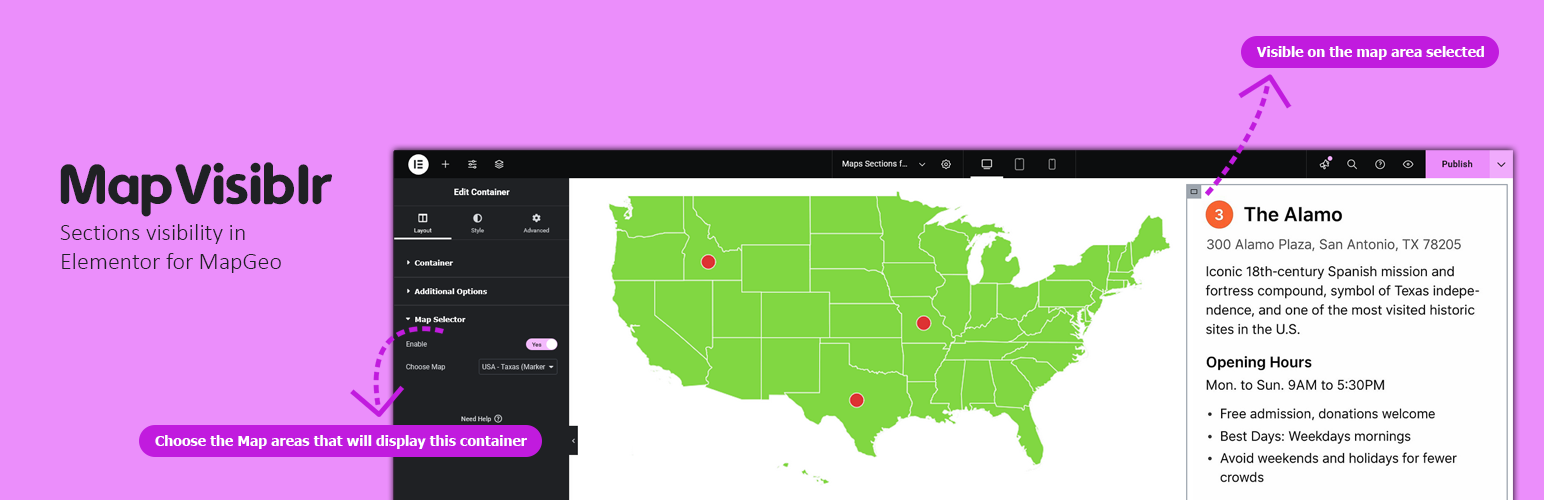
內容簡介
MapVisiblr 是一款針對 MapGeo WordPress 外掛的擴充外掛,能根據選擇的 MapGeo 地圖區域顯示或隱藏 Elementor 容器,提供動態的頁面佈局控制。
【主要功能】
• 根據 MapGeo 地圖區域顯示或隱藏 Elementor 容器
• 在 Elementor 編輯器中簡單整合
• 支援同一頁面上的多個容器
• 輕量化,完全相容於 Elementor 和 MapGeo
外掛標籤
開發者團隊
② 後台搜尋「MapVisiblr – Sections visibility in Elementor for MapGeo」→ 直接安裝(推薦)
原文外掛簡介
MapVisiblr is an extension plugin for the MapGeo WordPress plugin. It allows you to show or hide Elementor containers based on the MapGeo map area selected. This provides dynamic control over your page layout directly from the map interaction.
Key Features:
– Show or hide Elementor containers when a MapGeo map area is selected.
– Simple integration inside Elementor editor.
– Works with multiple containers on the same page.
– Lightweight and fully compatible with Elementor and MapGeo.
Installation and Video Demo | Buy Now
Elementor Container Settings
When editing a container in Elementor, you will see additional controls:
– Enable MapGeo Selector – Activates conditional visibility for the container.
– Select Map Area(s) – Choose the MapGeo areas that will display this container.
Support
For support, visit the Pluginable support page or contact us via our official support channels.