
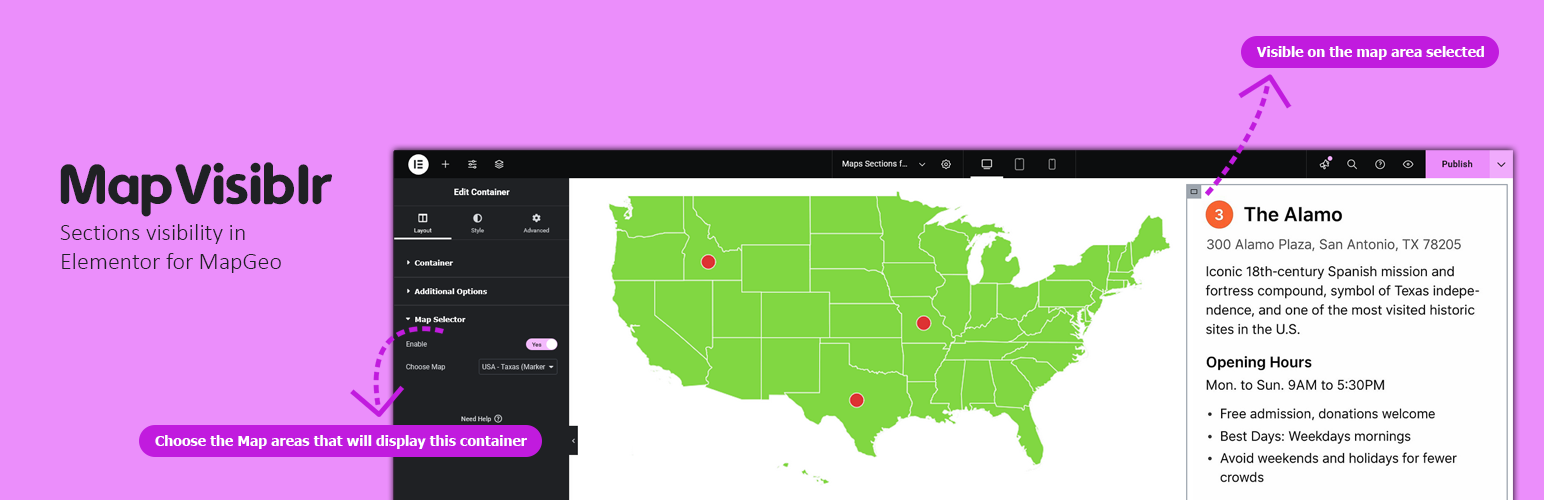
內容簡介
總結:MapVisiblr 是 MapGeo WordPress 外掛的延伸插件,可根據所選的 MapGeo 地圖區域來顯示或隱藏 Elementor 容器,透過地圖互動直接控制頁面版面。
1. 這個擴充外掛的名稱是什麼?
- MapVisiblr
2. 根據什麼來決定是否秀出或隱藏 Elementor 容器?
- 根據所選的 MapGeo 地圖區域
3. 這個外掛具有哪些主要特點?
- 當選取 MapGeo 地圖區域時,可顯示或隱藏 Elementor 容器。
- 在 Elementor 編輯器中簡單整合。
- 可與同一頁面上的多個容器一同使用。
- 輕量且完全相容於 Elementor 和 MapGeo。
4. 在 Elementor 編輯器中編輯容器時,會看到哪些額外控制欄位?
- 啟用 MapGeo 選擇器 – 啟用容器的條件可見性。
- 選擇地圖區域 – 選擇將顯示此容器的 MapGeo 區域。
5. 要獲得支援,應該去哪裡查詢?
- 請前往 Pluginable 支援頁面或透過我們的官方支援渠道聯繫。
外掛標籤
開發者團隊
② 後台搜尋「MapVisiblr – Sections visibility in Elementor for MapGeo」→ 直接安裝(推薦)
原文外掛簡介
MapVisiblr is an extension plugin for the MapGeo WordPress plugin. It allows you to show or hide Elementor containers based on the MapGeo map area selected. This provides dynamic control over your page layout directly from the map interaction.
Key Features:
– Show or hide Elementor containers when a MapGeo map area is selected.
– Simple integration inside Elementor editor.
– Works with multiple containers on the same page.
– Lightweight and fully compatible with Elementor and MapGeo.
Installation and Video Demo | Buy Now
Elementor Container Settings
When editing a container in Elementor, you will see additional controls:
– Enable MapGeo Selector – Activates conditional visibility for the container.
– Select Map Area(s) – Choose the MapGeo areas that will display this container.
Support
For support, visit the Pluginable support page or contact us via our official support channels.