內容簡介
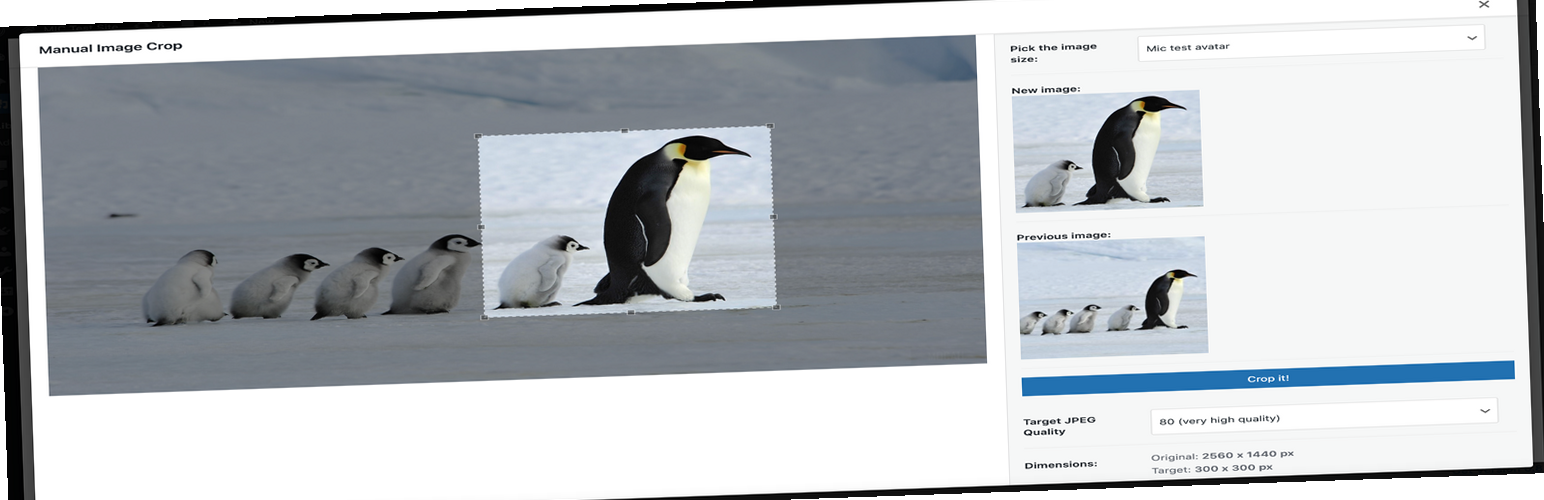
此外掛允許您手動裁剪 WordPress 佈景主題中註冊的所有圖片尺寸(特別是特色圖片)。
只需點擊您媒體庫中任何圖片旁邊的“裁剪”連結。
將顯示“lightbox”風格的介面,您就可以開始裁剪。
整個裁剪過程非常直觀簡單。
除了媒體庫列表,此外掛還會在以下幾個位置添加連結:
* 特色圖像框下方(“裁剪特色圖像”)
* 在媒體插入模態窗口中(一旦選擇圖像)
喜歡使用手動圖像裁剪嗎?
在此捐贈此外掛
謝謝!
GitHub 存儲
https://github.com/tomaszsita/wp-manual-image-crop
翻譯
荷蘭語(Bernardo Hulsman)
法語(Gabriel Féron)
德語(Bertram Greenhough)
匈牙利語(Roland Kal)
義大利語(Alessandro Curci)
波蘭語(本人)
俄語(Andrey Hohlov)
西班牙語(Andrew Kurtis)
瑞典語(Karl Oskar Mattsson)
如果您想要添加翻譯(或在 GitHub 上提交拉請求),請聯繫我。
外掛標籤
開發者團隊
原文外掛簡介
Plugin allows you to manually crop all the image sizes registered in your WordPress theme (in particular featured image).
Simply click on the “Crop” link next to any image in your media library.
The WordPress Media Modal interface will be brought up and you are ready to go.
Whole cropping process is really intuitive and simple.
Apart from media library list, the plugin adds links in few more places:
* Below featured image box (“Crop featured image”)
* In the media insert modal window (once you select an image)
Settings
The plugin includes a settings page where you can configure:
* Image quality settings
* Visibility of crop options
* Custom labels for image sizes
GitHub Repository
https://github.com/tomaszsita/wp-manual-image-crop
Translations
Czech (AI Generated)
Dutch (Bernardo Hulsman)
French (Gabriel Féron)
German (Bertram Greenhough)
Hungarian (Roland Kal)
Italian (Alessandro Curci)
Japanese (AI Generated)
Korean (AI Generated)
Polish (myself)
Portuguese (Brazil) (AI Generated)
Russian (Andrey Hohlov)
Spanish (Andrew Kurtis)
Swedish (Karl Oskar Mattsson)
Turkish (AI Generated)
Please contact me if you want to add a translation (or submit a pull request on GitHub)