
外掛標籤
開發者團隊
原文外掛簡介
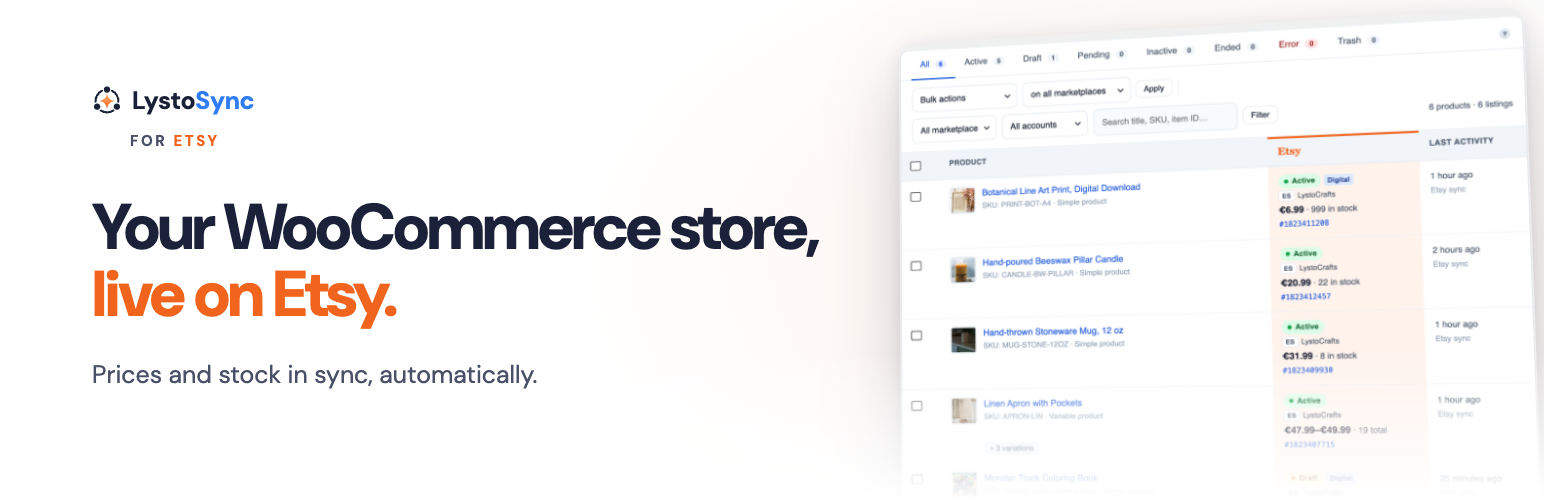
LystoSync is a WooCommerce Etsy integration that runs inside your WordPress admin. Publish products as Etsy listings, keep prices and stock in sync, and deactivate listings when items sell out. Your listing data stays in your own WordPress database.
Core features (free):
Publish WooCommerce products as Etsy listings: physical, digital, or both
Variations: map WooCommerce attributes to up to three Etsy variation properties
Listing images, variation images, digital files, and up to two videos per listing
Personalization questions and per-language translations
Listing profiles: reusable settings with Etsy category (taxonomy), shipping profile, processing profile, and return policy
Shop page: manage sections, shipping profiles, processing profiles, and return policies without leaving WordPress
Per-product shipping weight and dimensions sent to Etsy
Deactivate, reactivate, and renew listings at any time, with Etsy’s listing fee confirmed first
Bulk “Sync on Etsy” from the WooCommerce Products list, with progress and per-product results
Auto-sync on product save: changes push to Etsy when you update a WooCommerce product
Stock control: deactivate the listing when WooCommerce stock runs out
Sales sync: automatically reduce WooCommerce stock when an item sells on Etsy, and restore it if the sale is canceled
Background sync: queued listing updates pushed on a schedule
Archive listings that ended more than 90 days ago, checked daily
OAuth shop connection
Pro features (LystoSync Pro):
Import existing Etsy listings into WooCommerce
Orders admin page: view, search, and manage imported Etsy orders
Automated order import on a schedule
Mark orders as shipped on Etsy with carrier and tracking number when a WooCommerce order completes
LystoSense: suggested titles, tags, materials, and category attributes, reviewed before anything is saved
Faster sync intervals (5 and 15 minutes; free offers 30 minutes, hourly, or manual)
In-dashboard Pro updates with license key activation
How it works:
LystoSync handles Etsy OAuth tokens server-side, so you never touch API credentials. All you need is an Etsy shop: the free plugin needs no API keys and no LystoSync account.
External Services
This plugin transmits data to two external services:
LystoSync (etsy-api.lystosync.com)
All Etsy API requests go through etsy-api.lystosync.com. When you connect an Etsy shop, your site URL (and, with Pro, your license key) is sent to authenticate. Subsequent requests include product data, pricing, inventory levels, order details, and shipment information, depending on which features you use. No data is sent until you connect an Etsy shop.
Separately, the plugin can check for service notices (Etsy API outages, critical fixes, and Etsy changes that need action on your shop). This is optional and off by default, and you can turn it on or off at any time under LystoSync, Settings, General, Notifications. While it is off, or before you connect an Etsy shop, no request is made. While it is on, the check sends your plugin, WordPress, WooCommerce and PHP versions, and your site language, using the same authentication as the plugin’s Etsy requests (your site URL and, with Pro, your license key). It sends no email, Etsy shop, or customer or order data.
Service: lystosync.com
Privacy policy: https://lystosync.com/privacy
Terms of service: https://lystosync.com/terms
Etsy
Product listings, pricing, inventory, and shipment data are submitted to Etsy via the LystoSync middleware. Etsy’s own privacy policy and terms of use govern how Etsy handles that data.
Service: etsy.com
Privacy policy: https://www.etsy.com/legal/privacy
Terms of use: https://www.etsy.com/legal/terms-of-use
Source Code
The human-readable source files for all compiled assets ship with the plugin, in
resources/js/ and resources/css/, alongside the build script (build.js) and
the build dependencies (package.json). Every generated file in dist/ also
carries a header comment naming the source file it was built from.
Build tools required: Node.js, npm
To regenerate the compiled files in dist/:
Run npm install to install dependencies (esbuild, PostCSS, Autoprefixer).
Run npm run build (or node build.js) to compile and minify all assets.
The build uses esbuild for JavaScript bundling and minification, and PostCSS with Autoprefixer for CSS.
Compiled file => source file:
dist/admin.js => resources/js/app.js
dist/product-metabox.js => resources/js/product-metabox.js
dist/connect.js => resources/js/connect.js
dist/products-bulk-list.js => resources/js/products-bulk-list.js
dist/setup.js => resources/js/setup.js
dist/admin.css => resources/css/design-system.css + resources/css/admin.css
dist/product-metabox.css => resources/css/product-metabox.css
Each JavaScript entry point also pulls in the shared module resources/js/lib/api.js,
which is bundled into the output rather than shipped as a separate file.
Bundled fonts. The admin interface uses two self-hosted webfonts, copied from
resources/fonts/ to dist/fonts/ by the build. Nothing is loaded from a font
CDN or any other third-party host.
DM Sans, Copyright 2014 The DM Sans Project Authors, https://github.com/googlefonts/dm-fonts
Syne, Copyright 2017 The Syne Project Authors, https://gitlab.com/bonjour-monde/fonderie/syne-typeface
Both are licensed under the SIL Open Font License 1.1. The full license texts
ship as resources/fonts/OFL-DM-Sans.txt and resources/fonts/OFL-Syne.txt.














