外掛標籤
開發者團隊
② 後台搜尋「Lupyx Dynamic Fields for Elementor」→ 直接安裝(推薦)
原文外掛簡介
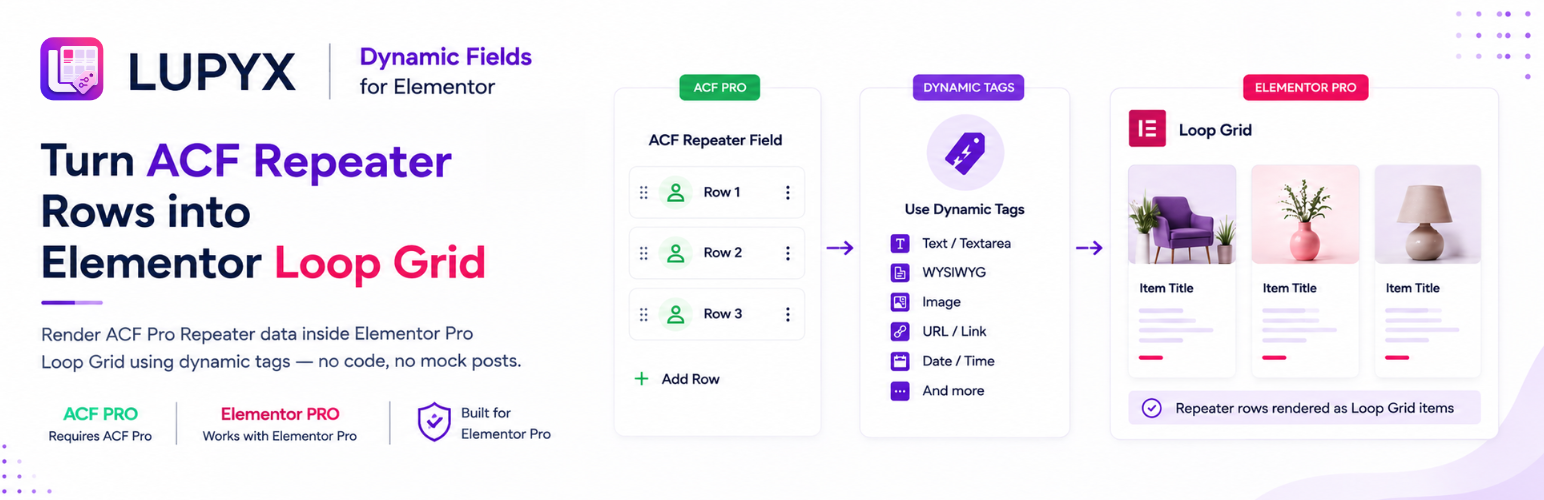
Lupyx Dynamic Fields for Elementor bridges ACF Pro Repeater fields with Elementor Pro’s Loop Grid and Loop Carousel widgets.
Elementor Pro’s Loop widgets natively loop over WordPress posts, terms, or products. This plugin lets them loop directly over rows of an ACF Pro Repeater field — without mock posts, duplicate entries, or fragile workarounds.
Each repeater row becomes an item in your loop, and dedicated Elementor Dynamic Tags (under ACF Repeater (Lupyx)) display sub-field values inside your Loop Item Template.
Key Features
Loop Grid & Loop Carousel: Adds ACF Repeater query controls to both widgets under a clear Lupyx Dynamic Fields heading.
Current Post Only: Optionally restrict rows to the current post, page, or custom post type.
Nine Dedicated Dynamic Tags:
ACF Repeater Text / Textarea: text and textarea sub-fields.
ACF Repeater Email: email sub-fields as plain text.
ACF Repeater Email URL: email sub-fields as mailto: links for buttons and URL controls.
ACF Repeater WYSIWYG: rich text (WYSIWYG) and oEmbed sub-fields.
ACF Repeater Image: image sub-fields (Array, URL, and ID return formats).
ACF Repeater URL / Link: URL, link, page link, and file sub-fields; optional clickable HTML link for Text widgets.
ACF Repeater Number: number and range sub-fields.
ACF Repeater Date / Time: date, datetime, and time picker sub-fields.
ACF Repeater Post Title: parent post title for the current repeater row.
Filter-Driven Architecture: Modular Field Type Provider system for clean extensibility.
Safe Uninstall: Leaves no database clutter when removed.
Requirements
WordPress: 6.5 or higher
PHP: 7.4 or higher
Elementor: 3.21.0 or higher
Elementor Pro: 3.21.0 or higher
Advanced Custom Fields Pro: 6.0.0 or higher
How to Use
1. Create a Loop Item Template
Go to Templates → Theme Builder → Loop Item and create a new template.
Design your card layout with standard Elementor widgets.
For any field that supports dynamic data, click the Dynamic Tags icon.
Under ACF Repeater (Lupyx), choose the matching ACF Repeater tag.
Select the parent Repeater Field and the target Sub-Field (Post Title needs no sub-field).
Save and publish the Loop Item Template.
2. Configure the Loop Grid or Loop Carousel
Edit your page in Elementor and add a Loop Grid or Loop Carousel widget.
Open the Query section.
Under Lupyx Dynamic Fields, turn on Use ACF Repeater.
Select the ACF Repeater Field from the dropdown.
Optionally keep Current Post Only enabled to restrict rows to the current post context.
Select your Loop Item Template.