內容簡介
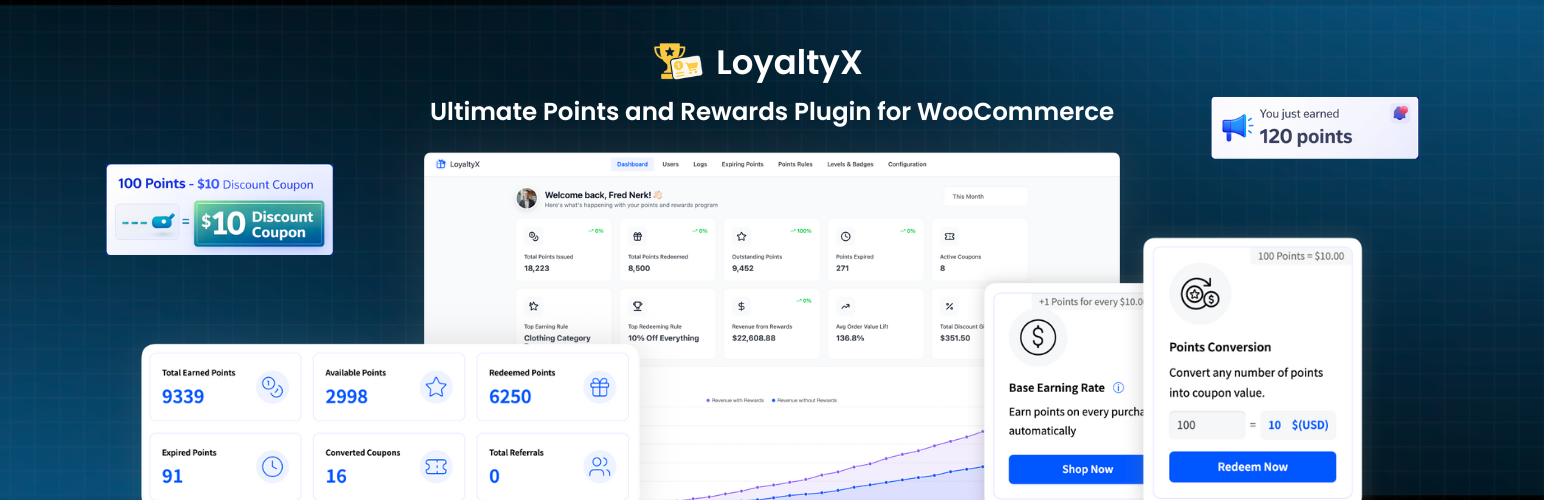
LoyaltyX 是一款免費的 WooCommerce 積分與獎勵外掛,旨在幫助商店擁有者吸引回頭客。顧客在訂單達到指定狀態後可獲得獎勵積分,並將這些積分轉換為 WooCommerce 優惠券,輕鬆應用於購物車或結帳。
【主要功能】
• 顧客每筆訂單均可獲得積分
• 積分可轉換為 WooCommerce 優惠券
• 漂浮式獎勵小工具顯示積分
• 自訂積分賺取與兌換比率
• 積分與獎勵儀表板在「我的帳戶」中顯示
• 支援 CSV 匯入其他忠誠度外掛的積分
外掛標籤
開發者團隊
② 後台搜尋「LoyaltyX – Loyalty Program, Points and Rewards for WooCommerce」→ 直接安裝(推薦)
原文外掛簡介
LoyaltyX is a free WooCommerce points and rewards plugin for store owners who want repeat orders instead of one-time buyers.
Customers earn reward points when their orders reach the status you choose, see their balance in My Account, and turn those points into a real WooCommerce coupon they can apply at the cart or checkout. You set the earning rate, the redemption rate, and the wording your shoppers see. No monthly SaaS fee and no developer needed.
A setup wizard walks you through the basic rules on activation, so a working loyalty program is running a minute after install.
Watch LoyaltyX in action
Quick Links
View Free Demo
View Pro Demo
Full Documentation
Free vs Pro Comparison
Upgrade to Pro
What the free version does
Customers earn points on every order, using one global rate you set
Points convert into a WooCommerce coupon customers apply at cart or checkout
Floating rewards widget on the storefront, styled with your colors
Points and Rewards dashboard inside My Account, plus two shortcodes
Earn points messages on product, shop, cart, checkout, and order pages
Manual points adjustments for one customer or many at once
CSV import so you can bring balances over from another loyalty plugin
Full points log of every earn, redeem, and adjustment
Points revoked automatically on the order statuses you pick, such as refunded or cancelled
Compatible with WooCommerce High-Performance Order Storage (HPOS)
How it works
Install and activate the plugin
Follow the setup wizard to set your earning and redemption rates
Match the rewards widget colors to your theme
Customers start collecting points on their next order
Shoppers check their balance in My Account or in the floating widget, redeem points for a coupon, and apply it to their order.
Why stores add a points program
A customer who buys once has no particular reason to come back to your store rather than the next search result. A points balance is that reason. It only works if shoppers can see the balance and spend it without asking support how, which is why LoyaltyX puts the balance on the product page, the cart, the checkout, and a widget that follows the customer around the store.
Free version features
Earn points on WooCommerce purchases
Set one global earning rate and the plugin handles the rest.
Define how many points a customer earns per unit of store currency, for example 10 points per $1
Choose which WooCommerce order statuses award points, such as processing or completed
Choose which statuses revoke points, such as refunded or cancelled
Create a purchase amount earning rule with its own name, description, points value, icon, and priority
Show or hide each rule from the customer-facing list of ways to earn
Turn the whole program on or off from one setting while you make changes
Redeem points for discounts at cart and checkout
Redemption creates a genuine WooCommerce coupon, so it behaves like any other coupon in your store and shows up in order records.
Set the conversion rate, for example 100 points equals $1 off
Customers choose how many points to convert, so partial redemption works out of the box
Coupons carry your own label, and you can set an expiry period for them
Optionally let customers share a reward coupon
Customers apply the coupon from their dashboard or the rewards widget
Floating rewards widget
A slide-out rewards panel sits on the storefront so the program stays visible without a dedicated page.
Shows the current balance, the ways to earn, redemption options, and coupons already earned
Separate heading and message for guests, inviting them to sign up and start earning
Greeting for logged-in customers, with {user_name} for the customer name
Rename the launcher button and the Earn, Redeem, and Rewards tabs
Set the primary, text, background, card, border, and muted colors
Adjust side and bottom spacing so the launcher clears other floating elements
Loads its content over Ajax
Points and rewards dashboard in My Account
Logged-in customers get a Points and Rewards tab in My Account with everything in one place.
Summary cards for total earned, available balance, and redeemed points
The list of ways to earn points, with your own icons and descriptions
Redemption options and the coupons the customer already holds
A paginated points log with dates and reasons
Icon set, icon size, card colors, and table header colors are all editable
Shortcodes included:
[ddwcpr_points_dashboard] shows the full dashboard on any page
[ddwcpr_available_points_value] shows the current customer’s balance
Both shortcode names can be renamed under Configuration, Shortcodes.
Points messages across the storefront
Every message is optional, editable, and positioned with a WooCommerce hook you pick from a list.
Product page, including the correct value for the selected variation
Shop and category product cards
Cart page, both the points this order will earn and the balance available to redeem
Checkout page, same pair of messages
Order received and order view pages
My Account page
Shared styling for text color, background, border, font size, padding, margin, and radius
Rename points to fit your brand
Set a singular and plural label once, and the new wording follows through the storefront messages, the dashboard, the widget, and the emails. Stars, Credits, Coins, or anything else.
Customer emails you can edit
Three notifications ship in the free version and each one has its own heading, subject, and message body.
Points earned
Points redeemed
Manual adjustment made by an admin
The reason line inside the earned email is editable per activity type.
Admin management
Everything lives under the LoyaltyX menu in wp-admin.
Dashboard with program totals across your store
Users screen listing every customer with their balance, searchable and paginated
Manual adjustment screen to add or deduct points with a note, for a single customer or a batch of them
CSV import that maps your columns to users and points, and runs in batches for large files
Logs screen with a searchable record of every points event
Compatibility and translation
Declares compatibility with WooCommerce High-Performance Order Storage
Ships with a .pot file and works with WPML, Polylang, and Loco Translate
Points messages hook into the standard WooCommerce cart and checkout templates
Works alongside your existing payment gateways and coupons, since rewards are normal WooCommerce coupons
Hooks and filters throughout for developers
View the free version demo
LoyaltyX Pro
Pro is for stores that have a points program running and now want more reasons for customers to come back, plus deeper reporting. The Pro version adds:
More ways to earn
Points for specific products
Referral program
Sign-up bonus
Product review rewards
Daily login rewards
Birthday rewards
Bonus points on reaching a new level
More reward types
Fixed amount discount rewards
Percentage discount rewards
Free shipping rewards
Free product rewards
Buy X Get Y rewards
Product bundle rewards
Rules, limits, and targeting
Minimum and maximum redeemable points
Minimum order value and maximum points per order
Exclude products, categories, and sale items from earning or redemption
Restrict rules to user roles, days of the week, or a date range
Cart amount and balance conditions on redemption rules
Include or exclude taxes, shipping, and coupon discounts in the calculation, plus rounding control
Levels, expiration, and reporting
Loyalty levels and badges with automatic assignment and progress tracking
Points expiration with reminder and expiry emails
Expiring points dashboard with filtering
Per-customer analytics with earning sources and revenue impact
CSV export of balances
Widget position, device visibility, custom launcher icon, logo, and branding removal
My Account endpoint renaming and sidebar widgets
View the Pro demo
Compare Free and Pro
A note from the founder
Hi, I am Yash Kapoor, founder of DevDiggers. Stores pay for ads to win a customer and then lose them after one order. I built this plugin to give shoppers a points balance worth coming back for without a monthly loyalty SaaS bill. My team keeps it updated for every new WooCommerce release, and the developers who wrote it answer the support forum.
Have a question? Ask in the support forum or message me directly on LinkedIn.
External services
This plugin connects to two DevDiggers endpoints from the WordPress admin. Neither is used on the storefront and neither sends customer or order data.
DevDiggers plugin directory API
The DevDiggers plugin dashboard screen requests the list of DevDiggers plugins from https://devdiggers.com/wp-json/ddwcs/v1/plugins so it can show which of them are installed on your site. The request sends no site or personal data beyond the plugin’s user agent string, and the response is only a plugin list.
DevDiggers newsletter subscription
If an administrator enters an email address in the newsletter box inside the plugin dashboard and submits it, that email address and your site URL are sent to https://devdiggers.com/ to create a contact in the DevDiggers mailing list. Nothing is sent unless the form is submitted.
Both endpoints are operated by DevDiggers Technologies. See the terms and conditions and the privacy policy.
Source code and build tools
The JavaScript and CSS shipped in this plugin are compiled with webpack and Babel from the uncompiled sources in the src/ directory. The full source, including build configuration, is available at github.com/DevDiggers-Technologies/loyaltyx-for-woocommerce.
To build the assets:
npm install
npm run build for a production build, or npm run watch while developing