
前言介紹
- 這款 WordPress 外掛「1 click passwordless login, temporary login, social login & user switching – Login Me Now」是 2023-01-20 上架。
- 目前有 400 個安裝啟用數。
- 上一次更新是 2025-04-14,距離現在已有 25 天。
- 外掛最低要求 WordPress 5.6 以上版本才可以安裝。
- 外掛要求網站主機運作至少需要 PHP 版本 7.4 以上。
- 有 8 人給過評分。
- 還沒有人在論壇上發問,可能目前使用數不多,還沒有什麼大問題。
外掛協作開發者
外掛標籤
login | password | wp login | secure login | social login |
內容簡介
Login Me Now 是一款全面的 WordPress 登入管理外掛程式,提供簡單和安全的無密碼一鍵登入 URL。這款功能豐富的外掛程式提供自動到期登入連結,更容易且更安全地提供臨時存取您的 WordPress 網站。
存取連結會在設定的幾個小時或幾天後自動到期。
總體來說,Login Me Now 是任何希望增強其 WordPress 網站登入流程的安全性和便利性的最終解決方案。
這款外掛程式有多重好處:
生成一個獨特的、時間限制的存取連結。
無需用戶名稱或密碼 - 只需使用存取連結登入。
設置到期時間,選項從幾個小時到一個月不等。還可以設置自定義到期日期。
跟踪每個使用存取權杖登入的用戶的上次登入時間。
跟踪每個使用存取權杖在 WP 儀表板上存取的次數。
瀏覽器擴展程式
您無需記住不同網站儀表板的所有帳號和密碼。您可以在一個安全的地方存儲所有的登入憑證。使用 Login Me Now 的 Chrome 擴展程式:
🔥 更快的登錄流程
您可以更快地登入 WP 網站儀表板。特別是如果您每天頻繁存取多個網站儀表板,這可以節省您的時間。
使用我們的擴展程式,只需點擊一下就可以安全地登入儀表板。您不需要進入管理員登入頁面並手動輸入用戶名稱/電子郵件和密碼。
我們想向您保證,我們的 Chrome 擴展程式並不會在您的網站上存儲任何數據。我們還確保存儲在外掛程式中的任何內容都不能解密您的密碼,因此即使擴展程式或外掛程式受到破壞,您的數據也是安全的。
請放心使用這款擴展程式,您的登入信息不會被存儲或與任何方共享。
這款外掛程式適用於哪些人?
開發人員:
如果您需要管理客戶的 WordPress 設置以解決任何問題,您可以要求網站所有人安裝此外掛程式以提供臨時存取權。這消除了請求密碼或手動創建帳戶的需要,確保您可以安全且暫時地存取客戶的 WordPress 設置,而不會危及他們網站的安全性。
客戶成功和支援工程師:
此外掛程式簡化了向客戶請求臨時存取到他們的 WordPress 儀表板的流程。此外掛程式消除了請求密碼或手動創建用戶帳戶的麻煩,確保您可以存取客戶的 WP 儀表板,而不會危及其網站的安全性。
代理商所有者:
此外掛程式可協助您的代理商減少安全風險並提高團隊效率。它消除了員工試圖記住不同網站的多個獨特密碼的需要。此外掛程式還提供自動到期時間和禁用存取的功能,使您可以輕松撤銷已終止的員工、自由職業者和客戶的存取權。
網路行銷人員:
此外掛程式根據您指定的存取權杖配置,讓 SEO 顧問、內容撰寫人員或開發人員可以安全訪問您的網站。這消除了安全漏洞的風險,使您可以提供存取外部方的存取,而不會危及您的網站安全性。
原文外掛簡介
TRY LIVE DEMO | ROADMAP | PRO ( LIMITED LIFETIME DEAL🎁 )
Experience a hassle-free WordPress login experience with just one click.
Say goodbye to the frustration of remembering dashboard login credentials. No more tedious username/email & password entry every time you log in.
Login serves as the primary gateway to your website’s admin area. It is essential to make it secure and a seamless experience for users.
Creating a separate admin login for outsiders is always risky and time-consuming. This process is lengthy:
➡️ Go to the Users option.
➡️ Enter username and email address.
➡️ Select the user role as ‘Administrator’
➡️ Save the changes or click ‘Add New User’
So what if this entire process gets replaced using a simple process without creating a new username? Instant, automated, and in one click?
Using this plugin, you can create a self-expiring login link to grant temporary access to an individual (developer, support staff, or concerned person).
SHARE LOGIN ACCESS IN SECONDS! ⏱️
It takes just 3 simple steps:
1️⃣ Create login link: After clicking on the ‘generate access ‘ button, it will generate a temporary login link within 1 second.
2️⃣ Take full control of the login: Going to setting option you can set validity period for the login link so this will automatically expire after the time lapses.
3️⃣ Share effortlessly: The login access is now conditional and will only be accessible based on the configured controls. Share the link with the concerned person.
That was pretty easy, right?
PACKED WITH FEATURES
EXPRESS LOGIN 🔐
Generate login URL: Create a unique & conditional access link.
Passwordless login: No need for a username/ email and password – simply use the link to log in.
Time expiration option: Set an expiration time with option ranging from a few hours to a few days.
SOCIAL LOGIN 💻
Google & Facebook:
User role selection: Set default role for users.
Update existing user name: retrieve the existing user first, last, nick & display name from social account upon login using account. [PRO]
Add user profile picture: retrieve the profile picture as avatar from users’ social account upon login or register using account. [PRO]
One Tap prompt behavior: Enable/disable the option to close the prompt ( Google login box ) on outside click.
Redirect after successful login: Redirect user to any page using the login link. It can be a blog post, product page, or any other page of your preference, the process is seamless. [PRO]
SHORTCODE
[login_me_now_google_button]
Use this shortcode to put Google login button on any page/ post/ block.
[login_me_now_facebook_button]
Use this shortcode to put Facebook login button on any page/ post/ block.
USER SWITCHING 👥
Instantly switch to any user account: You can effortlessly swap between user accounts. This feature is useful for any WP website where administrators need to switch between multiple accounts.
COMING NEXT
Sign Up/Login form builder
OTP login
Express login for WooCommerce
Conditional login
BROWSER EXTENSION AVAILABLE
Experience instant dashboard access with just 1 click from browser extension.
👉 Use Chrome extension
👉 Use Mozilla addon
WHY TO USE BROWSER EXTENSION?
This saves you time, especially if you frequently log in to multiple website dashboards throughout the day. With the browser extension, a secure dashboard login is just one click away. Say goodbye to the hassle of navigating to the login panel and entering your username/email and password. The login process is secure, fast, and smooth!
PS: The browser extension never tracks or saves any of your website data or login credentials. When it comes to dashboard login access, it is securely stored in an encrypted format within the browser extension using an industry-standard JWT token. The generated token cannot be compressed to encrypt login credentials.
ACTIVITY LOG
Keep an activity log of everything that occurs when a user logs in to the dashboard using the tokenized login link.
This plugin comes with built in support for Simple History.
WHO IS THIS PLUGIN FOR?
For Websites Owner:
By leveraging this plugin, you can effectively mitigate security risks and boost team efficiency. It eliminates the burden of memorizing numerous unique passwords for various websites, streamlining the login process. Additionally, this plugin incorporates automatic expiration times and the option to disable access, simplifying the revocation of access for terminated team members or freelancers effortlessly.
For Developer / Support Staff:
To obtain admin access for troubleshooting your client’s WordPress setup, have the website owner install this plugin. With this plugin, your client can generate a secure and temporary login URL, eliminating the need for password requests or manual account creation. This streamlined process ensures you can efficiently resolve issues without compromising the security of your client’s website.
WHY CHOOSE THIS PLUGIN?
1. Easy to use
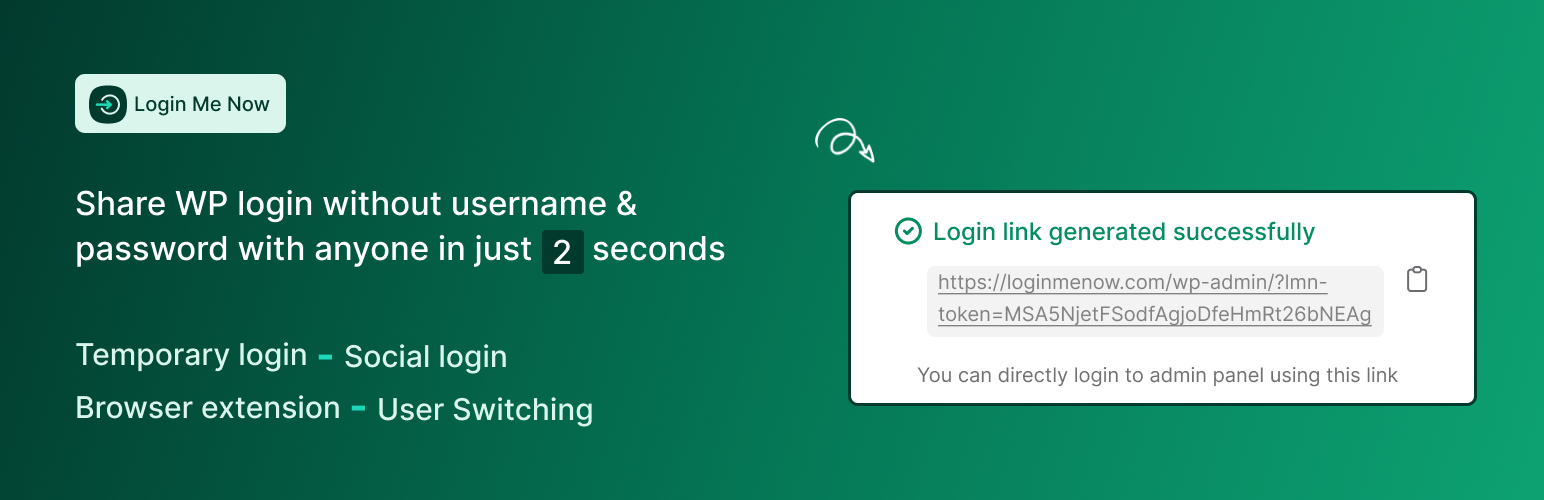
This plugin allows you to create secure, self-expiring login link within 2 seconds.
2. A balance of power and simplicity
Features of this plugin hit all the checkpoints for a full-fledged login manager solution for your website. This plugin is intently built with non-technical users in mind. Don’t need certain functionality? Toggle it off in the plugin modules.
3. Helpful support and continuous development
We prioritize providing excellent customer assistance, ensuring any issues or queries you may have will be promptly addressed. Moreover, our team is dedicated to continuously improving the plugin, adding new features and updates to enhance its functionality and security. With our commitment to support and development, you can confidently rely on this plugin to provide your weoptimized and secured login experience.
Compatibility + Integration
All-in-One Content Restriction
Simple History
WooCommerce
Directorist
Easy Digital Downloads
Fluent support (coming soon)
Dokan (coming soon)
BuddyBoss (coming soon)
BuddyPress (coming soon)
bbPress (coming soon)
Tutor LMS (coming soon)
OTHER AMAZING PLUGIN BY US
👉 All-in-One Content Restriction
FIND AN ISSUE?
We are right here to help you in support forum. You can post a topic. Please search existing topics before starting a new one.
各版本下載點
- 方法一:點下方版本號的連結下載 ZIP 檔案後,登入網站後台左側選單「外掛」的「安裝外掛」,然後選擇上方的「上傳外掛」,把下載回去的 ZIP 外掛打包檔案上傳上去安裝與啟用。
- 方法二:透過「安裝外掛」的畫面右方搜尋功能,搜尋外掛名稱「1 click passwordless login, temporary login, social login & user switching – Login Me Now」來進行安裝。
(建議使用方法二,確保安裝的版本符合當前運作的 WordPress 環境。
1.8 | 0.90 | 0.91 | 0.92 | 0.93 | 0.94 | 0.95 | 0.96 | 0.97 | 0.98 | 0.99 | 1.0.0 | 1.1.0 | 1.1.1 | 1.2.0 | 1.3.0 | 1.3.1 | 1.3.2 | 1.3.3 | 1.4.0 | 1.5.0 | 1.6.0 | 1.6.1 | 1.6.2 | 1.7.0 | 1.7.1 | 1.7.2 | 1.7.3 | trunk |
延伸相關外掛(你可能也想知道)
 Password Protected – Password Protect your WordPress Site, Pages, & WooCommerce Products – Restrict Content, Protect WooCommerce Category and more 》使用「Password Protected for WordPress」這款外掛,您只需要輸入單一密碼就能夠保護您的網站。這個最強大的密碼保護外掛可以保護您的WordPress分類、文章、...。
 Theme My Login 》曾經希望您的 WordPress 登入頁面與網站的其餘部分相匹配嗎?現在您的願望成真了!「Theme My Login」讓您可以繞過預設的 WordPress 標誌登入頁面,該頁面與...。
 PPWP – Password Protect Pages 》「Password Protect WordPress (PPWP)」外掛提供了一個強大的全方位解決方案,能透過密碼保護您的網站。, 您可以輕易地使用「Password Protect WordPress (PP...。
 Google Authenticator 》WordPress 的 Google Authenticator 外掛使用 Google Authenticator App 為 Android/iPhone/Blackberry 手機提供雙因素驗證。, 如果您有安全意識,您可能已經...。
 Hide My Site 》選擇一個密碼以保護整個 WordPress 網站,只有知道此密碼的訪客才能存取您的 WordPress 網站。這是一個完美的工具,適合建立 WordPress 網站開發版本或者任何...。
 Frontend Reset Password 》Frontend Reset Password 是一個 WordPress 外掛,讓您的網站使用者可以在前端重設他們遺失或忘記的密碼,而無需使用 WordPress 的預設重設表單!使用者填寫...。
 Passster – Password Protect Pages and Content 》Passster 是一款全方位的 WordPress 密碼保護外掛程式。您可以使用它來保護整個網站、頁面或文章,或者只保護其中一部分內容。, , Passster 提供三種不同的密...。
 OneLogin SAML SSO 》這個 SAML 外掛可消除密碼,允許您驗證 WordPress 使用者(通常是編輯人員)與現有的 Active Directory 或 LDAP 伺服器進行身分驗證,同時使用 OneLogin、Yub...。
 ContentProtector – password protect your page, post or text 》```html,
 - ,
- ContentProtector是一個輕量且靈活的外掛,可讓您使用密碼保護您的WordPress內容。您可以保護整個文章或頁面,或僅保護特...。
 Login Security Solution 》這款WordPress外掛提供了一個簡單的方法,保障多站台和常規WordPress安裝的登入安全性。功能如下:, , 阻擋地毯式攻擊和字典攻擊,不會給真正用戶或管理員帶...。
 Access Category Password 》這個外掛能讓您限制某些類別的文章存取權限,透過設定密碼和選擇影響的分類。這些文章的內容和摘要將被替換為一個密碼表單,使用者必須填入正確密碼才能取得...。
 Smart Passworded Pages 》The Smart Passworded Pages 外掛增強了 WordPress,並允許創建中央登錄頁面,以授予訪問任意數量的已設定密碼的子頁面的權限。這樣,你可以為每個客戶/成員/...。
 Expire Users 》, 重要的安全更新–如果您正在使用版本0.2或更早的版本,請進行升級, , 此外掛允許您為用戶登錄設置到期日期。 您可以設置用戶為:, , 永不到期(默認值), 在...。
 Wp Edit Password Protected – Create Password Protect Pages & Design Password Protected Form 》使用此外掛程式輕鬆建立只限會員/用戶的頁面,並可自訂登入表單或編輯「受密碼保護」表單。, 您有一個使用WordPress建立的網站,想保護其內容不被非會員/用戶...。
 PDF Ink for WooCommerce – Stamp PDFs with Customer Data 》Protect your intellectual property! Watermark PDF for WooCommerce allows WooCommerce site administrators to apply custom watermarks to PDFs upon sa...。