
內容簡介
LogicKit for Elementor 將 Elementor 轉變為動態行銷引擎,透過「LogicKit Rules」面板,讓使用者根據其身份和購物車內容個性化網站顯示的內容,提升轉換率。
【主要功能】
• 支援經典與 Atomic (V4) 元素
• 自動隱藏或顯示內容
• 深度整合 WooCommerce
• 提供內建使用指南
• 無額外負擔,保持網站快速
• 針對不同裝置顯示特定按鈕
外掛標籤
開發者團隊
原文外掛簡介
LogicKit for Elementor turns Elementor into a dynamic marketing engine. It adds a “LogicKit Rules” panel to the Advanced Tab of every classic Elementor Widget, Container, and Section, and works with the new Atomic (V4) elements too.
Stop showing the same static content to everyone. Personalize your site based on who the user is and what is in their shopping cart.
Top 6 Use Cases
B2B / Wholesale Portals: Hide “Add to Cart” buttons for guests. Show bulk pricing tables only to users with the “Wholesale” role.
Cart Upsells: If a user has a Camera in their cart, automatically show a banner for SD Cards.
Scarcity Marketing: Automatically hide sale banners when the offer expires (Date/Time logic) or show “Low Stock” warnings when inventory < 5.
Ad Tracking: Personalize landing pages based on UTM parameters (e.g., show specific content for visitors from Facebook Ads).
VIP Loyalty: Show exclusive content to customers who have a total lifetime spend of over $500.
Mobile Optimization: Show “Call Now” buttons only on mobile devices and “Download App” buttons only on iOS/Android.
Why use LogicKit for Elementor?
Works with classic and Atomic (V4) elements: A visual panel for classic elements, a simple one-line rule for Atomic elements.
Zero Bloat: Elements are removed from the PHP render cycle (not just hidden with CSS), keeping your site fast.
Element Cache friendly: Pages that use LogicKit rules automatically skip Elementor’s Element Cache, so every visitor gets the right result.
WooCommerce Ready: Deep integration with Cart Totals, Stock Status, and Purchase History. Compatible with High-Performance Order Storage (HPOS).
Built-in guide: Tools > LogicKit for Elementor Guide lists every condition with the exact rule key to use.
Using LogicKit
Classic elements (Section, Column, Container, Widgets)
Open the element > Advanced tab > LogicKit Rules > enable “Enable Logic?” and pick a trigger.
Atomic (V4) elements (Div Block, Flexbox, Grid, Heading, …)
Elementor does not currently let plugins add panels to Atomic elements, so LogicKit reads the rule from the element’s ID field. Open the element > General tab > Settings > ID and type the rule starting with lk:
lk:is_guest – show only to logged-out visitors
lk:!is_logged_in – put ! in front to invert a rule
lk:by_role:editor,administrator – show only to those roles
lk:cart_total_gt:100 – cart total over 100
lk:date_range:2026-12-01T00:00|2026-12-31T23:59 – date range (use T instead of a space)
lk:is_logged_in;by_role:editor – separate several rules with ; (all must pass)
If your Elementor includes the Attributes field, you can instead add an attribute named data-logickit with the rule (without the lk: prefix) as its value.
A mistyped or unknown rule hides the element, so a typo never exposes restricted content. The full list of rule keys is on the guide page in Tools > LogicKit for Elementor Guide.
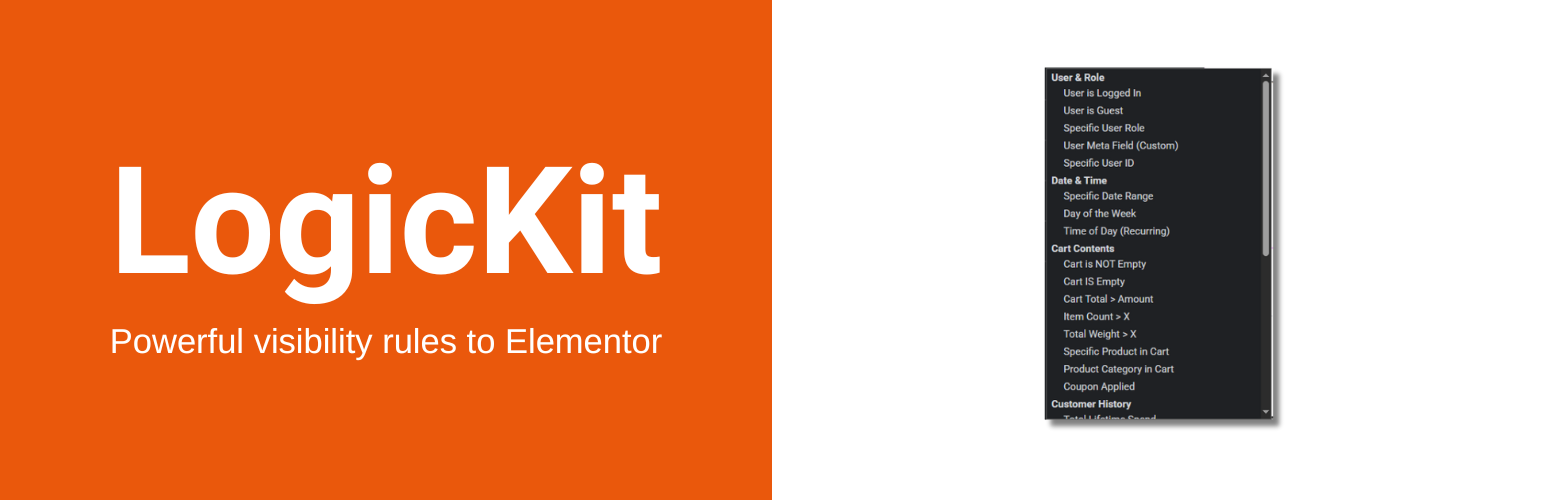
The 30+ Logic Conditions
User & Role
User is Logged In / Guest
Specific User Role (Admin, Customer, Shop Manager, etc.)
Specific User ID
User Meta (Custom Field Check)
Cart Intelligence
Cart is Empty / Has Items
Cart Total > Amount / Cart Total < Amount
Cart Item Count > X
Cart Weight > X (For shipping warnings)
Specific Product in Cart
Specific Category in Cart
Coupon Code Applied
Customer History
Total Lifetime Spend (High value targeting)
Has Purchased Product (Post-purchase support)
Days Since Last Order (Win-back campaigns)
Product Context
Stock Status (In Stock, Out of Stock, Low Stock)
Is On Sale
Product Type (Virtual, Downloadable)
Product Price > Amount
Product Category
Date & Time
Specific Date Range (Start/End)
Day of Week (Recurring)
Time of Day (Business Hours, including overnight ranges)
Device & Marketing
Device Type (Mobile, Tablet, Desktop)
Operating System (iOS, Android, Windows, Mac, Linux)
Browser
URL Query Parameter (UTM tags)
Referrer Domain
Developer
Custom PHP Callback (restricted to an allowlist, extend it with the logickit_allowed_callbacks filter)
Compatibility
WordPress 6.5 to 7.1
Elementor 3.x and 4.x, including the Atomic (V4) editor (tested up to 4.2)
WooCommerce 8.0 to 11.0, including High-Performance Order Storage (HPOS)
PHP 8.0 or newer














