內容簡介
總結:LogicKit for Elementor 將 Elementor 轉變為動態行銷引擎,可個性化網站內容,並在每個 Elementor Widget、Container 與 Section 的 Advanced Tab 新增「LogicKit Rules」面板。
1. 使用情境:B2B及批發網站、購物車升級、稀缺行銷、廣告追蹤、VIP專屬、行動優化。
2. 優點:原生整合、減少網站負擔、支援 WooCommerce。
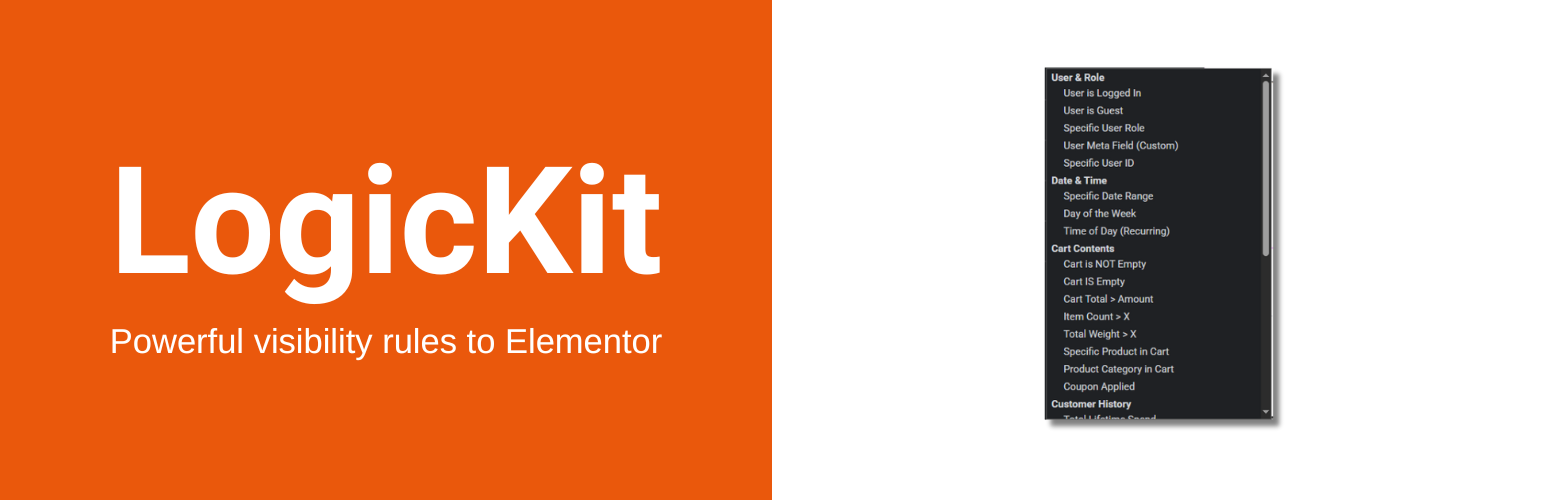
3. 邏輯條件:使用者、購物車、客戶歷史、產品相關、時間日期、裝置與行銷。
**問題與答案:**
1. LogicKit for Elementor 能將 Elementor 轉變為什麼樣的行銷引擎?
- 將 Elementor 轉變為動態行銷引擎,能個性化網站內容。
2. LogicKit Rules 面板位於 Elementor Widget、Container 與 Section 的哪個分頁?
- 位於每個 Elementor Widget、Container 與 Section 的 Advanced Tab。
3. 舉例一個使用 LogicKit for Elementor 的情境。
- B2B / 批發網站中只向擁有「批發」身份的使用者顯示批發價格表,而隱藏「加入購物車」按鈕。
4. LogicKit for Elementor 的優勢之一是什麼?
- 原生整合,可無縫運作在 Elementor Advanced Tab 中,提供更流暢的操作體驗。
5. 該外掛提供了多少種邏輯條件?
- 超過 25 種邏輯條件,包括使用者、購物車、客戶歷史、產品相關、時間日期、裝置與行銷等條件。
外掛標籤
開發者團隊
原文外掛簡介
LogicKit for Elementor turns Elementor into a dynamic marketing engine. It adds a “LogicKit Rules” panel to the Advanced Tab of every Elementor Widget, Container, and Section.
Stop showing the same static content to everyone. Personalize your site based on who the user is and what is in their shopping cart.
Top 6 Use Cases
B2B / Wholesale Portals: Hide “Add to Cart” buttons for guests. Show bulk pricing tables only to users with the “Wholesale” role.
Cart Upsells: If a user has a Camera in their cart, automatically show a banner for SD Cards.
Scarcity Marketing: Automatically hide sale banners when the offer expires (Date/Time logic) or show “Low Stock” warnings when inventory < 5.
Ad Tracking: Personalize landing pages based on UTM parameters (e.g., show specific content for visitors from Facebook Ads).
VIP Loyalty: Show exclusive content to customers who have a total lifetime spend of over $500.
Mobile Optimization: Show “Call Now” buttons only on mobile devices and “Download App” buttons only on iOS/Android.
Why use LogicKit for Elementor?
Native Integration: Works seamlessly in the Elementor Advanced Tab.
Zero Bloat: Elements are removed from the PHP render cycle (not just hidden with CSS), keeping your site fast.
WooCommerce Ready: Deep integration with Cart Totals, Stock Status, and Purchase History.
The 25+ Logic Conditions
User & Role
User is Logged In / Guest
Specific User Role (Admin, Customer, Shop Manager, etc.)
Specific User ID
User Meta (Custom Field Check)
Cart Intelligence
Cart is Empty / Has Items
Cart Total > Amount (Great for Free Shipping nudges)
Cart Item Count > X
Cart Item Count < X
Cart Weight > X (For shipping warnings)
Specific Product in Cart
Specific Category in Cart
Coupon Code Applied
Customer History
Total Lifetime Spend (High value targeting)
Has Purchased Product (Post-purchase support)
Days Since Last Order (Win-back campaigns)
Product Context
Stock Status (In Stock, Out of Stock, Low Stock)
Is On Sale
Product Type (Virtual, Downloadable)
Product Price > Amount
Date & Time
Specific Date Range (Start/End)
Day of Week (Recurring)
Time of Day (Business Hours)
Device & Marketing
Device Type (Mobile, Tablet, Desktop)
Operating System (iOS, Android, Windows, Mac)
URL Query Parameter (UTM tags)
Referrer Domain