內容簡介
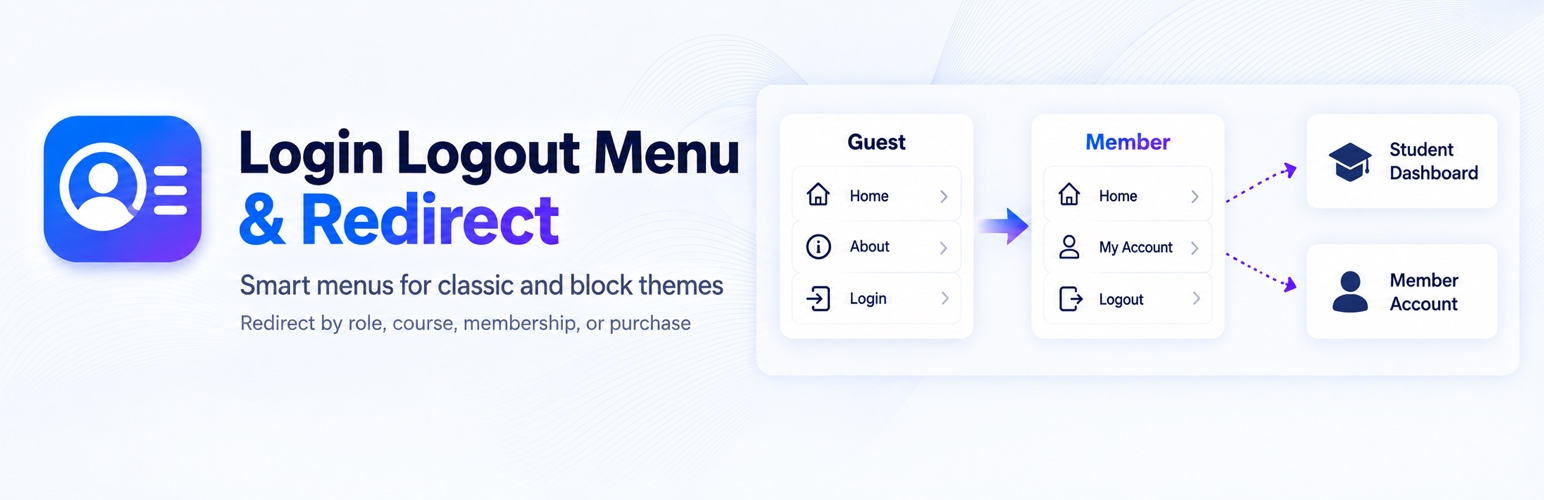
Login Logout Menu & Redirect 外掛提供簡便的登入和登出選單,讓訪客和會員能夠根據其身份看到不同的選項。使用者可以設定登入後或登出後的導向頁面,無需編碼,適用於經典和區塊佈景主題。
【主要功能】
• 訪客顯示登入,會員顯示登出選項
• 自訂登入/登出後的導向頁面
• 支援多種角色和條件的重定向
• 提供註冊、個人資料和用戶頭像連結
• 使用 JSON 匯出/匯入配置設定
外掛標籤
開發者團隊
② 後台搜尋「Login Logout Menu & Redirect」→ 直接安裝(推薦)
原文外掛簡介
Login for guests. Logout and account links for members.
Guests see Login; members see Logout. Add one smart item and choose where users land after signing in or out, without code.
Smart login/logout menus for classic and block themes, with conditional redirects for roles, courses, memberships, and purchases.
Use classic menus or Site Editor Navigation.
Add Register, Profile, User Avatar, and Username links alongside Login and Logout.
Start with default login/logout destinations; advanced rules are optional.
Send students, members, and customers to relevant pages using supported course, membership, and purchase conditions.
Preview the winning rule with the redirect tester and move your configuration with JSON export/import.
Free; third-party integrations may require their own plugins or add-ons.
Quick start
Install and activate Login Logout Menu & Redirect.
Open Login & Redirects and complete the four-step setup wizard, or add the smart item manually.
Check your menu while signed out, then perform a real login and logout to confirm the links and destinations.
Classic themes: Appearance > Menus > User Menu Links. Block themes: Appearance > Editor > Navigation, then add a Login/Logout variation. Use a smart item, not a Page or Custom Link.
The wizard saves and verifies settings; it does not perform a real login or configure third-party integrations.
Different users, different destinations
Send Subscribers to an account page, LearnDash students to a dashboard, MemberPress members to a member page, or product purchasers to relevant content.
Rules run in displayed order. The first enabled match with a destination for the current direction wins. Place Always (fallback) last. Incomplete rules can stay as disabled drafts.
Menu destinations and visibility
Open Login & Redirects > Settings and review the first card, Default navigation URLs. These are the pages opened by Login, Register, and Profile links; after-login and after-logout destinations are separate.
Profile, User Avatar, and Username share a front-end account destination. Choose a page or use supported account-page detection. Without a destination, these items stay hidden instead of opening WordPress admin. Register stays hidden when registration is unavailable and no custom page is set.
Style avatars with five presets and use BuddyPress/BuddyBoss photos when available. Advanced login-state, role, capability, membership, and device visibility controls apply to classic menus.
Integrations
Conditions support LearnDash, LifterLMS, Tutor LMS, LearnPress, WooCommerce, EDD, MemberPress, PMPro, WooCommerce Memberships, Restrict Content Pro, Ultimate Member, WishList Member, MemberMouse, and ProfilePress when required APIs are available.
Native login filters support WooCommerce, MemberPress, and LifterLMS; MemberPress native logout is supported. Bridges support Gravity Forms/WPForms User Registration and Elementor Pro Login. Required add-ons must be active. Detection does not create rules or cover every third-party form flow.
Shortcodes, testing, and privacy
Use [lmsc_rsum_login_logout] for a smart link in content. Individual Login, Logout, Register, and Profile links are also available; see the FAQ. These are links, not forms.
Tools contains redirect testing and JSON export/import. The redirect tester previews a decision for a selected user; verify actual login/logout behavior separately.
Optional activity collection starts disabled and stays in the site database. Masked IPs require separate opt-in; retention is 1–365 days. Caches must separate signed-in and guest navigation.
Running LearnDash?
Vital Addons for LearnDash is our free toolkit of 36 LearnDash modules, including lesson autocomplete, resume learning, certificates and Focus Mode controls. It works alongside this plugin: its own login/logout redirect module stays off while this plugin is active, so your redirects keep coming from here.
Quick-start guide and product details | Support
External services
Installation reporting sends this website address and the configured WordPress administrator email to LMS Crafter at https://lmscrafter.com, along with plugin version and environment metadata needed to identify the installation. Reports are delivered in the background about once daily. No redirect history or visitor activity is sent. Reporting is disabled by default. To consent, enable it under Settings > Installation reporting and save. Disable the option at any time to stop reporting. Data is used to identify installations and contact site administrators about this plugin. Privacy policy: https://lmscrafter.com/privacy-policy/.