內容簡介
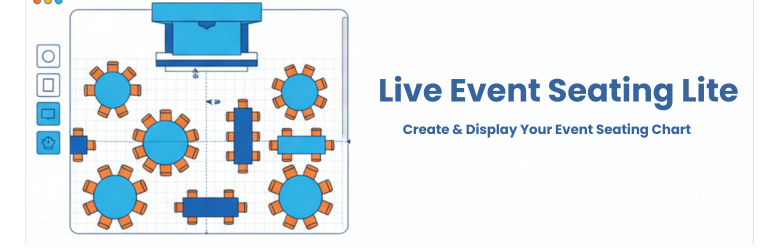
Live Event Seating Lite 是一款簡單易用的 WordPress 外掛,專為創建和顯示活動座位圖而設計。它提供直觀的拖放建構器,讓使用者能輕鬆製作詳細的座位安排,無需編寫任何程式碼。
【主要功能】
• 視覺化拖放建構器:在 WordPress 控制台內創建座位圖
• 多種元素:可添加圓桌、長桌、座位行、舞台等
• 直觀控制:輕鬆移動、複製和刪除元素
• 簡單顯示:使用短碼在前端展示座位圖
• 響應式互動:用戶可在任何設備上平移和縮放座位圖
外掛標籤
開發者團隊
原文外掛簡介
The Easiest Way to Create & Display a Seating Chart in WordPress!
Are you trying to create a visual seating chart for an upcoming event? Building a custom venue map or an interactive floor plan in WordPress can be a challenge. Live Event Seating Lite is the solution. It provides a powerful, intuitive, drag-and-drop builder to create a detailed seating plan for any occasion without touching a single line of code.
🎥 See It In Action (Video Tutorials)
Want to see how easy it is to build a venue and sell tickets? Check out our quick video tutorials:
How to Create a Seating Chart
How to Connect Seats to WooCommerce
Advanced Venue Builder Features
🆓 Live Event Seating LITE (Free Version)
The Lite version is perfect for displaying a visual floor plan or seating arrangement on your website.
* Visual Drag & Drop Builder: Create your seating chart right inside the WordPress admin area.
* Multiple Elements: Add circle tables, rectangle tables, seat rows, stages, images, and freeform polygon shapes.
* Intuitive Controls: Easily move, duplicate, and delete elements with smart snapping guides.
* Simple Display: Use a shortcode [event_seating_plan id="YOUR_EVENT_ID"] to display your chart on the frontend.
* Responsive & Interactive: Users can pan and zoom the displayed seating chart on any device.
🚀 Ready to Sell Tickets? Upgrade to Premium!
The Lite version is a display-only tool. If you want customers to click on seats, add them to their cart, and checkout, you need to upgrade! Connect your seating chart directly to WooCommerce and keep 100% of your ticket profits (0% per-ticket commission fees!).
👉 View Premium Plans & Start Selling Tickets
🏆 Which Version is Right For You?
1. LITE VERSION (Free)
Best for: Displaying a visual floor plan without selling tickets.
* Drag-and-drop visual builder
* Add basic tables, rows, and stages
* Frontend panning and zooming
* Display via shortcode
2. STARTER VERSION
Best for: A single venue or personal website (1 Website).
* Sell Tickets with WooCommerce: Link seats to WooCommerce products.
* 0% Ticket Fees: Keep all of your profits.
* Tiered Pricing: Charge different prices for VIP vs. Standard seats.
* Whole Table Booking: Allow corporate sponsors to buy a whole table with one click.
* Real-time Seat Summary: Live cart updating to prevent double-bookings.
* Advanced Builder Tools: Includes full Undo/Redo (Ctrl+Z), 360° rotation tools, curved seat rows, block/kill individual seats, and advanced alphabetic seat numbering.
3. BASIC VERSION
Best for: Freelancers & agencies getting started (5 Websites).
* Includes all features from the Starter Version, expanded for use on up to 5 websites!
4. PRO VERSION
Best for: Power users, client work, and complex venues (Unlimited Websites).
* Everything in Starter & Basic, plus:
* QR Code Ticket Scanner: Scan tickets at the door using any smartphone camera.
* Sections Mode: Build complex venues with multiple sections (Balconies, Orchestra pits, etc.).
* General Admission (GA) Areas: Sell standing-room or unreserved area tickets.
* Booking Manager: Centralized dashboard to view and manage all attendees.
* Import/Export Layouts (JSON): Save your venue as a template for future events.
* Integration Support: Native, seamless integration with The Events Calendar and Events Manager plugins.
* Premium Support.
🏆 Feature Comparison: Lite vs Premium
Wondering which version is right for you? Here is a quick breakdown:
👉 Compare All Premium Features Here!