
內容簡介
Lexiata SMTP 外掛解決 WordPress 郵件發送問題,通過真實郵件伺服器發送郵件,確保訂單確認、聯絡表單消息和密碼重設等郵件能順利到達收件箱,提升郵件送達率。
【主要功能】
• 支援多種郵件服務,包括 Gmail 和 Microsoft 365
• 簡易設置,約兩分鐘完成配置
• 提供郵件發送測試及錯誤解釋
• 詳細的郵件日誌,記錄所有發送郵件
• 無廣告、無追蹤,界面簡潔
外掛標籤
開發者團隊
原文外掛簡介
Is WordPress not sending email? Order confirmations that never arrive, contact form messages that vanish, password resets stuck in spam – almost always for the same reason. Out of the box, WordPress hands email to your server’s PHP mail() function, which many hosts block and most inboxes don’t trust.
Lexiata SMTP sends every WordPress email through a real mail server instead – your Gmail or Google Workspace account, Microsoft 365, your hosting mailbox, or a sending service like Brevo or SendGrid. Your emails leave signed in, from your own address, which makes them far more likely to reach the inbox.
It is deliberately small. No upsell banners, no dashboard clutter, no tracking – just the three things you need: connect, test, and see what was sent.
Set up in about two minutes
Pick your email service and Lexiata SMTP fills in the server, port and encryption for you. Type your username and password, save, and you are done. Every preset comes with a short, current note on the one thing people usually get wrong – like Gmail’s App Password or SendGrid’s “apikey” username.
Ready-made settings for:
Gmail and Google Workspace
Microsoft 365
Zoho Mail
Brevo (formerly Sendinblue)
SendGrid
Mailgun
Amazon SES
Postmark
SMTP2GO
Hostinger
cPanel and Webmail hosting
Any other SMTP server
A test that tells you what’s wrong
When a test fails, Lexiata SMTP reads the server’s reply and explains it in plain language – wrong password, blocked port, certificate mismatch on shared hosting, unverified sender, Microsoft 365 SMTP AUTH switched off, Gmail needing an App Password – with the exact steps to fix it.
The full SMTP conversation is one click away, with passwords and message content hidden, so you can safely send it to your host.
An email log you’ll actually use
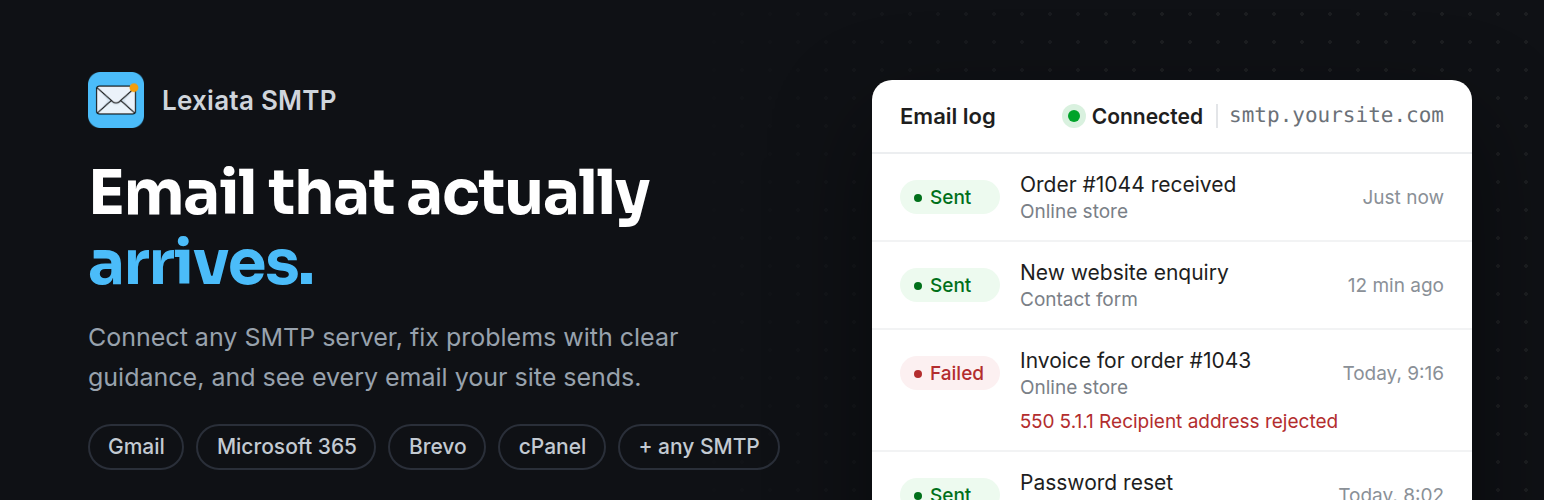
See every email your site sends: recipient, subject, sent or failed, the exact error, attachments, and which plugin sent it – WooCommerce, Contact Form 7, your theme, or WordPress itself. Filter by status, search by recipient or subject, and let old entries clean themselves up after 7 to 180 days.
The log never stores message content, so order details and form submissions stay out of your database.
If emails start failing, you’ll see a short notice on the Dashboard with the last error – before your customers tell you.
Lightweight by design
Zero front-end CSS or JavaScript. Nothing loads on your visitors’ pages.
Admin files load only on the plugin’s own screen – no jQuery, no frameworks.
One small settings option and one indexed log table.
Lives under Settings → Lexiata SMTP. No extra top-level menu.
No external requests, no tracking, no ads.
Secure
Your SMTP password is encrypted with libsodium before it’s saved, and never printed back into the page.
Every action checks permissions and nonces.
Prefer to keep credentials out of the database? Set them in wp-config.php and the fields lock automatically.
Works with the plugins you already use
Anything that sends mail with wp_mail() goes through Lexiata SMTP automatically: WooCommerce order emails, Contact Form 7, WPForms and Elementor form notifications, membership and LMS plugins, new-user and password-reset emails.
For developers and agencies
Lock settings per site from wp-config.php:
define( 'LXSMTP_HOST', 'smtp.example.com' );
define( 'LXSMTP_PORT', 587 );
define( 'LXSMTP_ENCRYPTION', 'tls' ); // tls, ssl or none
define( 'LXSMTP_AUTH', true );
define( 'LXSMTP_USER', '[email protected]' );
define( 'LXSMTP_PASS', 'your-password' );
define( 'LXSMTP_FROM_EMAIL', '[email protected]' );
define( 'LXSMTP_FROM_NAME', 'Example Store' );
Optional: LXSMTP_SECRET_KEY sets your own key for encrypting the stored password.
Hooks:
lxsmtp_timeout – SMTP timeout in seconds (default 30).
lxsmtp_smtp_options – stream context options passed to PHPMailer’s SMTPOptions.
lxsmtp_phpmailer_configured – runs after the SMTP connection has been configured.
Built by Lexiata
Lexiata SMTP is developed and maintained by Lexiata.lk, a web design and development studio. Found a bug? Click Report a bug on the plugin screen – your email app opens with the technical details already filled in – or post in the support forum.













