內容簡介
這款外掛為 Elementor 圖片元件新增一個控制功能,以便移除 Lazy Load 屬性。
一般來說,如果你使用 Elementor,甚至在視窗範圍內的第一張圖片也會被 Lazy Load,這樣並不利於效能。
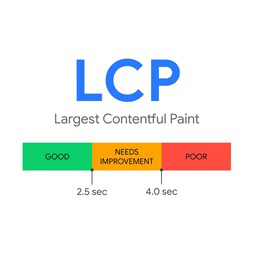
透過移除在視窗範圍內的第一張圖片的 Lazy Load 屬性,你可以改善 LCP,這是一個重要的效能指標。
如何移除 Elementor 圖片元件特定圖片的 Lazy Load 屬性
安裝並啟用 Lazy Load Control For Elementor 外掛
在 Elementor 圖片元件中選擇「不進行 Lazy Load」
儲存
完成!
觀看以下視頻了解如何操作。
Elementor 的其他外掛
Editor Cleanup For Elementor
這是 Freesoul Deactivate Plugins 的一個附加外掛,用於清理 Elementor 編輯器,以改善效能並解決與其他外掛的衝突問題。
求助
如果有任何問題或有任何操作失敗,請勿猶豫,在支援論壇上發佈新的主題
外掛標籤
開發者團隊
② 後台搜尋「Lazy Load Control For Elementor – Remove the Lazy Load attribute from specific images in Elementor」→ 直接安裝(推薦)
原文外掛簡介
It adds a control to the Elementor image widget to remove the Lazy Load attribute.
Normally, if you use Elementor, also the first image that appears in the viewport is lazy loaded, and this is not good for performance.
By removing the lazy load attribute to the first image that appears in the viewport you can improve the LCP which is an important performance metric.
How to remove the lazy load attribute from specific images with Elementor
Install and activate Lazy Load Control For Elementor
Select “Do not lazy load” in the Elementor image widget.
Save.
Done!
Watch the following video to see how it works.
Other add-ons for Elementor
Editor Cleanup For Elementor
It’s an add-on of Freesoul Deactivate Plugins to clean up the Elementor editor for better performance and solving the conflicts with other plugins.
Customization
If you have special requirements or advanced use cases, the author offers custom solutions tailored to your setup.
For speed optimization, integration support, or consulting, feel free to get in touch via our Speed Optimization Service page.
Backend Speed Optimization
I help fix slow dashboards by optimizing queries and backend workload.
Read Backend Speed Optimization Service for more information.