內容簡介
Laudia Connect 是 Laudia 的伴隨外掛,提供 AI 搜尋可見性服務。透過此外掛,使用者可以輕鬆將修正內容發佈到網站,並確保搜尋引擎的可讀性與安全性。
【主要功能】
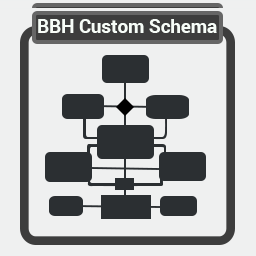
• 提供 JSON-LD schema 和 FAQ 區塊
• 生成虛擬的 llms.txt 文件
• 增加 robots.txt 的可讀性行
• 支援 WordPress Abilities API 的讀取操作
• 限制權限,確保安全性
外掛標籤
開發者團隊
原文外掛簡介
Laudia Connect is the companion plugin for Laudia, the AI search visibility service. After you approve a fix in your Laudia dashboard, Laudia publishes it to your site through this plugin’s small REST surface:
JSON-LD schema and an FAQ block, printed in your site’s head. Theme-independent and reversible.
A virtual llms.txt served at /llms.txt. No file is written to your server.
Additive robots.txt lines (Sitemap:, Allow:) appended to the robots.txt WordPress generates. The plugin refuses any Disallow: or Noindex: line, so it can never block a crawler. If a physical robots.txt file exists, the plugin reports that honestly instead of pretending to deploy.
Readable by your own AI tools
The plugin registers its two READ-ONLY operations with the WordPress Abilities API (WordPress 6.9 and later), so the AI tooling on your own site can answer “is Laudia connected?” and “what has Laudia published here?” without you opening a dashboard. Publishing is not offered as an ability, and cannot be: an agent on your site can read what Laudia published, never add to it.
Deliberate non-goals: the plugin writes no files, edits no themes, manages no users, and has no settings screen. Everything it serves lives in four options rows and is removed when you delete the plugin.
Least-privilege access
The plugin registers a dedicated Laudia Connect role carrying only its own capability (plus read). You create one user with that role and issue a WordPress Application Password for it. Laudia refuses to operate with an administrator account.
Every REST request must carry that capability. All content is pinned by hash: the plugin recomputes the checksum of every payload and refuses a mismatch.