內容簡介
總結:Language Switcher – Polylang for Divi是一個WordPress外掛,可幫助您使用Divi Builder在網站上添加語言切換器。該外掛將Polylang多語言外掛與Divi主題相連接,使建立多語言網站變得更加容易。
問題與答案:
1. 如何使用Language Switcher – Polylang for Divi這個WordPress外掛?
- 前往WordPress儀表板。
- 在使用Divi Builder或Theme Builder時打開想要新增語言切換器的頁面、文章、標頭或頁腳。
- 將Language Switcher模組拖放到您想要的部分(正文、頁腳、標頭、側邊欄等)。
- 根據您的喜好自定義其佈局和可見性設置。
2. Language Switcher – Polylang for Divi有哪些主要功能?
- 支援Divi模組,可以直接在Divi建構器中操作。
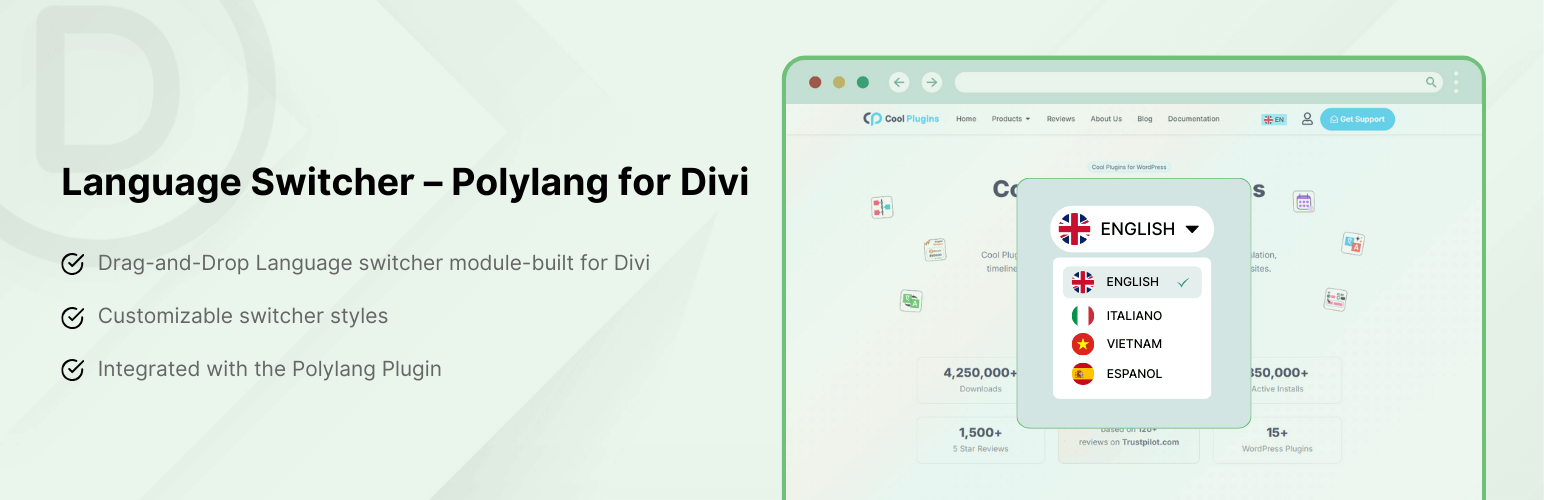
- 提供三種佈局風格,Dropdown、Horizontal和Vertical。
- 可輕鬆自定義語言切換器元素的外觀。
- 完全相容Polylang的免費和專業版。
- 使用起來友好並且具有全響應性。
外掛標籤
開發者團隊
② 後台搜尋「Language Switcher – Polylang for Divi」→ 直接安裝(推薦)
原文外掛簡介
Language Switcher – Polylang for Divi is a WordPress plugin that helps you add a language switcher to your website using the Divi Builder. This plugin connects the Polylang multilingual plugin with the Divi theme, making it easier to build a multilingual website.
Normally, Polylang and Divi don’t work smoothly together when it comes to showing a language switcher inside your pages. You need to create different WordPress menus for each language, and then assign a menu to each language page manually, which is a time-consuming and tiring task. That’s where Language Switcher – Polylang for Divi helps.
With this plugin, you can place a customizable language switcher on your Divi pages using a dedicated Divi module.
Why use this Plugin?
Language Switcher – Polylang for Divi is a simple and easy way to add a language switcher to any Divi page. Here’s why you should use this plugin:
Language Switcher module
No Separate Menus for Each Language
Add Anywhere on the Page
Customizable Language Switcher
Time-saving
Key Features
Support for Divi Module: This plugin works directly inside the Divi builder. Simply drag and drop the language switcher module anywhere on your page, just like other Divi elements. No need to write any code or use external widgets.
Layout Options: The plugin offers three layout styles, Dropdown, Horizontal & Vertical. Choose how you want the language switcher to appear on your website.
Customize Switcher Elements: Easily customize the appearance of the language switcher elements by enabling or disabling the following:
Language Flag: Show a small flag icon next to each language (e.g., 🇺🇸).
Language Name: Display the full language name (e.g., English, Spanish).
Language Code: Show language short codes like EN, FR, DE, etc.
Hide Current Language: Hide the language that is currently active.
Hide Untranslated Languages: Hide specific languages if the current page has no translated version available in that language.
Frontend Display Preview: Preview the changes from the frontend and make sure everything appears correctly before publishing.
Fully Compatible with Polylang Free and Pro.
User-friendly.
Fully Responsive.
How to Add the Language Switcher
Go to your WordPress Dashboard.
Open the page, post, header, or footer where you want to add the language switcher using the Divi Builder or Theme Builder.
Drag and drop the Language Switcher module to your desired section (body, footer, header, sidebar, etc.).
Customize its layout and visibility settings according to your preferences.
Explore More: AI Translation Addon for Polylang
AutoPoly – AI Translation for Polylang reduces your translation workload by translating your Gutenberg and Elementor pages, sections, and widgets within a few minutes.
Language Switcher for Elementor & Polylang is a WordPress plugin that helps you add a language switcher to your website and translate Elementor Templates. This plugin connects the Polylang multilingual plugin with Elementor, making it easier to build and manage a multilingual website visually.
Polylang Duplicate Content addon effortlessly duplicate your original or default language post content into other languages of the same post, making the translation process easier.
Use of 3rd Party Services: This plugin connects to the Cool Plugins API to display information about related plugins inside the dashboard. It also offers optional usage tracking and optional feedback submission on deactivation. Data is sent only after explicit user consent. No hidden tracking is performed, and no frontend visitor or site user data is collected. For more details, please review our Data Usage Policy, TOS, and Privacy Policy.