外掛標籤
開發者團隊
② 後台搜尋「KZB AI Cart Assistant for WooCommerce」→ 直接安裝(推薦)
原文外掛簡介
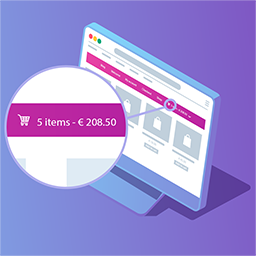
KZB AI Cart Assistant for WooCommerce connects your store to AI systems using the open Model Context Protocol (MCP). It also adds an optional AI-powered chat widget to your storefront, powered by the WordPress AI Client built into WordPress 7.0.
The guiding principle: automation stops at the cart. The plugin never initiates checkout or processes payments — those actions always require a human.
Features
MCP server — REST endpoints that expose your product catalog and allow authenticated AI agents to add products to a customer’s cart (add_to_cart) and view cart contents (view_cart)
Storefront chatbot — floating chat widget powered by the WordPress AI Client; customers can ask product questions and add items to their cart through conversation
Bearer token authentication — per-user tokens that let an AI agent act on a specific customer’s behalf
My Account integration — customers can generate and revoke their own tokens from the My Account page
Admin panel — category filters, security limits (max quantity, max cart value), token management, and an audit log of every AI action
Privacy-first — respects the Global Privacy Control (GPC) signal; no API keys are stored by the plugin
MCP Server
AI agents discover the MCP endpoint via a tag automatically injected into your site’s
Typical agent flow:
Agent reads from your page HTML
GET /wp-json/kzbaca/v1/mcp — reads available tools and the product catalog URL
GET /wp-json/kzbaca/v1/mcp/resources — fetches the product list
POST /wp-json/kzbaca/v1/mcp/tools/add_to_cart — adds a product (Bearer token required)
Agent returns the cart URL to the customer for payment
External Services
This plugin connects to external AI services only when the chatbot is enabled and an AI provider is configured in WordPress Settings → AI. No data is sent to any external service when the chatbot is disabled (the default state).
WordPress AI Client
The storefront chatbot uses the WordPress AI Client (built into WordPress 7.0) to communicate with your configured AI provider. The AI provider and its privacy policy are managed in Settings → AI in your WordPress admin — this plugin does not communicate directly with any AI provider.
Data sent: conversation messages, product catalog summary, cart context.
No data is ever sent to the plugin author’s servers.