內容簡介
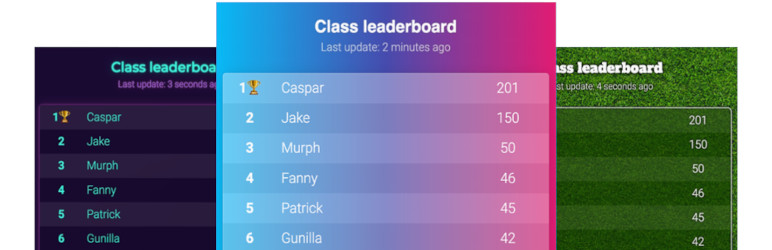
是否需要在您的 WordPress 網站上添加排行榜或計分板?此外掛程式可以輕易實現。
首先,點擊此處創建一個得分板或排行榜開始。部分功能需要付費會員資格。
向文章中添加得分板或排行榜後,得分會自動更新:如果您添加了新得分或球員,文章將實時更新!
功能:
可選擇排行榜、得分板、團隊排名榜和點擊計數器。
排行榜具有動畫效果
包括主題和自定義顏色
管理板可以從移動設備上使用的直觀管理界面
得分更新會自動顯示
如何使用?
安裝 Keep the Score 外掛程式。
在Keepthescore.com上創建一個排行榜,並獲取它的短代碼。
將短代碼添加到您的 WordPress 文章中。
詳細信息請參閱下面的常見問題解答。
外掛標籤
開發者團隊
📦 歷史版本下載
原文外掛簡介
Do you need to add a leaderboard or scoreboard to your WordPress site? This plugin makes it dead easy.
To start the process, create a scoreboard or leaderboard by clicking here. Note that you require a paid PRO plan to use this feature.
Once you have added a scoreboard or leaderboard to your post, the scores update automatically: if you add new scores or players, your post will get updated in real-time!
Features:
Choose between leaderboards, scoreboards, team leaderboards and click counters.
Leaderboards are animated
Themes and custom colours included
Boards are administered via intuitive admin interface that can be used from mobile devices
Updates to scores are shown automatically
How does it work?
Install the Keep the Score plugin.
Create a leaderboard on Keepthescore.com and get its shortcode.
Add the shortcode to your WordPress post.
See the FAQ below for more details.