內容簡介
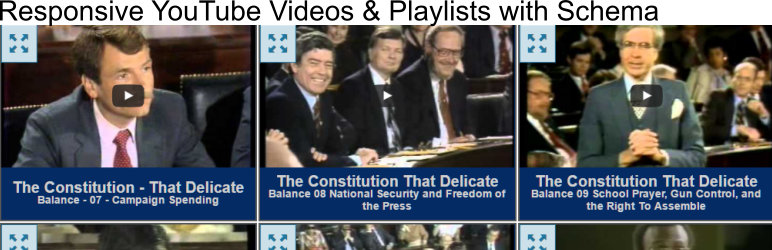
此外掛可在 WordPress 頁面、文章、側邊欄中從 YouTube 播放清單中創建樣式化的網格,也可從視頻 ID 中顯示單個 YouTube 視頻。插件區塊或短碼(網格和單個顯示)顯示的所有視頻都包括由 Google 建議的模式化元數據標記。
需要 YouTube Data API 金鑰-獲取 API 的說明可在安裝選項卡中找到。
WordPress 版本 5+ 的區塊顯示
短碼範例:
單個視頻
[yt_video_wrap width=”100%” alignment=”none”]在此輸入 URL[/yt_video_wrap]
[yt_video video_id=”your_yt_video_id” width=”100%” alignment=”none”]
注意上面的可選寬度和對齊屬性-僅用於使簡單定位更容易。
列表
[yt_grid yt_list_id=”your_yt_list_id”]
顯示屬性可用於按列表覆蓋插件設置(^ 標誌表明僅適用於網格)
item_font_color- h3 標題的顏色
item_font_size- px 中的標題大小
item_font_alignment- left、right、center
item_font_length- 顯示的標題字符數(將四捨五入到最接近的單詞)
item_bg- 背景顏色
item_border- 邊框顏色
^query_max- 要顯示的視頻數的最大值
^query_offset-開始時偏移查詢的值
^item_gutter- 水平間距(建議在 0 到 30 之間的偶數#)
^item_spacing - 垂直間距
button_font- 上面的展開按鈕(箭頭顏色)
button_bg- 上面的展開按鈕(bg)
^Columns-如果在短碼中使用列屬性,則會忽略所有插件設置,僅使用短碼值。這是基於一個假設而完成的,即如果您想控制特定列表的列顯示,則應完全控制。
lg_cols-1200+
md_cols-992+
sm_cols-768+
xs_cols-768-
此外,id、class 和 style 屬性也可用,其語法和行為與 HTML 中相同。
外掛標籤
開發者團隊
② 後台搜尋「YouTube Playlists with Schema」→ 直接安裝(推薦)
原文外掛簡介
Creates styled grids in WordPress pages/post/sidebars from YouTube Playlists. Also, displays single YouTube videos from video id. All videos displayed through plugin block or shortcode (grids and single) include schema.org metadata markup as recommended by google.
Requires YouTube Data API key – Instructions for getting the api can be found in the installation tab.
Block display for WordPress version 5+
Shortcode examples:
single videos
[yt_video_wrap width=”100%” alignment=”none”]url here[/yt_video_wrap]
[yt_video video_id=”your_yt_video_id” width=”100%” alignment=”none”]
notice the optional width and alignment attributes above – just used to make simple positioning easier.
lists
[yt_grid yt_list_id=”your_yt_list_id”]
Display attributes can be used to overwrite the plugin settings on a list by list basis (^indicates can be applied to grids only).
item_font_color – the color of the h3 title
item_font_size – title size in px
item_font_alignment – left, right, center
item_font_length – number of characters from title to display (will round down to nearest word)
item_bg – background color
item_border – border color
^query_max – maximum number of videos to display
^query_offset – offset query at beginning by this value
^item_gutter – horizontal spacing (even # between 0 and 30 recommended)
^item_spacing – vertical spacing
button_font – for expansion buttons on upper left of items (the arrow color)
button_bg – for expansion buttons on upper left of items (bg)
^Columns – if you use and column attribute in the shortcode ALL plugin settings will be ignored and just shortcode values will be used. This was done on the assumption that if you want to take control of the column display of a particular list you should take complete control.
lg_cols – 1200+
md_cols – 992+
sm_cols – 768+
xs_cols – 768-
additionally the id, class and style attributes are also available and will have the same syntax and behavior as in html.