
內容簡介
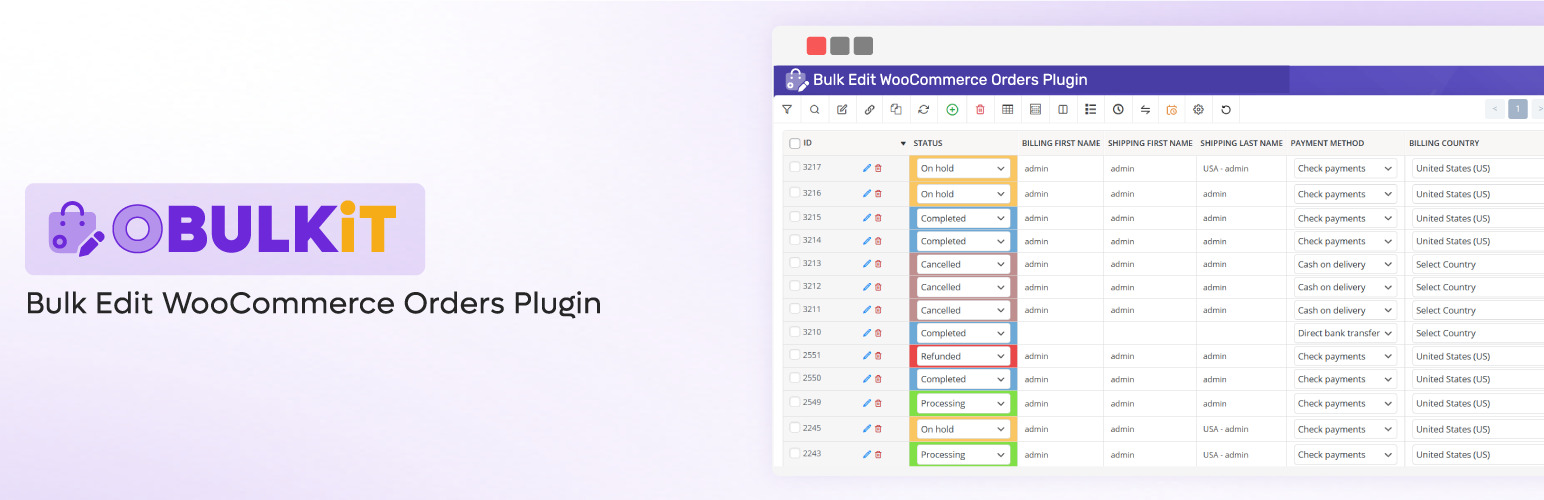
OBULKiT 是一款專為 WooCommerce 設計的批次編輯訂單外掛,提供電子表格式介面,讓使用者能夠快速篩選、編輯及更新多筆訂單,顯著提升管理效率,節省寶貴時間。
【主要功能】
• 同時編輯多筆 WooCommerce 訂單
• 電子表格式訂單編輯器,快速變更
• 強大的篩選功能,針對特定訂單集
• 計畫未來的批次訂單編輯
• 背景處理及大數據支援
外掛標籤
開發者團隊
② 後台搜尋「OBULKiT – Bulk Edit Orders for WooCommerce」→ 直接安裝(推薦)
📦 歷史版本下載
原文外掛簡介
Managing WooCommerce orders one by one is time-consuming and inefficient — especially when dealing with large stores, frequent updates, or automated workflows.
OBULKiT – Bulk Edit Orders for WooCommerce gives you a spreadsheet-style interface where you can filter, edit, and update multiple orders at once — eliminating repetitive manual work and saving valuable time.
With powerful features like advanced filtering, scheduled bulk updates, and background processing optimized for Big Data, OBULKiT is built to handle even the heaviest workloads without slowing down your site.
Whether you need to update order statuses, payment methods, shipping info, or custom fields, OBULKiT gives you full control — fast and efficiently.
🚀 Why Choose OBULKiT?
✔️ Edit multiple WooCommerce orders simultaneously
✔️ Spreadsheet-style order editor for fast changes
✔️ Robust filters to target specific order sets
✔️ Schedule bulk order edits for future execution
✔️ Background processing and Big Data support
Why is Bulk Orders Editing for WooCommerce plugin useful?
✅ Saving your time:
Managing and editing a large number of orders easily
Changing order status for several orders at same time
Search and filter specific orders
Bulk edit of values for billing and shipping fields One the important sections of each orders is the billing and shipping fields area. They allow your customers to set their billing and shipping details and help manager to control orders based on billing and shipping fields. For example, Billing First Name, Billing Last Name, Billing Phone, Billing Email, Shipping First Name, Shipping Last Name, Shipping Phone, Shipping Email and …
Bind editing: With this option, you can set the same value of edited orders to all selected orders. This will help you edit several orders at once and will result in a faster editing and save a huge amount of your time!
Delete multiple orders: You can also delete multiple orders simultaneously with just one click. You can delete any number of orders by order status, category of order item, order items, price fields, billing and shipping and etc… and basically any filter conditions.
Duplicate orders: Some time you need to have a copy of one or group of orders, you have to add new orders and set fields as other order’s fields one by one, that is a boring task. With Duplicating Orders option, you can select desired orders and duplicate them, rather than duplicating each order one by one.
Save search queries for later use: You can save the most used search queries for later use (or any search query you want). This way, you don’t have to choose the search options every time, and with just two clicks you can use your most used search queries to find the orders you need.
✅ Easily scale-up online store:
Adding or editing orders in a short time For example, if you have orders specific details, it is a difficult task to update all details of orders. This Bulk Edit plugin helps to do the bulk editing job easier with a lot of bulk editing options and support for any order related properties and fields.
Import and export any orders according to your requirements
Make a customized column from your orders
Use a spreadsheet to control, manage and edit numerous orders at the same time
✅ Support all of fields
Support all of order status
Support all of billing and shipping fields
Managing the price fields
Support all of order’s fields
Please check other videos in Bulk Orders Editing for WooCommerce channel
Key Features
User friendly design
Filtering by all order fields: title, category, taxonomy, …
Advanced bulk editing form: Edit all WooCommerce order fields in specific operands:
Append, prepend, replace for text fields :: title, sku and …
Increase, Decrease for Pricing Fields :: regular and sale pricing
Calculator for decimal values
Use custom formula for pricing fields
Date picker for date fields :: sale price date
Multiple selection :: category, taxonomy, tag
And …
Show/Hide columns
Column manager:
Set Color and BG color for columns
Set custom label for columns
Create new order>
Duplicate order
Delete several orders with one click.
Set Category and taxonomy for multiple product at once
Inline Edit: Edit values in separate types: numeric, text, date, checkbox and …
Save search form query
Search orders by items
Add custom fields / taxonomy as columns, search field and bulk edit field
Import / Export
Binded Editing : Edit several orders at once.
History: Save all of change log beside of Undo / Redo :: you can revert your changes.
Sticky Column: fix ID column
Change billing information field by field
Change shipping information field by field
Change billing and shipping in quick mode
Support all woocommerce orders fields
Free vs Pro
🆓 Free Version
✅ Fetch All Orders
✅ Support All Order Fields
✅ Import Orders
✅ Export Orders
⚠️ Powerful Search Form – Limited
⚠️ Advanced Bulk Edit – Limited
⚠️ Add Meta Fields – Limited
⚠️ History Management – Limited
⚠️ Undo / Redo – Limited
⚠️ Bind Edit – Limited
🟢 Suitable for small to medium stores and quick manual order edits
🚀 Pro Version
✅ Fetch All Orders
✅ Support All Order Fields
✅ Import Orders
✅ Export Orders
🟢 Powerful Search Form
🟢 Advanced Bulk Edit
🟢 Add Custom Meta Fields
🟢 History Management
🟢 Undo / Redo Changes
🟢 Bind Edit (Linked Editing)
⏱️ Scheduled Bulk Order Updates
⚙️ Background Processing for Heavy Operations
📊 Big Data Optimized for Large Order Volumes
🔵 Ideal for large WooCommerce stores with frequent order changes and automated workflows
Check demo version: Pro Version
External services
This plugin connects to a license server to activate the plugin and check for updates.
It sends the site admin’s email address and license key to iThemelandCo when the license is activated or when checking for updates. The server responds with activation status, update availability, or error messages.
This service is required to verify valid licenses and deliver updates.
This service is provided by “iThemelandCo”. http://ithemelandco.com/