內容簡介
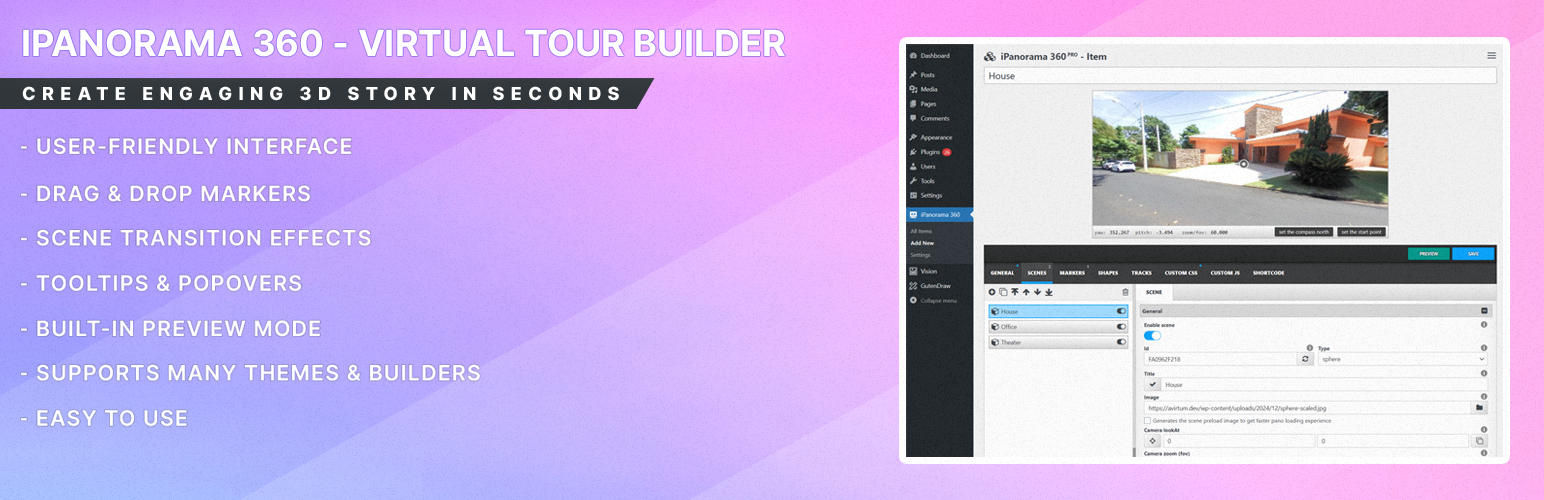
iPanorama 360 是一款強大的 WordPress 外掛,讓使用者能夠輕鬆創建互動式虛擬導覽。透過簡單的操作,您可以將 360 度全景圖像轉換為生動的虛擬旅程,並支援豐富的媒體內容。
【主要功能】
• 支援 360 度全景圖像上傳
• 提供標記功能以導航或提供資訊
• 具備即時預覽模式,方便檢視變更
• 完全相容於 Gutenberg 編輯器
• 具備 iFrame 嵌入功能,便於分享
外掛標籤
開發者團隊
② 後台搜尋「iPanorama 360 – Advanced Virtual Tour Builder」→ 直接安裝(推薦)
📦 歷史版本下載
原文外掛簡介
📢 Note from the Developer
To our amazing iPanorama 360 community! We are proud to introduce HappyVR – our next-generation virtual tour builder.
Built from the ground up on modern web standards, HappyVR solves layout and theme conflicts once and for all. It features complete CSS/JS isolation (Shadow DOM) to protect your site’s layout, a lightning-fast React-based live editor, and advanced Tile Generation so that massive gigapixel panoramas load instantly on mobile devices.
🎁 Check out HappyVR and download it for FREE!
iPanorama 360 is the WordPress plugin out there that lets you create excellent virtual tours for clients from directly inside the WordPress admin in seconds. The plugin supports markers for providing information about any part of the scene or for navigation to other rooms/areas. With a well-builded tooltip system, you can enrich a scene with text, images, video, and other online media resources. Use this plugin to create interactive & virtual tours, maps, presentations.
Just upload 360 panoramic images, and this plugin will help you to transform them into a good realistic virtual tour.
iPanorama 360 supports the classic shortcode, plus it’s fully compatible with Gutenberg Block Editor and has iFrame embed feature that help to share your tour on a third-party web resources.
Why use iPanorama 360?
This plugin has all features that are needed for your deployed a good virtual tour without any problem.
Powerful Builder Interface To Create Virtual Tours Easily
iPanorama 360 has a modern web interface, created to help you build an interactive virtual tour quick and easy.
Just imagine, you can create your first virtual tour in seconds!!!
The plugin supports the preview mode, it will help you to see all your changes before the publish. Isn’t that a good feature?)
Create A Realistic Tour From Scene to Another
You can create several scenes from 360 degree images and connect them using markers. The user can click on a marker to go previous or next scene. The walking to another scene can be styled by using a special transition effects (fade, zoom, twist and etc). Plus you can set tooltips & popovers for markers on each scene to show additional information to a viewer.
Shortcode Support
Inside the classic editor you can simply embed a virtual tour using this [ipano id=”123″] shortcode. Just set your virtual tour ID and your tour is ready to publish.
Gutenberg Block Support
Inside the Gutenberg block editor you can find the iPanorama 360 block, see the common section. This block is used to embed your virtual tour quckly on a page or post. Select a virtual tour ID from the list, set width & height if it’s needed and the tour is ready to go.
IFrame Embed Feature Support
You can share your tour on other web sites using the html iframe. To do this you should go to the tour builder, select the “shortcode” section and copy/paste the embed iframe code.
Control Permissions for Authors and Editors
The plugin gives you a way to edit the access for wp roles to create virtual tours. Only selected roles can modify virtual tours. Each selected role can have one state from this list: ‘private’, ‘group’, ‘all’.
private – you can create & edit only your items
group – you can create & edit the group items
all – you can create & edit all items (from any group, including admin items)
Who Should Use iPanorama 360?
Stores
Schools
Museums
Showrooms
Travel Agency
Art Galleries
Real Estate Agency
and much more…
List of features
Easy To Use Builder
Gutenberg block support
Create Multiple Scenes (5 types)
Flat Scene
Sphere & Cube Scene
Little Planet Scene
Google Street View Scene
Create Markers & Tooltips & Popovers
Two Popover Styles (inbox, lightbox)
Marker Style Creator
Customization with Custom CSS
Tooltips Show & Hide Animations (50+)
Popover Show & Hide Animations (50+)
Connect Scenes via Special Markers
Duplicate Tour on One Click
Scene Transition Animation
Live Preview Virtual Tour Before Publish
Gyroscope & Keyboard Navigation
Auto Rotation (play, stop, speed)
Audio Background (play, stop, volume)
Normal & Stereo View
Thumbnails Preview
Embed iframe Feature
Responsive Default Design
Export & Import Config
Two Themes (light & dark)
Permission System For WP User Roles
Great Customization
Powerful API