
內容簡介
Invum POS Entegratör 是一款專為土耳其 WooCommerce 商店設計的外掛,簡化了信用卡支付流程。透過整合 iyzico 或 PayTR 帳戶,商家可輕鬆啟用 3D Secure 支付及分期付款選項,無需授權金或交易手續費。
【主要功能】
• 支援 iyzico 和 PayTR 付款方式
• 3D Secure 安全支付
• 分期付款選項顯示
• 自動應用 BDDK 分期限制
• 一鍵支付功能
• 支援訂閱付款
外掛標籤
開發者團隊
② 後台搜尋「Invum POS Entegratör – Sanal POS ve Taksitli Ödeme」→ 直接安裝(推薦)
📦 歷史版本下載
原文外掛簡介
The easiest way to accept card payments in your WooCommerce store in Turkey. Enter the API credentials of your iyzico or PayTR account, enable the payment method, and your customers pay with 3D Secure — in installments if they like. No license key, no trial period, no per-transaction fee.
Invum POS is built around how payments work in Turkey: Turkish lira, installment culture, BDDK installment limits and the banks’ Turkish decline codes. When your store grows and you want to move to your bank’s virtual POS, you don’t switch plugins; you continue from the same panel.
✨ What’s in the free version?
💳 iyzico and PayTR — iyzico Checkout Form and Direct API; PayTR iFrame and Direct API. You can enable both at the same time and define several accounts for each.
🔒 3D Secure — Secure payment with bank authentication. Every result returned by the provider is verified by its signature and on the server; a fake “paid” notification cannot change your order.
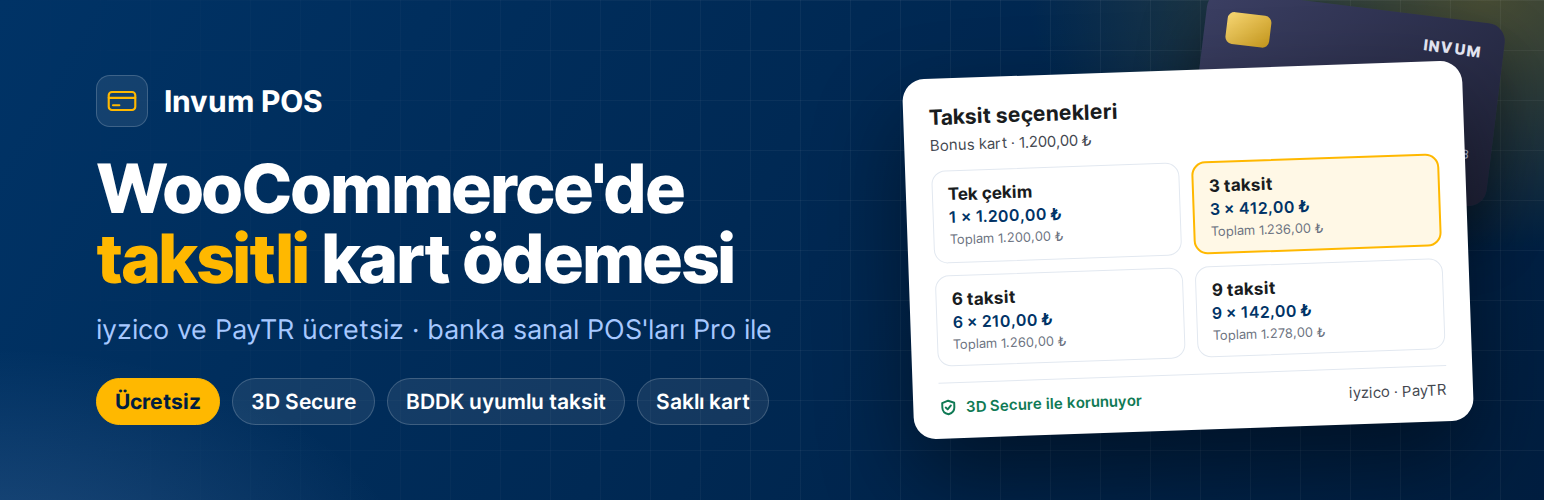
📆 Installments — Boxes on the checkout page showing the number of installments, the monthly amount and the total. Installment table on the product page. Separate rates per card family (Bonus, World, Axess, Maximum, CardFinans, Paraf…); pass the interest on to the customer or protect your net amount.
⚖️ BDDK installment limits — The maximum number of installments allowed for each product group is applied automatically; no installments are offered on debit, prepaid and foreign cards.
⚡ One-click payment with saved cards — The customer saves the card once and pays with one click on later purchases. Card data is stored at the payment provider, not on your server.
🔁 Subscriptions — Recurring payments with WooCommerce Subscriptions, including cancellation, suspension and card change flows.
🔗 Payment links — For stores taking orders by phone or WhatsApp: enter the amount, send the link, the customer pays by card.
🧾 Turkish decline codes — Clear messages such as “Insufficient card limit” or “The bank declined the transaction”; both you and your customer see what went wrong.
📊 Dashboard and transaction logs — Success rate, weekly comparison, most used methods, filterable transaction history and CSV export.
🎨 Card form with live preview — On both the WooCommerce Blocks and the classic checkout, a card visual that comes alive as the card number is typed.
↩️ Refunds — Full or partial refunds through the provider with the “Refund” button on the WooCommerce order screen.
🚀 Five-minute setup
Install and activate the plugin.
On the Invum POS › POS Accounts screen, choose iyzico or PayTR and enter your API credentials.
Try it in test mode first; if everything works, turn test mode off. That’s it.
Step-by-step guides (in Turkish): iyzico setup · PayTR setup · iyzico or PayTR?
🏦 Moving to your bank’s virtual POS?
When you want a direct bank virtual POS — to lower commission or to use your bank’s installment campaigns — you install a separate plugin, Invum POS Pro, next to this one. Your settings, saved cards and transaction history stay as they are.
Pro — every bank and provider: 12 banks on the NestPay infrastructure (Akbank, İş Bankası, Ziraat Bankası, Halkbank, QNB, TEB, ING, Şekerbank, Türkiye Finans, Anadolubank, Alternatif Bank, Cardplus), Garanti BBVA, Yapı Kredi (Posnet), VakıfBank, Craftgate and Moka. Payment routing rules by category, cart and bank.
Studio — advanced rules by card BIN and installment count; Paid Memberships Pro and GiveWP bridges.
Agency — 5 live + 5 test sites; moving a rule set from one store to another; delivering the plugin under your own brand name (white label).
The code of the Pro plugin is not included in this free plugin. Plans and pricing: invum.com.tr/pos
🛡️ Security
API keys are stored encrypted (AES-256) in the database; they are never kept as plain text anywhere.
Card number and CVV are never written to logs under any circumstances.
With the iyzico Checkout Form and PayTR iFrame, card data never touches your site (PCI DSS SAQ A). If you choose the on-site card form (Direct API), card data passes through your server to the provider; your PCI scope is then SAQ D.
When you delete the plugin, your POS accounts and transaction history are kept by default.
Trademarks
iyzico, PayTR, Param, Garanti BBVA, Yapı Kredi, Posnet, VakıfBank, PayFlex, NestPay, Craftgate, Moka and the bank names listed above are trademarks of their respective owners. Invum is an independent product; it is not affiliated with, endorsed or sponsored by any of these companies. The names are used only to identify the payment services this plugin connects to.
External services
This plugin relies on the third-party services documented below. Payment gateways and the license API are contacted only when you enable and configure them; the only service refreshed automatically is the CBRT exchange rate feed (details below).
Payment gateways (iyzico and PayTR in the Lite version; additional providers are added by the separate Invum POS Pro plugin). When a customer pays with a gateway you have enabled, the plugin sends the data needed to process that payment — order amount and currency, order/transaction IDs, and the card or 3-D Secure data entered by the customer — to that provider’s API together with the merchant credentials you configured. This happens during checkout and when the provider sends back the 3-D Secure / payment result. Card data is never stored as plain text or written to logs. Each provider is operated independently; please review their terms of use and privacy policy:
iyzico — Terms: https://www.iyzico.com/kendim-icin/kullanici-sozlesmesi — Privacy: https://www.iyzico.com/gizlilik-politikasi
PayTR — Terms: https://www.paytr.com/kosullar — Privacy: https://www.paytr.com/gizlilik
CBRT exchange rate feed (www.tcmb.gov.tr). A scheduled task fetches the official daily exchange rates published by the Central Bank of the Republic of Türkiye once a day from https://www.tcmb.gov.tr/kurlar/today.xml and shows them on the exchange rate card in the plugin’s admin panel. This is a plain GET request for a public XML document — no personal data, order data or site information is transmitted. Terms/usage: https://www.tcmb.gov.tr/
Invum License API (panel.invum.com.tr). If you enter a Pro, Studio or Agency license key, the plugin contacts the Invum panel to activate, verify or deactivate that key and to receive Pro module updates. It transmits your license key and your site address (URL). The free Lite version requires no license and makes no calls to this service unless you enter a key. Terms: https://invum.com.tr/ — Privacy: https://invum.com.tr/gizlilik-politikasi/














