內容簡介
Integrazo Flow 是一款無需編碼的視覺化工作流程自動化外掛,能夠將表單插件、WooCommerce 和用戶事件連接至 Zoho CRM、Zoho Bigin 和 Google Sheets,簡化數據傳輸過程,提升工作效率。
【主要功能】
• 無需編碼的視覺化編輯器
• 支援 20 多種表單與 WordPress 觸發器
• 連接 Zoho CRM、Zoho Bigin 和 Google Sheets
• 智能欄位映射,快速配置
• 實時數據流動,隱私保護
外掛標籤
開發者團隊
② 後台搜尋「Integrazo Flow – Automate with AI, Send Data to CRM, Google Sheets and More」→ 直接安裝(推薦)
原文外掛簡介
Integrazo Flow is a visual, no-code workflow automation plugin for WordPress. Connect your favorite form plugins, WooCommerce, and user events to Zoho CRM, Zoho Bigin, and Google Sheets — and build powerful automations with a drag-and-step flow editor. No developer, no Zapier subscription, no code required.
The moment a visitor submits a form — or a WooCommerce order is placed, or a user registers — Integrazo Flow picks it up in real time and sends the data straight where you need it: creating a CRM record, adding a row to a spreadsheet, or both, without you lifting a finger. Add Filter conditions to control exactly when a flow should run, and Delay steps to pace automations that shouldn’t fire instantly.
Everything runs directly between your WordPress site and the destination app, live, submission by submission. Your form data is never stored on our servers, and all connection credentials are encrypted in your database.
Why Integrazo Flow?
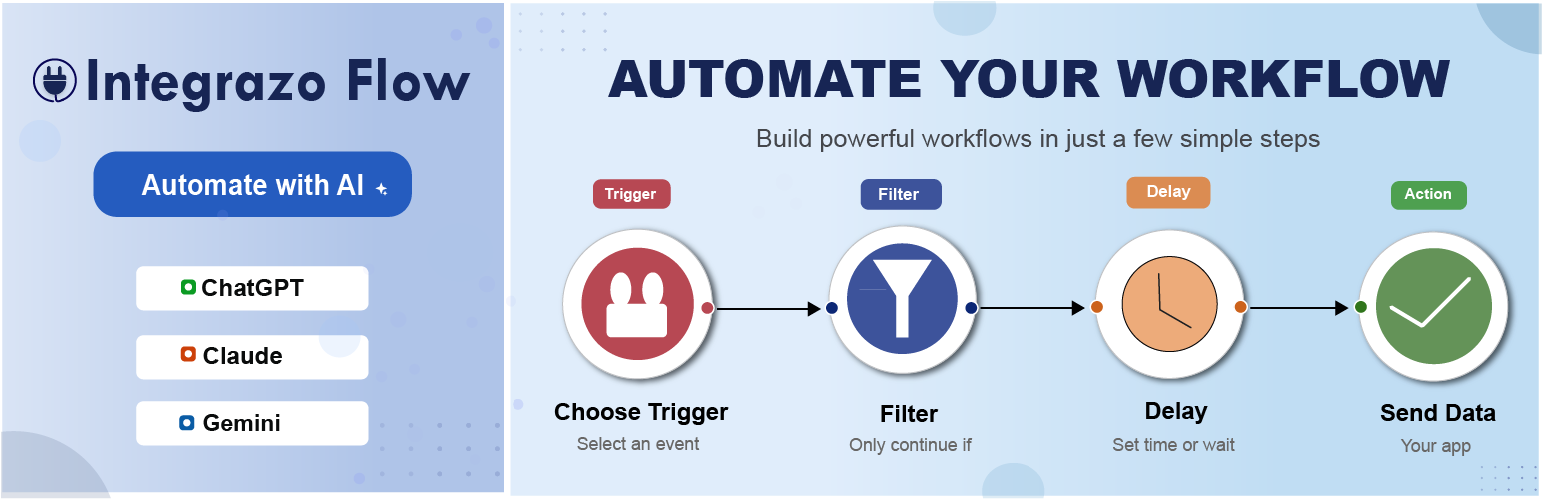
No-code visual builder — assemble Trigger → Filter → Delay → Action flows in a clean, drag-friendly editor. Each step is a card you configure with clicks, not code.
20+ form & WordPress triggers — works with the form plugin you already use, so there’s nothing to migrate or rebuild.
Connect to real business apps — Zoho CRM, Zoho Bigin, and Google Sheets today, with more destinations on the way.
Smart field mapping — map form fields to app fields in seconds, with optional AI assistance to suggest the match for you.
Reliable & transparent — every run is recorded in Sync Logs the moment it happens, with one-click resync for anything that fails.
Privacy-first — data flows directly from your site to your apps in real time; credentials are encrypted with AES-256-CBC.
Supported Triggers (form & WordPress sources)
Integrazo Flow starts a workflow the instant any of these fire:
Contact Form 7
WPForms
Gravity Forms
Ninja Forms
Formidable Forms
Fluent Forms
Forminator
Everest Forms
Elementor Forms
Kali Forms
MetForm
NEX-Forms
SureForms
weForms
HappyForms
ARForms
JetFormBuilder
WS Form
WooCommerce (customer & order events)
WordPress Users (registration, profile update, login)
Supported Actions (destination apps)
Send your data to, live, as each trigger fires:
Zoho CRM — create records the moment a form is submitted (Contacts and, with Pro, Leads, Accounts, Deals, and other modules)
Zoho Bigin — create records in your Bigin pipeline in real time
Google Sheets — append form submissions as new rows instantly, so your sheet is always current
Flow Steps
Trigger — starts the flow the instant a form is submitted or an event happens.
Filter — continue only when your conditions match (AND/OR logic, multiple groups, operators like equals, contains, greater than, is empty, and more).
Delay — wait a set amount of time before the next step runs (requires WP-Cron).
Condition — split the flow into a “yes” path and a “no” path based on a rule, so different submissions can be routed to different actions. Conditions can be nested up to 3 levels deep.
Action — send the mapped data to your connected app, live.
AI Agents (optional, bring-your-own-key)
Connect your own Google Gemini, OpenAI, or Anthropic Claude API key to unlock AI helpers in the flow editor:
AI field mapping — automatically suggests the best mapping between your form fields and app fields, so setup takes seconds instead of manual guesswork.
AI test data — generates realistic sample values so you can test a flow end-to-end before it ever touches real data.
Your API key is stored securely in your site and is only used for these editor features.
Key Features
Visual, step-based flow editor
20+ form, WooCommerce, and WordPress user triggers
Zoho CRM, Zoho Bigin & Google Sheets actions
Conditional branching with nested yes/no paths
Drag-and-drop style field mapping
Filter conditions with AND/OR logic
Delay steps for timed automations
Sync Logs with live status, error details, and one-click resync
Email notifications for failed syncs
Configurable log retention
Secure OAuth 2.0 connections
AES-256-CBC credential encryption
WordPress multisite compatible
Translation-ready (text domain: integrazo-flow)
Integrazo Flow turns your WordPress forms into a genuine, real-time marketing and CRM automation engine — capture leads, sync customers, back up submissions to a spreadsheet, and keep your team’s tools in sync automatically, as it happens.
How to Connect an App
Go to Integrazo Flow > Connections.
Click Add Connection and pick the app (Zoho CRM, Zoho Bigin, or Google Sheets).
For Zoho, choose your data center (zoho.com, zoho.eu, zoho.in, etc.) and authorize via the official Zoho OAuth screen.
Your connection is saved, encrypted, and ready to use in any flow immediately.
Privacy Policy
Integrazo Flow does not store any of your form data on Integrazo servers.
OAuth relay: During Zoho OAuth authorization, the plugin uses a relay endpoint at https://integrazo.com/zoho_callback. This relay receives the authorization code from Zoho and immediately forwards it to your WordPress site. No data is stored or logged on Integrazo servers during this process. The relay is required because Zoho OAuth requires a fixed registered redirect URI. Details: https://flow.integrazo.com/app/privacy-policy.html
Data sent to connected apps: When a trigger fires, the plugin sends only the fields you have mapped in your flow (for example, name, email, phone) directly from your WordPress site to the destination app via its official API, in real time.
The following third-party endpoints may be used depending on the apps you connect:
https://accounts.zoho.com — Zoho OAuth 2.0 authentication and token exchange (plus data-center variants such as accounts.zoho.eu, accounts.zoho.in).
https://www.zohoapis.com — Zoho CRM and Zoho Bigin REST API (plus data-center variants such as www.zohoapis.eu, www.zohoapis.in).
https://integrazo.com/zoho_callback — Zoho OAuth authorization relay.
https://sheets.googleapis.com and https://oauth2.googleapis.com — Google Sheets API and Google OAuth.
If you enable AI Agents, requests are sent to your chosen provider only: https://generativelanguage.googleapis.com (Gemini), https://api.openai.com (OpenAI), or https://api.anthropic.com (Claude).
Third-party terms and policies:
Zoho Privacy Policy: https://www.zoho.com/privacy.html
Zoho API Terms: https://www.zoho.com/terms.html
Google Privacy Policy: https://policies.google.com/privacy
Integrazo Privacy Policy: https://flow.integrazo.com/app/privacy-policy.html