內容簡介
總結:Instant Side Cart for WooCommerce 是一款能提供快速響應和無需刷新頁面即時加載的側邊購物車外掛。讓您的店鋪不再因為慢速或繁瑣的購物車頁面而失去客戶,並為他們提供無縫、現代化的購物體驗,提高轉換率。
問題與答案:
1. Instant Side Cart for WooCommerce 可以如何幫助提高訂單價值?
- 可以利用免運進度條來激勵客戶增加他們的訂單價值,透過明顯的進度條顯示剩餘金額,以解鎖免運費的方式,將一次錯失的銷售轉變為更大的訂單。
2. Instant Side Cart for WooCommerce 在移動設備上的響應設計有哪些特點?
- 側邊購物車抽屜和浮動觸發按鈕已經為各種螢幕尺寸做了優化,為移動設備提供平滑、觸摸友好的體驗。
3. 高級版的 Instant Side Cart Pro 提供了哪些進階功能?
- 包括 12 種引人注目的動畫效果可供選擇,設置自定義寬度和高度的購物車面板,以及針對移動設備的專用選項來設置獨立的圖標位置、大小和購物車寬度。
外掛標籤
開發者團隊
② 後台搜尋「Instant Side Cart for WooCommerce」→ 直接安裝(推薦)
原文外掛簡介
🚀 Instant Side Cart for WooCommerce: Boost Sales with AJAX
The Instant Side Cart for WooCommerce provides a blazing fast, responsive side cart drawer that loads instantly without refreshing the page. Stop losing customers to slow, cumbersome cart pages and provide a seamless, modern shopping experience that drives conversions.
✨ Key Features in the Free Version
The Instant Side Cart delivers crucial features right out of the box to boost your store’s user experience (UX) and average order value (AOV).
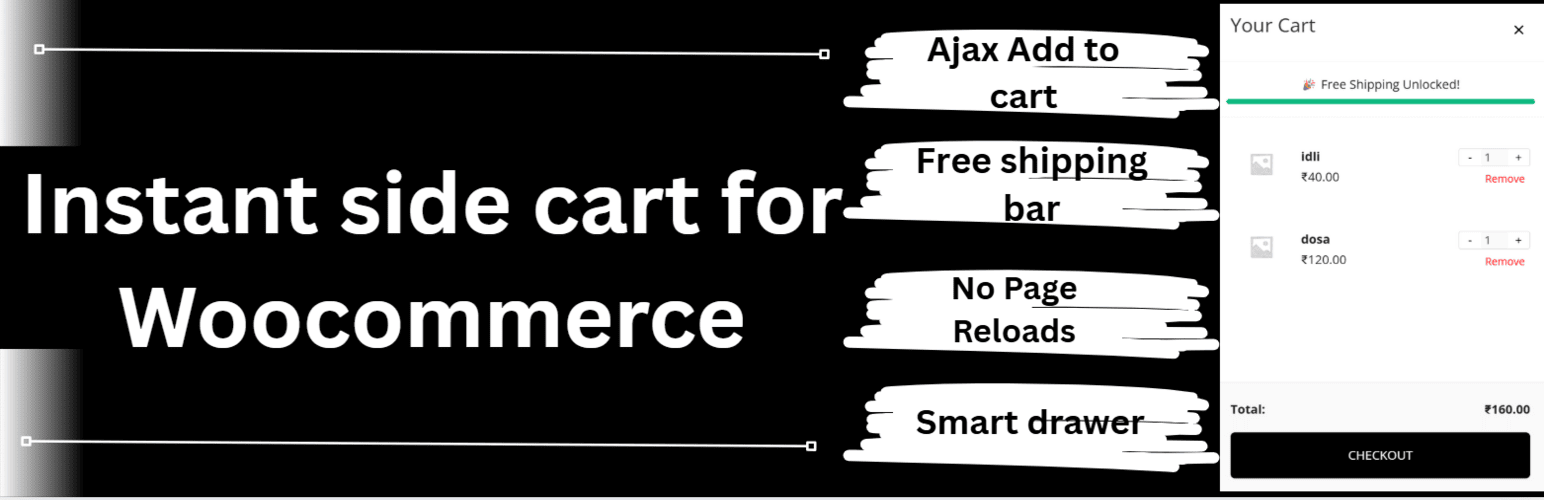
⚡ AJAX Functionality: Add products to the cart instantly from the Shop page, product pages, or anywhere else on your site without a page reload.
🎁 Free Shipping Progress Bar: Motivate customers to increase their order value! A highly visible progress bar shows the exact amount remaining to unlock free shipping, turning a missed sale into a bigger order.
🛒 Seamless Cart Management: Allow users to update product quantities (+/- buttons) and remove items directly within the side cart, all via fast AJAX.
📱 Fully Responsive Design: The side cart drawer and floating trigger button are optimized for all screen sizes, providing a smooth, touch-friendly experience on mobile devices.
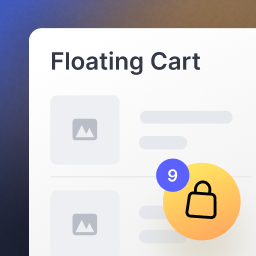
👁️ Smart Trigger Button: A sticky, floating cart icon displays the current item count and automatically opens the cart drawer when a new product is successfully added.
⚙️ Basic Controls: Simple settings to enable/disable the cart and set your Free Shipping Threshold.
🌟 Go Pro for Advanced Customization & Performance
Ready to take your conversions to the next level? Upgrade to Instant Side Cart Pro to unlock powerful features necessary for full design control and marketing optimization.
12 Eye-Catching Animations: Choose from effects like Bounce, Pulse, Shake, and Tada for your floating icon to grab your customers’ attention.
Advanced Icon Styling: Access 6 pre-built icon presets, custom SVG upload options, and full color/size control for both desktop and mobile views.
Layout Control: Set custom width and height for the cart panel (e.g., full-width mobile cart).
Mobile-First Settings: Dedicated options to set separate icon positions, sizes, and cart widths specifically for mobile devices.