內容簡介
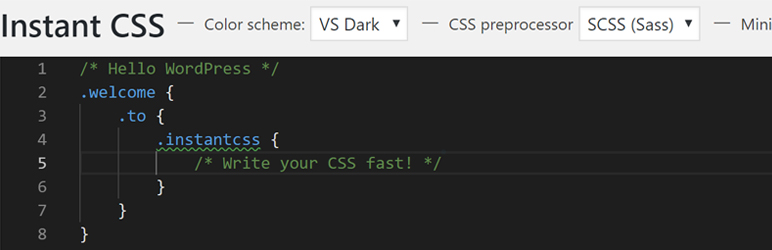
在 WordPress 中使用 Visual Studio Code 的威力寫你的 CSS 或 SCSS。
該外掛使用 autoprefixer 將你的 CSS/SCSS 解析成可在舊版瀏覽器上運行的 CSS,不需要寫 -webkit、-moz 或 -o。
你還可以選擇使用 SCSS,更多關於 SCSS 的資訊在此: https://sass-lang.com/guide
功能
使用 Visual Studio Code 的豐富功能
你的 CSS 隨着 autoprefixer 編譯,以適應舊版瀏覽器
使用 SCSS 創建高效的樣式表,包括變量、混入等
選擇將 CSS 縮小以減少加載時間
保存時,不需要刷新網頁
即時編輯樣式,當保存時編輯器自動更新並同步更新瀏覽器上的樣式
外掛標籤
開發者團隊
原文外掛簡介
Use the power of Visual Studio Code in WordPress to write your CSS or SCSS
The plugin uses autoprefixer to parse your CSS/SCSS into CSS that will work on older browsers, no need to write -webkit, -moz or -o.
You can also choose to use SCSS, more info about SCSS here: https://sass-lang.com/guide
Features
Use all the powerful features from Visual Studio Code
Your CSS gets compiled with autoprefixer to work on older browsers
Use SCSS to create efficient stylesheets with variables, mixins, etc.
Option to minify your CSS to reduce loading times
No refreshing on saving
Live editor updating styles on save and have the browser update simultaneously