外掛標籤
開發者團隊
原文外掛簡介
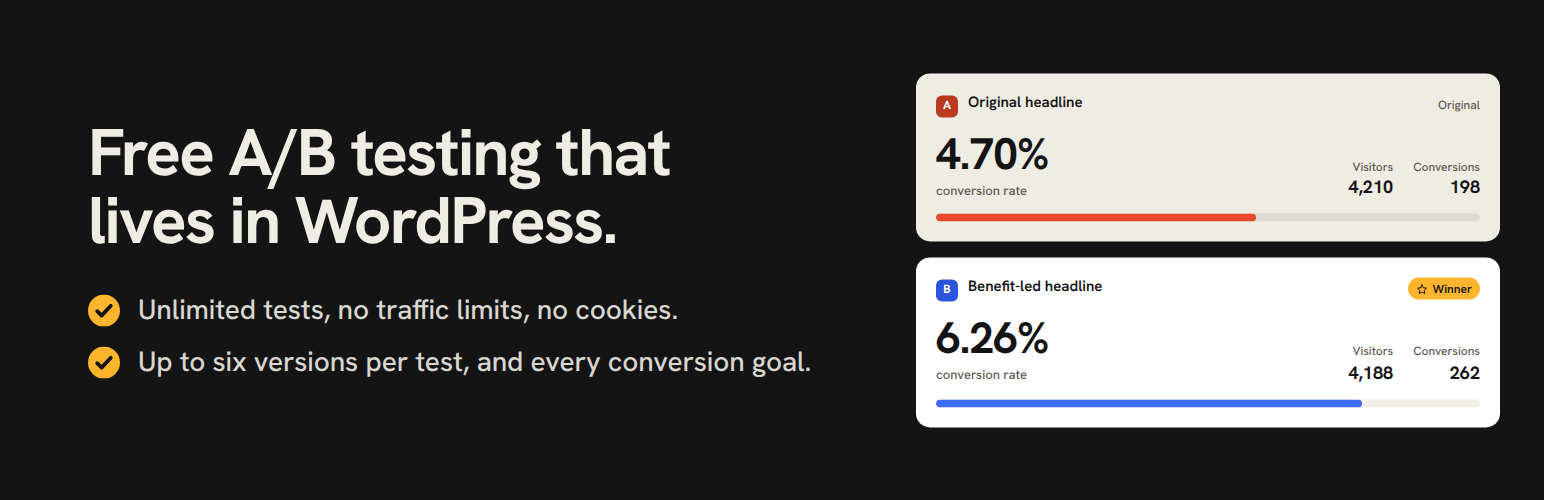
ImproveAB is free AB testing and split testing for WordPress. Show two or more versions of a headline, button, section or whole page to real visitors, see which one gets more signups, clicks or sales, and keep the winner. It works with any page builder or theme, and everything runs on your own site.
Website · Guide · Support forum · ImproveAB Pro
Why ImproveAB
Free, with no limits. Unlimited tests at once, unlimited visitors, up to six versions per test and every goal. Nothing in this plugin is locked.
Any builder or theme. Elementor, Bricks, Divi, the block editor (Gutenberg), Beaver Builder, Breakdance, Oxygen, Etch, Kadence, GeneratePress, Astra or a classic theme.
No code needed. Click a headline or button on your page, type the new version and start the test.
No flicker, cache-friendly. Visitors never see the wrong version flash, and tests work behind page caches and CDNs.
Private by design. No cookies, no account, and nothing is sent to us or to anyone else. Results stay in your WordPress database.
Made for stores. WooCommerce add-to-cart and purchase goals, with the revenue each version brings in.
How it works
Pick what to test. Open any page while logged in, choose A/B Tests → Start a test on this page in the toolbar, and click a headline, button or section.
Make the new version. Change the words, swap an image from the Media Library, or edit the HTML.
Choose a goal. A visit to a thank-you page, a click, a form sent, a WooCommerce purchase, scroll depth or time on page.
Start the test. Visitors are split evenly between the versions, and each visitor keeps seeing the same one.
Keep the winner. Compare the conversion rate of each version, declare the winner and show it to every visitor with one click.
Three ways to create a test
Point and click: pick any element on the page and edit it in a panel. A section opens with one field per heading, text, button and image, so its layout stays as it is.
Element tests: build both versions in your builder and give each the CSS class ImproveAB shows you. The plugin shows where that field is in each builder.
Full-page split tests: split visitors between two page addresses, even a redesign on a subdomain, with SEO-safe canonical tags.
Goals you can measure
Page visit (such as a thank-you page), element click, link click, form submission (Contact Form 7, WPForms, Gravity Forms, Fluent Forms, Ninja Forms, Formidable, Forminator or any plain form), WooCommerce add to cart, WooCommerce purchase with revenue, scroll depth, time on page and active time.
Results you can act on
Visitors, conversions and conversion rate for each version, with the leader marked.
A breakdown by device, a day-by-day chart and CSV export.
A traffic split check that warns you when a test is set up wrong, before you trust its numbers.
A sample size and duration calculator, so you know how long a test needs.
Notes on every test, and a plain-text summary to download or email to yourself.
Built for real sites
Run as many tests on a page as you like, and limit a test to the pages you choose.
The common page caches are cleared for you when a test starts or stops.
Works with WooCommerce (HPOS included) and on multisite.
A dashboard widget and a toolbar menu show your running tests.
A plain-English guide and a one-minute tour are built in.
Deleting the plugin keeps your tests and results, unless you switch on a full clean-up.
ImproveAB Pro (coming soon)
ImproveAB Pro is a complete version of this plugin with more for teams and stores. You install it in this plugin’s place, and it keeps every test, result and setting.
Statistics: statistical significance, probability to beat and the likely range of the uplift, so you know when a result is real.
Automation: scheduled starts and stops, an optional automatic winner, email and Slack alerts, and a weekly digest.
Audience targeting: test only on a device type, only with new or returning visitors, only with logged-out visitors, or only with visitors from a campaign link.
Uneven traffic splits, such as 90 / 10, to try a risky idea on a small share of visitors.
Custom CSS for each version of a point-and-click test.
AI Copy and Style with your own OpenAI, Anthropic or Google Gemini key: wording ideas for a field, and style changes described in plain words.
Webhooks for Zapier, Make, n8n or your own endpoint, and role controls for your team.
See ImproveAB Pro and get an email when it launches
This plugin is complete on its own: it never downloads or installs anything, and it never needs Pro.
Planned for the free plugin
Exporting and importing tests between sites, an archive of finished tests and what they taught you, test templates, and WP-CLI commands. Multivariate testing is being researched.
Privacy
In short: no cookies, nothing sent to us or to anyone else, and your results stay in your own WordPress database. The details:
No cookies and no visitor account. A random, pseudonymous id in the visitor’s browser (local storage) keeps them on the same version.
Your own database keeps one row when a visitor first sees a test, and one more if they convert: that id, the version, the device type (desktop, tablet or mobile) and when it happened. A conversion also keeps the path of the page it happened on (never its query string, and for a purchase without the order’s number), and a purchase the order total less any refund.
Never stored with your results: a name, an email address or an IP address.
A WooCommerce order the plugin counts, or waits to count until it is paid, gets a note on the order itself (the id, the test, the version, the device type and when it was counted), so each order counts once and a refund or a cancellation comes off the right result. Because the order holds its buyer’s details, the id is then linked to that order in your store’s own database. The note goes when the order is deleted, and when you remove the plugin with “Delete all data when the plugin is removed” switched on.
Once a test has ended, its rows are compacted into daily totals after the retention period (90 days by default, adjustable in Settings).
To limit abuse, the event endpoint counts requests per address and minute under a salted, one-way hash. The counts are deleted by the plugin’s nightly clean-up at the latest, and nothing else is kept about the address.
The plugin contacts no external service: it loads nothing from other servers, sends nothing to us or to any third party, and needs no account.
A test’s name is not private: a short form of it appears in your pages’ source, as an element test’s CSS classes (from the moment it is saved) and as the key a visitor’s browser keeps for a test that runs or shows its winner. Choose names you are happy for visitors to see.
This makes it easier to run tests in a privacy-respecting, GDPR- and CCPA-conscious way. Whether your site needs visitors’ consent for it depends on the laws that apply to your site.
Credits
The admin screens and the point-and-click panel use the Hanken Grotesk typeface (Copyright 2021 The Hanken Grotesk Project Authors), bundled with the plugin under the SIL Open Font License 1.1; the license is in assets/fonts/OFL.txt. Nothing is loaded from a font service.
To tell this site’s own pages from another customer’s on a shared name (co.uk, web.id, github.io), the plugin bundles the Public Suffix List (https://publicsuffix.org/, Copyright Mozilla Foundation and contributors) as includes/data/public-suffix-list.php, under the Mozilla Public License 2.0; its notice is in the file’s header. The list is read from that file; nothing is fetched.
Two icons in the Settings screen, the bell and the webhook hook, are from Lucide (Copyright Lucide Contributors 2022, portions Copyright Cole Bemis 2013-2022 as part of Feather), used under the ISC License; the notice is beside them in assets/js/admin.js.
ImproveAB is made by ImproveKit.