內容簡介
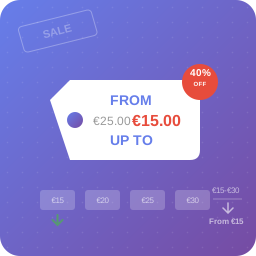
Imaginate Variation Display Options for WooCommerce 外掛幫助商店擁有者改善可變產品的選擇體驗,將預設的 WooCommerce 變數下拉選單替換為清晰的單選按鈕選項,讓顧客在加入購物車前能清楚看到可用的變化。
【主要功能】
• 用單選按鈕取代 WooCommerce 變數下拉選單
• 以清晰的佈局顯示產品變數選項
• 合併變數屬性或保持屬性分開顯示
• 在變數選項模板中顯示價格和描述
• 根據需要保留原始的 WooCommerce 下拉選單
• 可自訂前端模板以調整變數顯示
外掛標籤
開發者團隊
② 後台搜尋「Imaginate Variation Display Options for WooCommerce」→ 直接安裝(推薦)
原文外掛簡介
Imaginate Variation Display Options for WooCommerce helps store owners improve the variable product selection experience by replacing the default WooCommerce variation dropdown with clean radio button options.
The plugin is useful for stores that sell products with sizes, colors, packs, subscriptions, or other product attributes where customers should see available variations clearly before adding an item to the cart.
Instead of relying only on dropdown fields, this plugin can display WooCommerce product variations as selectable radio buttons, show variation details, and keep WooCommerce variation behavior working with the product add-to-cart form.
Key Features
Replace WooCommerce variation dropdowns with radio buttons.
Display product variation options in a clear, customer-friendly layout.
Merge variation attributes into one variation selector or keep attributes separated.
Show variation price and description in the variation option template.
Keep original WooCommerce dropdowns for selected products or attributes when needed.
Optional setting to replace the add-to-cart form on archive pages.
Optional JavaScript events for show_variation and found_variation compatibility.
Customizable frontend templates for variation display output.
Optional extra CSS field for small styling adjustments.
Compatible with WooCommerce High-Performance Order Storage (HPOS).
Why Use Radio Buttons for WooCommerce Variations?
WooCommerce variable products often use dropdown menus by default. Dropdowns work well for compact forms, but they can hide available product options from shoppers.
Radio buttons make product variation choices visible immediately. This can help customers compare options faster, reduce missed selections, and create a smoother product page experience for stores with a manageable number of variations.
Template Customization
The plugin includes settings for customizing variation display templates. You can adjust the header, each variation row, footer, reset button, labels, and option layout from the WooCommerce settings area.
Frontend template output is filtered through an allowed HTML list so common formatting tags and attributes can be used while keeping the output controlled.
WooCommerce Requirement
This plugin requires WooCommerce. It is designed specifically for WooCommerce variable products and product variation forms.