內容簡介
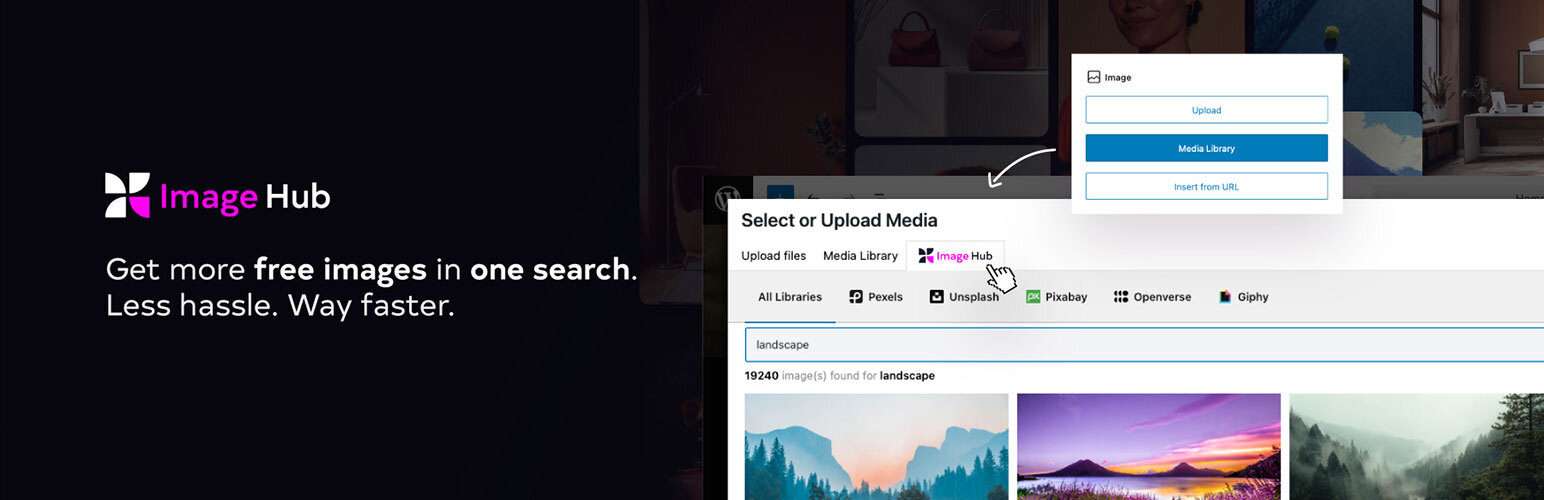
總結:這個 WordPress 外掛讓你可以直接在 Gutenberg 編輯器中使用由 Pexels、Unsplash、Pixabay、Openverse 和 Giphy 提供的免費圖片。
問題與答案:
1. 這個 WordPress 外掛支援哪些圖片提供者?
- Pexels、Unsplash、Pixabay、Openverse 和 Giphy。
2. 外掛如何處理圖片提供者之間的 API 請求?
- Image Hub 透過他們在 api.wpimagehub.com 的 API 服務將所有 API 請求路由至第三方圖片提供者 (如 Pexels、Unsplash、Pixabay、Openverse、Giphy)。
3. Image Hub 有什麼特點?
- 該外掛可以安全地隱藏 API 金鑰,並以一致的、標準化的格式優化的方式傳送圖片數據,以供在 WordPress 中顯示。
4. 在使用服務之前,我們應該做些什麼?
- 我們應該先閱讀他們的服務使用條款和隱私政策。
5. 我可以在哪裡找到 Image Hub 的源代碼文件?
- 你可以在 GitHub 上找到它們的源文件。
外掛標籤
開發者團隊
② 後台搜尋「Image Hub – Free Images from Unsplash, Pixabay, Pexels, Openverse & Giphy」→ 直接安裝(推薦)
原文外掛簡介
Whether you’re publishing blog posts, product pages, or marketing content, Image Hub gives you the visual tools to do it faster, safer, and better: no external tabs, downloads, or uploads. Plus, it’s compatible with all the major website builders.
Supported Image Providers
Pexels
Unsplash
Pixabay
Openverse
Giphy
Key Features
Integrated stock search from 5 royalty-free image sources
Direct import to your WordPress media library
Safe for commercial use – all sources have royalty-free options
Centralized asset management – your own uploads + stock in one place
Performance-friendly – lightweight, fast, and built for daily use
External Services
Image Hub routes all API requests to third-party image providers (like Pexels, Unsplash, Pixabay, Openverse, and Giphy) through a secure proxy at api.wpimagehub.com. This architecture:
Keeps API keys private
Delivers a standardized image format
Optimizes response data for WordPress display
The result? A unified, fast, and secure image search experience tailored to the WordPress editor.
Terms & Policies
By using Image Hub, you agree to our Terms of Use and Privacy Policy. We recommend reviewing these before installation.
Terms of Use
Privacy Policy
Source files
github