內容簡介
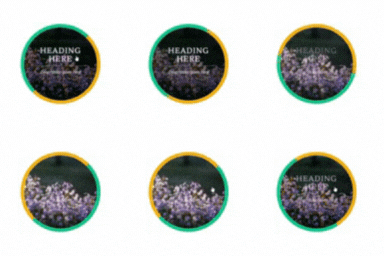
WPBakery Page Builder 的圖片滑鼠懸停效果外掛讓您可以使用各種選項將懸停圖片添加到您的網站。
有不同的設置選項,例如圖片、方框高度、設置懸停內容為預設值、設置標題、帶有文本大小和顏色的按鈕。
此外,它是開發者最好的滑鼠懸停圖片外掛之一,它是使用 WordPress actions 開發的,因此開發人員可以根據客戶的需求在佈景主題中修改它。
演示
免費版本演示
專業版本演示
特色
2種滑鼠懸停圖片樣式
標題及副標題
文本及其顏色
添加連結按鈕的選項
更改高度的選項
手機設置
CSS3 動畫
手機友好
開發人員友好。
專業版本特色
3種滑鼠懸停樣式
雪花效果、糖果效果
設置膠片顏色的選項
漸層疊加
將懸停內容/標題設置為預設值
設置標題和描述背景顏色的選項
標題文本的 Google 字型
在滑鼠懸停時更改圖片的選項
2 和 3 樣式的邊框顏色設置選項
閱讀更多按鈕設置
高級設置
手機設置
開發人員友好
文檔
外掛標籤
開發者團隊
② 後台搜尋「Image Hover Effects for WPBakery Page Builder」→ 直接安裝(推薦)
原文外掛簡介
Image hover effects addon for WPBakery Page Builder lets you add hover image to your website with various options.
There are different options to set such as image, box height, set hover content as default, set title, button with text size and color.
Moreover it is one of the best hover image plugin for developers , it is developed with WordPress actions, so developer can modify it in theme according to the client’s need.
Demo
FREE VERSION DEMO
PRO VERSION DEMO
Features
2 Hover image style
Title & Subtitle
Text and its color
Option to add link button
Option to change height
Mobile settings
CSS3 Animation
Mobile friendly
Developer friendly.
PRO Version Features
3 Hover styles
Snow Effect, confetti effects
Option to set overlay color
Gradient overlay
Set hover content/Title as default
Option to set title & description background color
Google fonts for title text
Option to change image on hover
Option to set border color for style 2&3
Read More button settings
Advance settings
Mobile settings
Developer friendly
Documentation